How to See What Ads Your Competitors Are Running on Meta (and Track Them Automatically)
Learn how to see competitor ads on Meta and Instagram with the Meta Ad Library, then track competitor ads weekly and spot new campaigns automatically.
Chris Edington
13 min read

How to See Competitor Ads on Meta (and Track Them Weekly)
The quickest way to see competitor ads on Meta is the free Meta Ad Library. Search for the brand's Page name, choose your country, and you can browse the active ads Meta makes available for that Page and market across Facebook and Instagram. You don't even need to log in.
The catch? It's a snapshot, not a tracker. It shows what's live right now, not what launched this week or what quietly disappeared on Tuesday. I'll walk you through the manual method first (it's genuinely useful), then show where it starts to creak and what your options are for tracking competitor ads over time.
Can You See Any Brand's Facebook and Instagram Ads?
Short answer: yes, for active ads. Meta's Ad Library is a public transparency tool, so anyone can search it for a brand's live ads. One library covers Facebook and Instagram, plus placements like Messenger and Audience Network.
Why does this matter for marketing teams? Because you get a direct look at a competitor's messaging, offers and creative testing, with none of the polish of a press release. You see the actual creative, the actual copy and where the ad sends people. Just remember that the library shows what's published and may not surface every ad in every situation. Treat it as a very good view, not a perfect one.
It also shows what's running, not what's working. For ordinary commercial ads, you won't see audience targeting, exact spend, or performance data like clicks, conversions and return on ad spend. Ads that have ended are generally gone too, because commercial ads are mainly visible while they're active. Political and social-issue ads get extra disclosures and longer retention, but that's a different category from the commercial ads most of us are researching.
Finding Competitor Ads in the Meta Ad Library
Here's the manual route. Once you've done it a couple of times, it takes about two minutes.
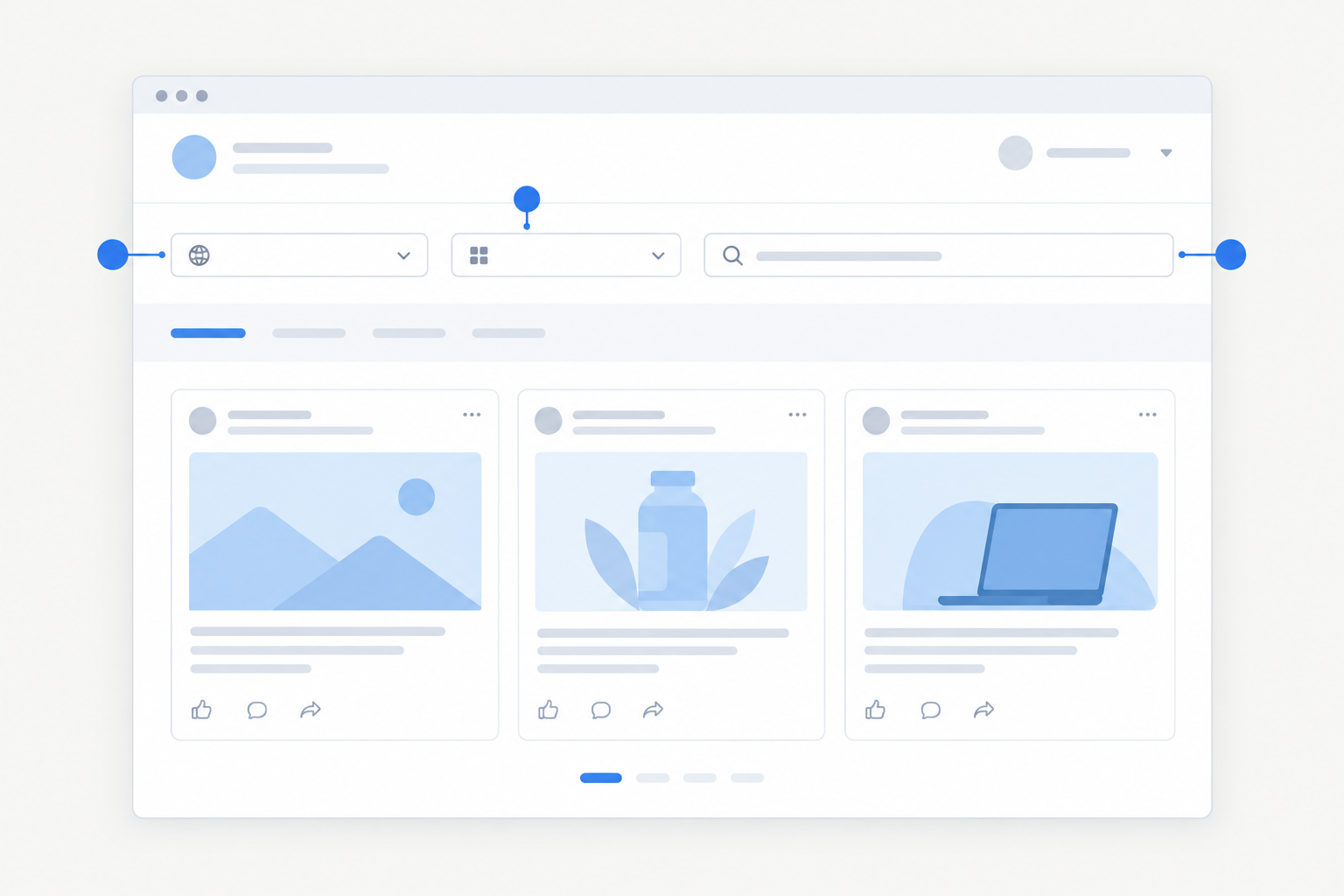
- Go to the Meta Ad Library at facebook.com/ads/library.
- Select your country. Choose United Kingdom if that's your market, so you only see ads delivered there. A search limited to one country can miss campaigns running elsewhere, so repeat it for other markets if they matter to you.
- Choose 'All ads' as the ad category, rather than just issue, electoral or political ads.
- Type the brand name into the search bar and pick the matching Page from the dropdown. Check it's the right one, as similarly named businesses are common.
- Review the results. Each ad typically shows an 'Active' status, a start date and the platforms it's running on.
- Click 'See ad details' to view the Page's info and, where Meta displays them, other versions of the same creative.
- Bookmark the Page-specific URL so you can jump straight back next time.
One thing worth knowing: if you search and find nothing, that doesn't mean the competitor has never advertised. They may just have no eligible active ads in that country right now.
Searching the Meta Ad Library by Page Name, Keyword or Website
People usually hunt for ads in one of three ways, and they're not equally reliable. Here's how they compare.
| Method | Accuracy for one advertiser | Best for | Noise level |
|---|---|---|---|
| Page name | High | Seeing ads from a known competitor | Low |
| Keyword | Low | Market research ('meal kit', 'CRM software') | High |
| Website/domain | Low to variable | A rough cross-check for partner or unfamiliar Pages | Medium |
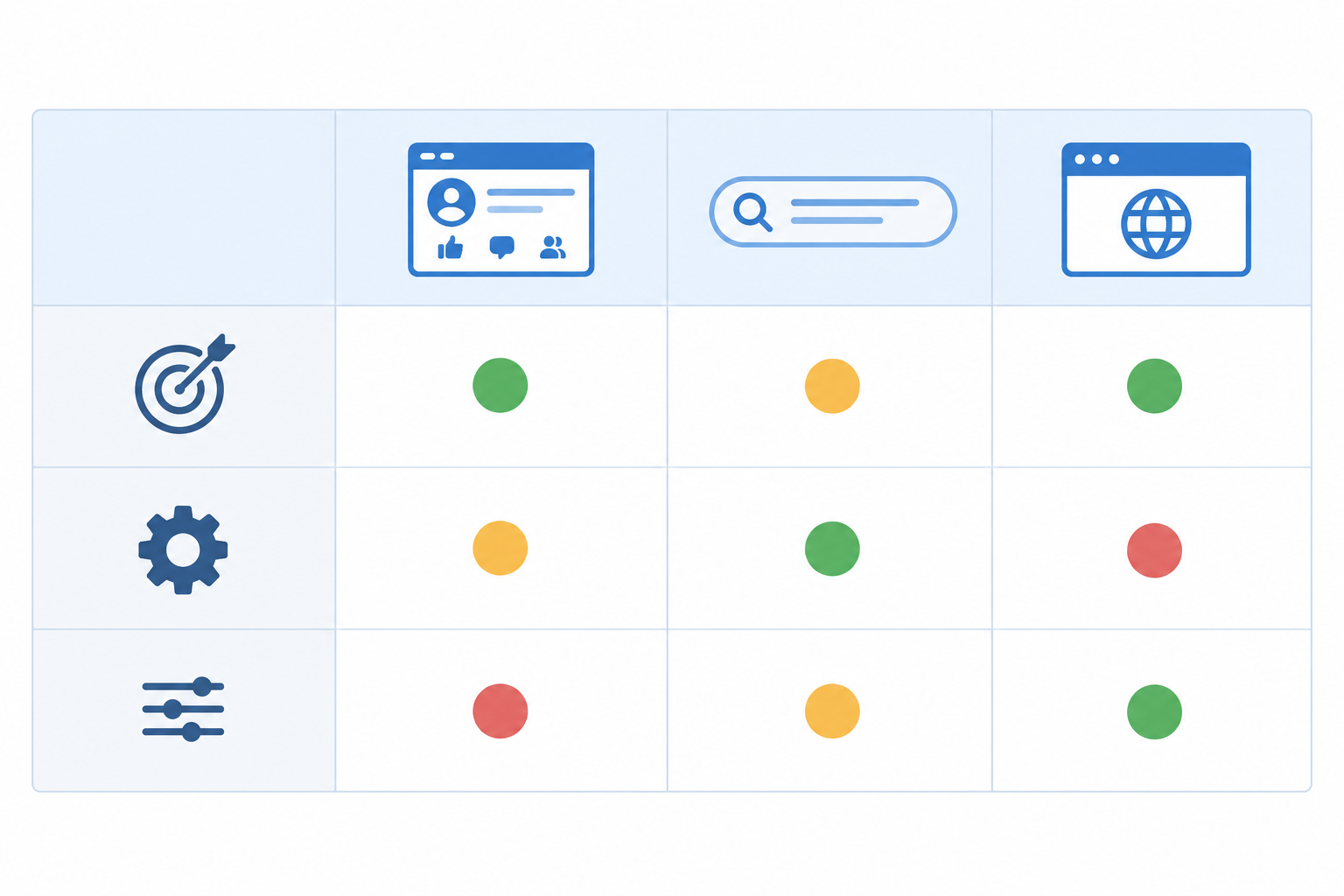
Page name is your default. Selecting the Page from the dropdown filters results to that advertiser only, which makes it the most direct route. Double-check you've picked the right one, because brands often have regional, product or sub-brand Pages.
Keyword search is great for discovery and poor for completeness. It looks for terms in ad content, so it's brilliant when you want to know who's advertising 'CRM software' or what offers are flying around your category. But it won't reliably retrieve every ad from a particular competitor, and you'll need to check which advertiser is behind each result.
Website or domain search is a rough clue, not a method. Typing a domain into the keyword box may surface ads that mention or link to it, which can occasionally help when a brand advertises through partners or unfamiliar Pages. Results can be limited or inconsistent, though, so don't count on it to find all of a competitor's Pages. A better workflow is to identify the Page first, then inspect the destination links in the ad details.
How to Find All Ads from a Brand with Several Pages
Larger advertisers often split their activity across regional Pages (UK, Ireland, EU), product-line or sub-brand Pages, and sometimes founder or creator Pages. Search each one separately and keep a simple list of the Page names tied to each competitor. If you're not finding what you expect, try the product name, the parent company or regional variants.
How to Find Instagram Competitor Ads
Instagram ads are managed through Facebook Pages, so you'll search by the brand's Page name, not their Instagram handle. From there, a few habits help you zero in on Instagram competitor ads.
Start with the Platform filter to narrow results to Instagram. It tells you an ad runs on Instagram, but not whether that's Feed, Stories or Reels. For that, judge the format from the creative: vertical, short-form video usually points to Stories or Reels, while square or portrait images suggest feed.
Also check which ads run on both platforms. A creative pushed across Facebook and Instagram may be one the team is comfortable with, though that's a hint, not a guarantee. And look for creator or partnership ads, which may sit under a different Page or handle, so search those names too.
I like comparing how a competitor adapts the same message for each platform. Instagram creative tends to be more visual and less text-heavy, so you can see how they trim their copy down and whether the Instagram version looks like a different campaign altogether.
What Information Can You See in the Meta Ad Library?
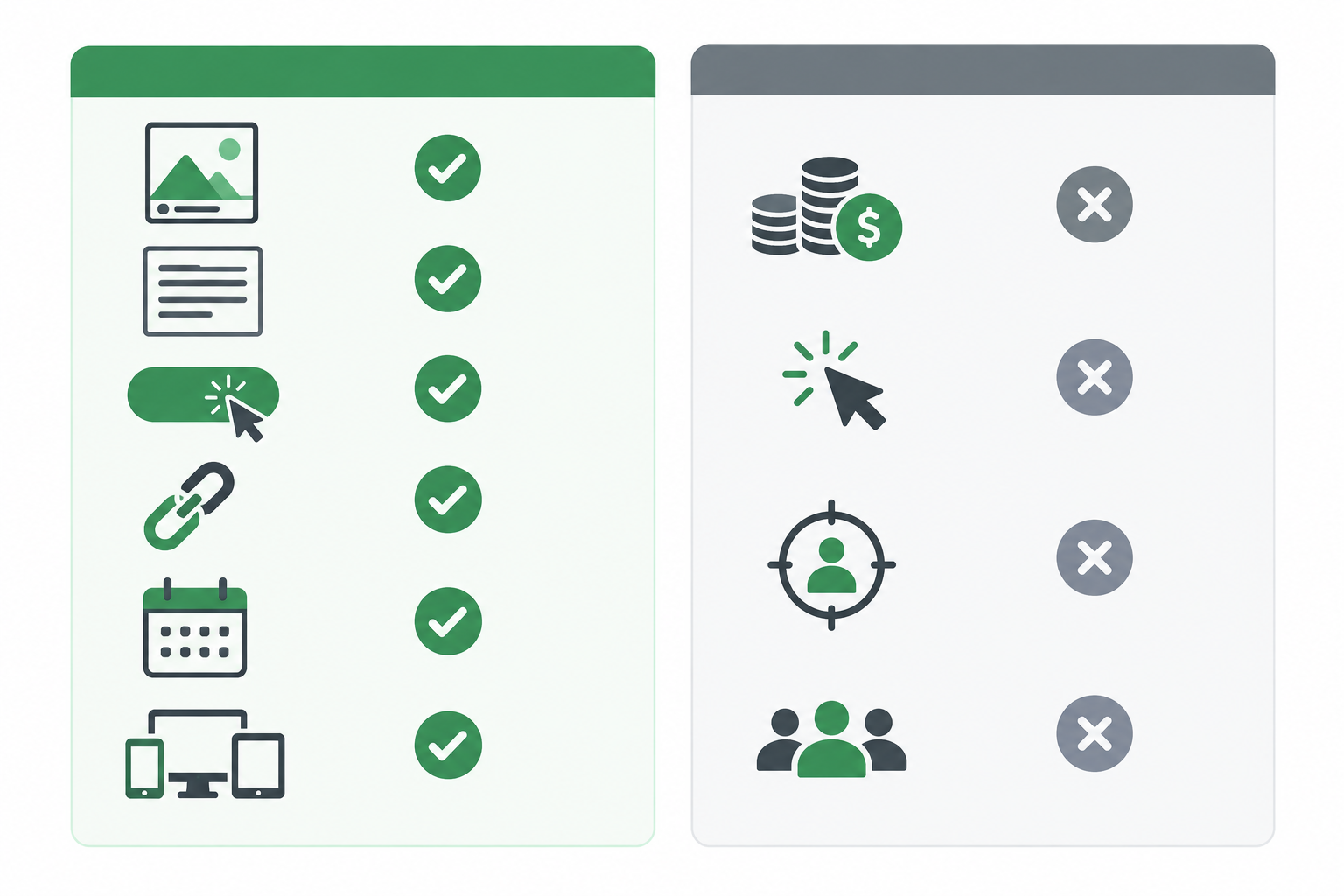
For most commercial ads, the library typically shows the creative (image, video or carousel), the primary text and headline, the call-to-action button, the destination link, the start date and the platforms the ad appears on. Where Meta displays them, you may also see other versions of the same creative. That isn't guaranteed on every ad, so don't count on a tidy variation total.
What you generally don't get for standard commercial ads is spend, impressions, click-through rate, conversion data or audience targeting.
A note on UK and EU transparency: Meta has published extra detail, such as reach or targeting information, for certain ad types in these regions. Which fields appear varies by ad type and by Meta's current policy, so check Meta's own guidance rather than assuming it'll be there for every ad you look at.
How to Read Competitor Ad Signals Without Over-Reading Them
Even without performance data, the library gives you some useful clues.
An ad that's been live for months is at least one the advertiser hasn't switched off. That's a loose proxy for longevity, not proof it's profitable or being scaled. Where you can see several variations of one creative, it may suggest active testing. And the landing page shows how they structure their funnel, whether that's a product page, a collection, a quiz or a lead form.
The golden rule is to read intent, not success. A competitor running an ad tells you what they're trying, not what's paying off.
Will Your Competitor Know You Looked at Their Ads?
No. Meta doesn't give advertisers a list of people who searched for or viewed their ads in the Ad Library, so the competitor won't be notified when you browse. That's a narrower claim than 'invisible to everyone'. If you're logged in, Meta's own data practices still apply, but that's between you and Meta, not your rival.
Two small caveats. First, interactions are different: liking, commenting on, sharing or messaging about an ad is a visible action, whereas searching the library isn't. Second, clicking through is a normal site visit. If you follow an ad's link to the competitor's landing page, that may show up in their web analytics like any other visit, so use the Ad Library detail view first and be mindful when visiting live pages.
Common Meta Ad Library Roadblocks (and How to Get Around Them)
Anyone who's used the Ad Library regularly will recognise these headaches:
- Page not found. Brands often advertise under a different name. Try the product name, parent company or regional variants.
- Too many results. Use the platform, active status and date filters to cut the noise.
- Ads disappear. Once a commercial campaign stops, the evidence goes with it unless you saved it.
- Scrolling fatigue. Big advertisers can have hundreds of live ads, and nothing tells you which are new.
There's also no native alert for when a competitor launches or changes a commercial ad. The Ad Library API isn't a general-purpose feed for tracking every commercial advertiser either, so it's not a quick shortcut.
I hear a version of this story a lot. Someone blocks out Monday morning, opens six competitor Pages, screenshots dozens of ads and pastes them into a slide deck. By the time it's finished, it's already slightly out of date. Then next Monday, they do it all again.
How to Track Competitor Ads Over Time
Here's what I'd push any marketing team to think about: the real insight usually isn't what's running today. It's what changed this week. There are three things to watch:
- New ads: fresh tests, launches or promotions.
- Stopped ads: ended promos, or experiments that didn't earn their place.
- Continuing ads: creatives that keep running, which may hint at what the competitor is leaning on.
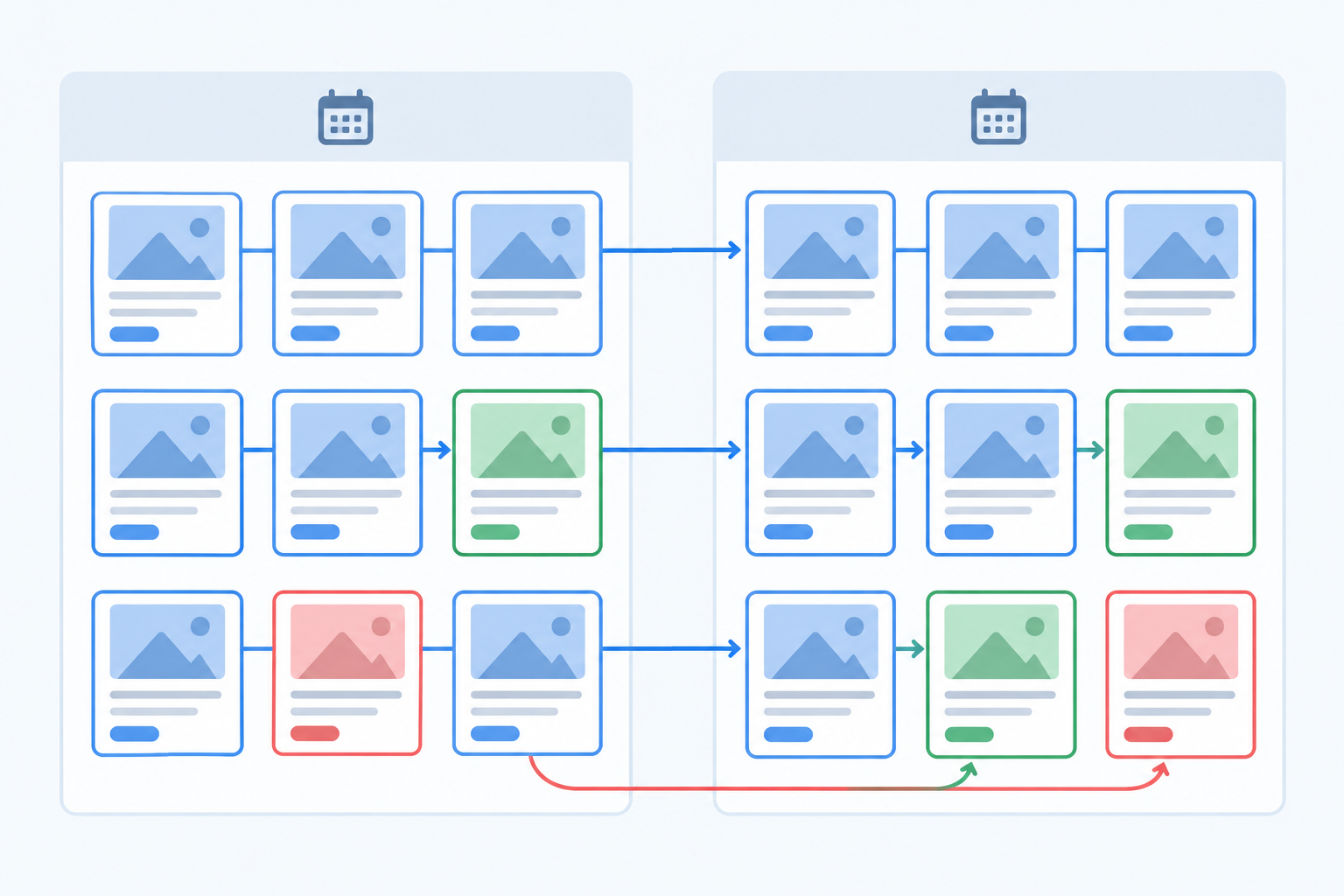
Take a hypothetical example. In week one, a competitor is running a '20% off your first order' ad. In week two, that ad has gone, and three new ones push free delivery instead. That's a shift in offer, and you'd only catch it by comparing the two weeks, not by looking at either one alone.
A Manual Weekly Routine for Tracking Competitor Ads
If you want to do this by hand, pick one day each week and stick to it. Search each competitor's Page using the same country and filters every time, then screenshot the ads and log them in a spreadsheet (advertiser, copy, format, offer, destination URL, first-seen date). Finally, compare against last week's log and note what's new, gone or still there.
Realistically, that's 20 to 30 minutes per competitor if they run a modest number of ads, and much longer for big spenders. Across 5, 10 or 20 rivals, you've got a half-day job every week before any analysis has happened. Consistency beats intensity here, though. A light but repeatable weekly check tells you far more than a one-off deep dive that's out of date within a fortnight.
Automating Competitor Ad Tracking from a Website
This is where we come in. We built Rival Ads because the manual routine is valuable but easy to drop the moment a busy week hits. You add a competitor's website (no ad account connection needed), and we detect their ad presence across Meta, Google Ads, TikTok and LinkedIn. Each week we fetch their active ads and show what's new, what's stopped and what's still running.
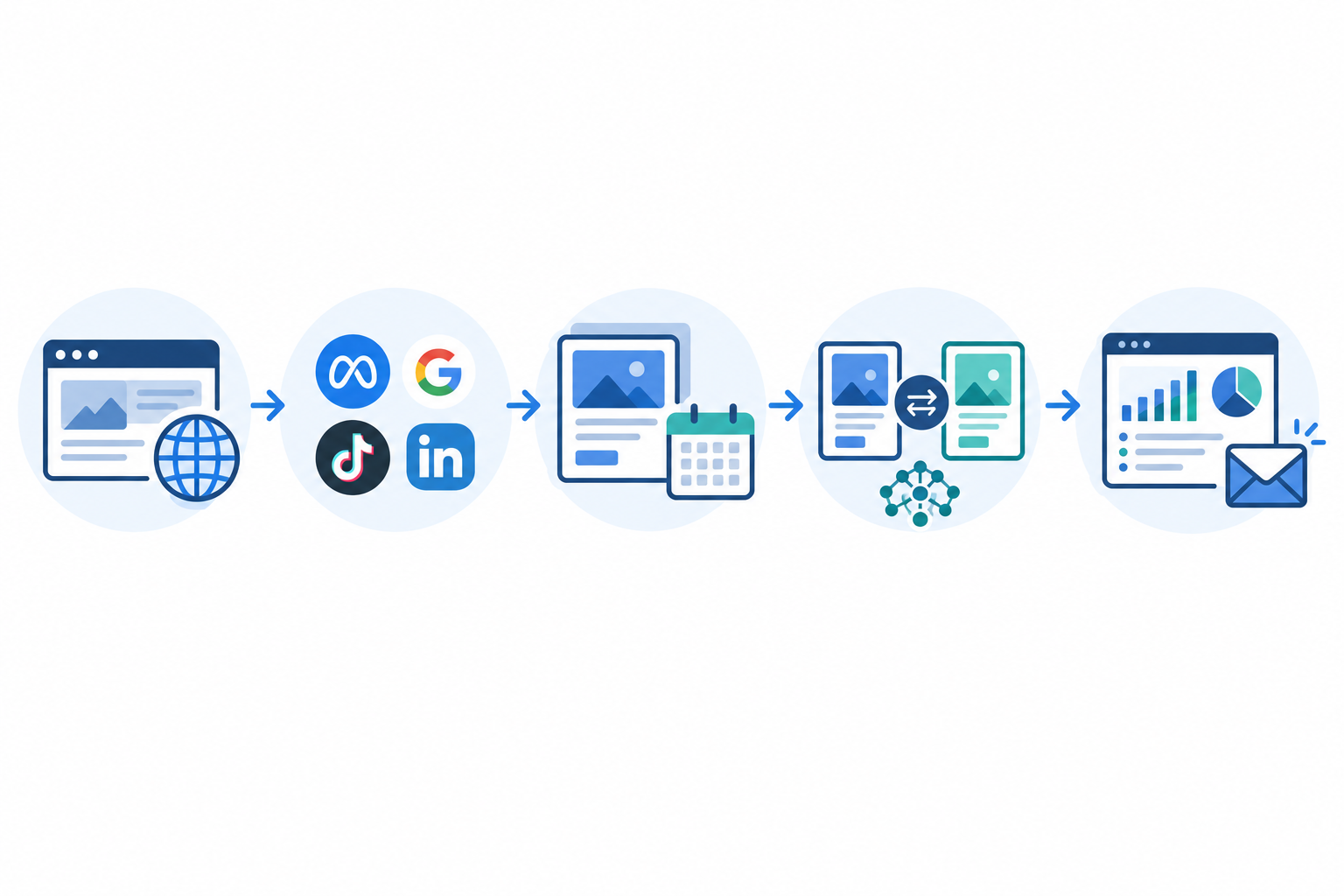
On top of the weekly comparison, we add an AI-written summary (powered by Claude) that flags notable changes and possible strategic angles. Think of it as a starting point for your own judgement, not a verdict. Results land in a dashboard and a weekly email digest, and there are team roles, competitor assignment and whitelabel options for agencies. Pricing starts at $29/month and scales with the number of competitors; the Rival Ads site has the current details.
A fair caveat: weekly snapshots are strong observations, not a guarantee that every single ad was captured, particularly between fetches. For anything critical, verify in the Ad Library itself.
Is Automated Competitor Ad Tracking Right for You?
If you only need an occasional lookup, say a quick check before a pitch or a one-off creative brainstorm, the Meta Ad Library is free and perfectly good. Use it. Automation starts to make sense once you're tracking several competitors, reporting to stakeholders or running competitive research for clients. At that point, the time you save, plus the history you build that the library doesn't keep, can pay for itself.
Turning Competitor Ad Insights into Marketing Strategy
Collecting ads is only half the job. Once you have them, here's what I'd look for.
First, messaging gaps: which angles, objections and offers are competitors not using? That's often where room to stand out sits. Then creative formats. Are they leaning into UGC, static images, carousels or video? A sudden shift is worth noticing.
Offer timing matters too. For UK teams, that means watching how rivals approach Black Friday, the January sales and other retail moments, and when their build-up starts. Funnel clues are worth a look as well, since direct-to-product, lead magnet and quiz funnels tell different stories. And if a message appears on Meta, TikTok, LinkedIn and Google, the team may believe in it, though that's an inference, not proof.
One reminder: use ad intelligence for inspiration and strategy, not copying. The goal is to understand the market so your own marketing can be sharper, not to produce a knock-off of someone else's creative.
FAQs About Seeing and Tracking Competitor Ads on Meta
Can I see any brand's Facebook ads?
Yes, as long as the ads are currently active and available in the Ad Library for your chosen country. You won't see ended commercial ads or private performance data.
Will the competitor know I looked at their ads?
No. Advertisers aren't notified when you browse the Ad Library. Clicking through to their website may show up as a normal visit in their analytics.
How do I find all ads from one advertiser?
Search the brand's Page name and select the Page from the dropdown rather than typing a keyword. If they run multiple Pages, repeat the search for each.
How do I track new ads each week?
Manually, check the Ad Library on a set day, save screenshots and compare with the previous week. Alternatively, a monitoring tool like Rival Ads can do the weekly comparison for you.
Can I see competitor ads on Instagram specifically?
Yes. Search by the brand's Facebook Page name, then use the platform filter to show ads running on Instagram.
Can I see how much a competitor is spending on Meta ads?
Not for most commercial ads. Ad longevity and visible variations are only indirect clues.
The Bottom Line: See Competitor Ads on Meta and Track Changes
The Meta Ad Library is the best free way to see competitor ads on Meta. Search by Page name, set your country, filter by platform, and be sensible about what the signals tell you.
Here's my simple decision rule: if you need the odd lookup, stick with the library. If you're repeating the same weekly check across several rivals, that's the moment to consider automating it, whether with a well-kept spreadsheet or a tool like Rival Ads. 🚀