How to Track Competitor Promotions and Flash Sales Automatically (Without Living on Their Website)
Learn how DTC brands track competitor promotions, discount codes, and flash sales automatically—so you never miss a BFCM move or seasonal price drop a
Chris Edington
11 min read
How to track competitor promotions and flash sales automatically
If you want to track competitor promotions and catch a competitor's flash sale close to when it launches, the smartest place to look is their ad activity on Meta, Google, and TikTok, not just their homepage. Some brands test or announce offers through paid ads before anything changes on the site, though plenty of others lead with email, SMS, or an app push instead. A weekly ad-monitoring routine that flags new creative and offer changes can surface a promotion within days of it going live, which is a real improvement over finding out after it's wrapped, but it's not instant, and it's worth being upfront about that from the start.
If you've ever heard about a competitor's flash sale from a customer mentioning it in a support ticket, you know the problem already. By the time a promotion is visible enough to notice casually, it's often halfway over. I've watched this happen repeatedly with DTC brands: the sale launches quietly through paid social, runs for 48 hours, and finishes before anyone on the marketing team has even opened the competitor's site. Checking websites alone struggles to keep pace with how a lot of promotions actually launch now.
Why promo timing matters when you track competitor promotions
Flash sales used to mean a week-long banner and an email blast. Now they're often a 48-to-72-hour window, sometimes tested first on a narrow ad audience before going public. That compression changes what "monitoring competitors" needs to mean.
BFCM, payday weekends, and smaller seasonal moments (Boxing Day, January sales, one-off bank holiday pushes) have turned into a near-constant cycle of discount testing. Competitors increasingly use these smaller moments to learn what converts before committing budget to a bigger event.
Here's the part that can genuinely cost you money: in a price-sensitive category, reacting a day or two late to a competitor's sale can mean losing that customer's order to them instead, especially if your product is easy to compare on price. That doesn't mean every late reaction is catastrophic, but it does reduce your options. In the UK specifically, big windows like Boxing Day and the January sale are fairly predictable in timing, so the value isn't in knowing they're coming. It's in knowing exactly when a specific competitor moves, so you're not guessing.
What you may miss without automated competitor promotion tracking
Here's an uncomfortable truth: teams who only check competitor sites manually tend to miss more than the odd sale here and there, because a meaningful chunk of promotional activity never touches the website at all. It's worth being clear, though, that public ad monitoring has its own limits. It can often show you creative and copy, but audience eligibility, exact spend, and full offer terms aren't always visible, even with a good tool. Some of what's likely slipping past a website-only check includes:
- Discount codes shown only in ad creative, never published on the site itself
- Flash sales run mostly through Meta or TikTok ads with little or no homepage presence
- Tiered offers (spend £50, save 10%; spend £100, save 20%) tested on a small audience segment before any wider rollout
- Early-access or "VIP" promotions pushed through retargeting ads, ads shown specifically to people who've already visited the site or engaged with the brand, which are invisible unless you're in their funnel
- Silent discount increases mid-campaign, where a 15% off ad quietly becomes 25% off a few days later with no announcement anywhere public
That last one is sneaky and fairly common. A competitor tests a modest discount, watches how it performs, and scales the offer once they see it converting. If you're only glancing at their site once a week, you won't catch that escalation happening, you'll just see whichever version happens to be live when you check, with no sense of how it got there.
How to set up automatic alerts for competitor offer changes
The good news: this doesn't require living inside Meta Ad Library refreshing tabs all day. Here's a general process that works with most ad-monitoring platforms, including Rival Ads, which is the one I use day to day.
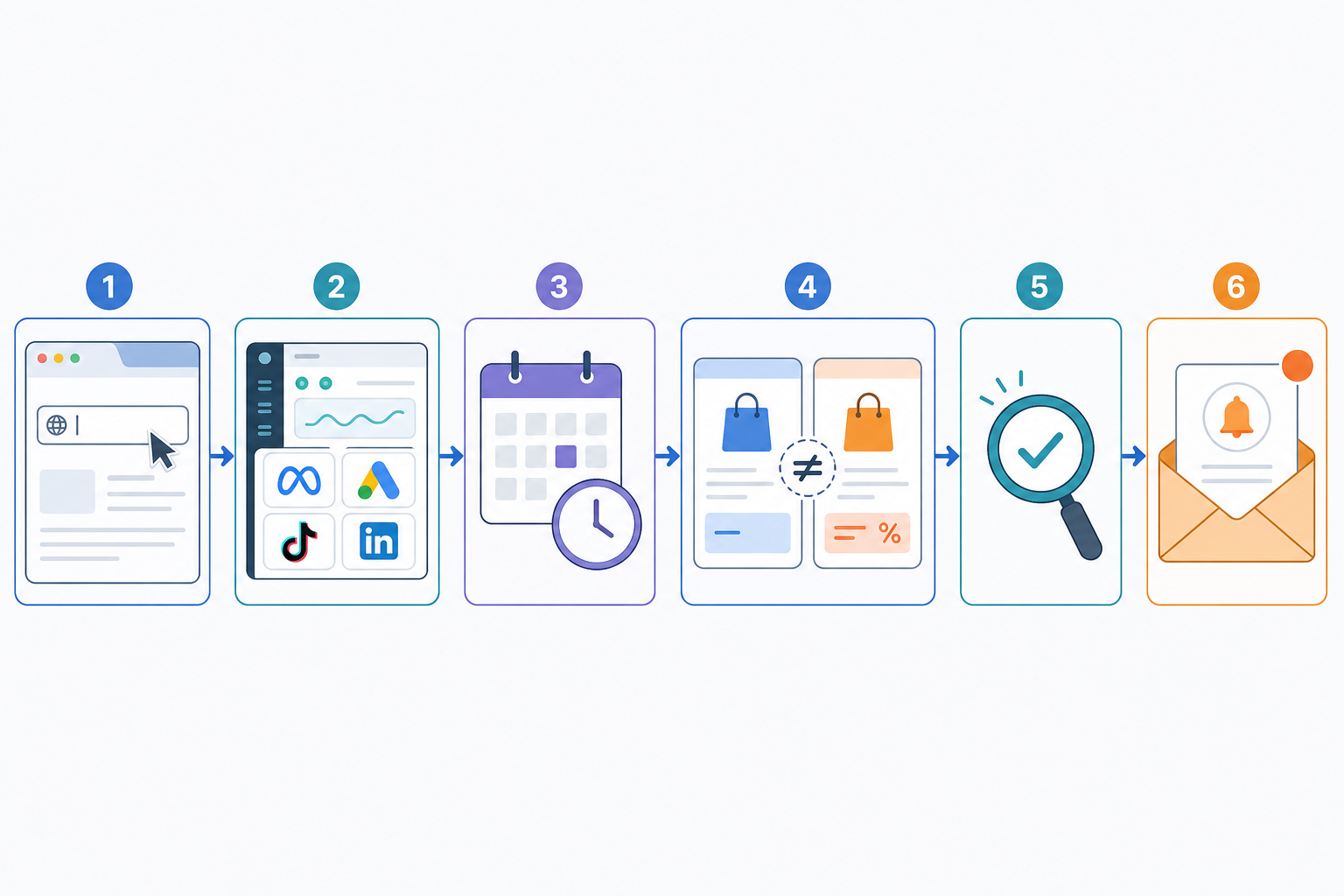
- Add each competitor by website URL. Most platforms can then look up which ad platforms they're active on, so you're not manually searching four different ad libraries per competitor.
- Check which platforms are actually covered. Meta Ad Library is generally the most transparent for ad creative. Google Ads, TikTok, and LinkedIn vary in how much they expose publicly, some show active creative, some show far less. Know what you're actually getting before you rely on it.
- Choose a monitoring cadence that matches how fast you need to know. Weekly pulls are a solid baseline for spotting new creative and offer changes within the next reporting cycle. If you need to know within a day of launch rather than within the week, look for a platform and plan that explicitly supports daily monitoring. Weekly and "instant" are not the same promise.
- Turn on week-over-week or day-over-day diffs, so new ads, paused ads, and ads that look like they're being scaled up get flagged automatically instead of you scrolling through a library trying to remember what was there last time.
- Verify before you act. If an alert flags a new offer, click through to the actual landing page and checkout where you can. Ad copy doesn't always match the final offer terms, and confirming it takes two minutes.
- Assign competitors to specific team members if you're running this across a team or agency, so ownership is clear when someone's on leave or heads-down on a launch.
- Review a digest on a set day each week. Treat it as a focused 10-to-15-minute check rather than an open-ended audit. The goal is a routine, not a scramble.
Once this is running in the background, tracking competitor promotions stops being something you have to remember to do and becomes something that mostly shows up on its own. That shift, from active checking to a lighter-touch review, is the real point of setting this up, regardless of which platform you use.
How to read competitor discount patterns over time
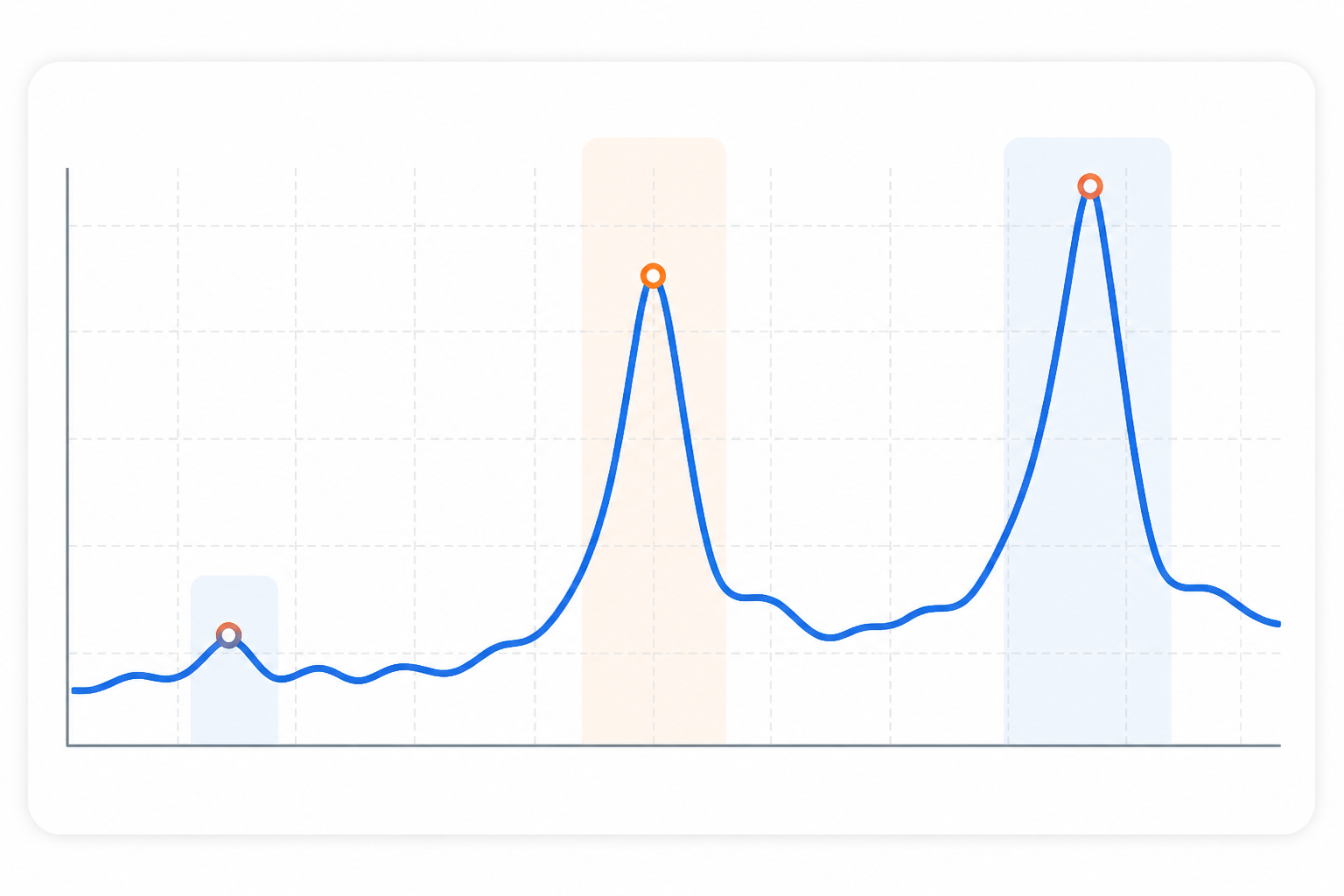
A single ad showing 20% off doesn't tell you much on its own. But a few months of week-over-week data on the same competitor starts to reveal something more useful: their actual promotional rhythm.
Here's what I'd watch for:
- How long a discount tier runs before it's replaced with something deeper. If a competitor consistently moves from 15% to 25% within five days of launching a sale, that's a pattern worth noting the next time you see them start at 15%.
- Signs that spend or delivery is increasing on a creative after a discount changes, where that's visible. This isn't proof the offer is profitable for them, just an indication it's likely performing well enough that they're leaning into it, which is still useful context when you're deciding how aggressive to be.
- The gap between test tiers and "real" tiers. Some brands quietly test a modest discount on a small audience before rolling out their actual seasonal offer more broadly. Catching the test can be an early warning for what's coming.
This is honestly where raw data starts to feel like a lot to parse manually. Staring at a spreadsheet of dates and percentages is one thing; figuring out what it means for your own strategy is another. Some platforms, including Rival Ads, generate an AI-written summary of these patterns to speed that up. Worth saying clearly: treat that summary as a starting hypothesis, not a verdict. It's a faster way to spot a pattern worth investigating, but your own judgement and a look at the actual ads should still decide what you do next.
Turn competitor promotions into your own promotional calendar
Once you've got a few months of pattern data on your key competitors, the next step is putting it to work rather than just admiring the trend line. A few ways I'd use it, with a caveat first: matching or beating a competitor's discount isn't automatically the right move. Check your margin, inventory position, and what the offer would actually do to customer lifetime value before you commit to anything.
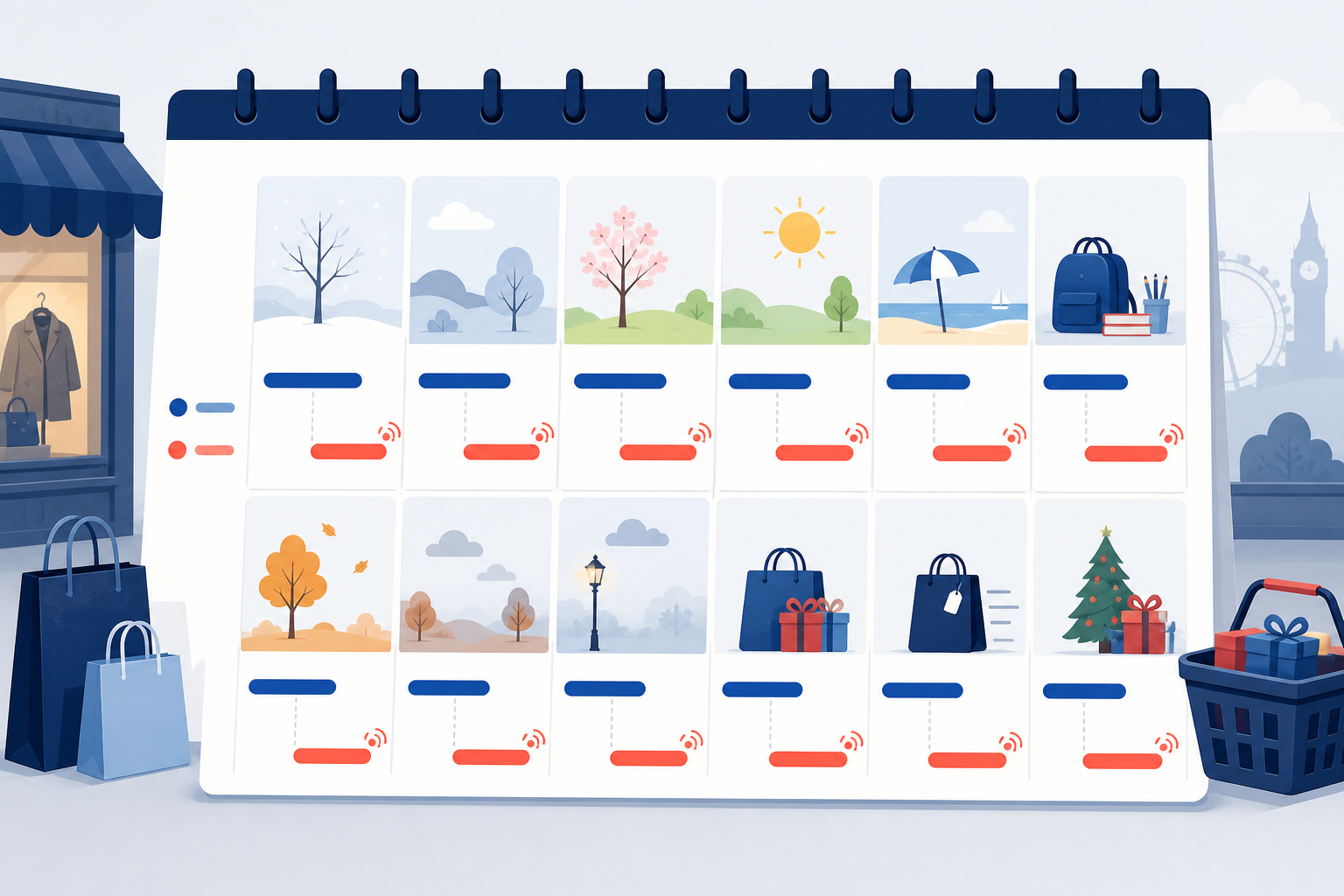
- Map out when each key competitor historically launches their BFCM, January sale, and summer clearance offers. Most brands are more consistent year to year than they'd probably like to admit.
- Consider launching slightly ahead of their typical window, if it makes sense for your margins. If a competitor reliably drops their BFCM offer on the Wednesday before Black Friday, launching your own version on the Monday can give you a head start on capturing demand, but only if the discount still works for your unit economics.
- Use their discount depth as a reference point, not a target. If they consistently hit 30% off at peak, knowing that ahead of the season is useful. It doesn't mean you have to match it. Sometimes the better move is a different kind of offer entirely, like a gift with purchase or bundle that doesn't erode margin the same way.
- Flag which competitors test small before going big. Spotting a modest early-November test tier from a competitor who historically escalates fast gives you a heads-up on their real BFCM offer weeks before it's public.
- Keep a rolling record of competitor offers by month. Whether that's a shared document or a dashboard, the value compounds. Pattern recognition gets noticeably better in year two and three once you've got real history to compare against.
This is really the difference between competitive intelligence as a once-a-year scramble and competitive intelligence as an ongoing part of how you plan. The brands that consistently launch ahead of their competitors during peak season usually aren't smarter about discounting, they're just working from better historical data, and they're checking their own numbers before they act on it.
Avoid the late-reaction trap: competitor promotion tracking checklist
Manually checking competitor sites and ad libraries daily doesn't scale much past two or three competitors before it starts eating real hours of your week. Here's a short checklist for keeping this sustainable:
- Automate the pull, not the decision. Let a tool surface new ads and offer changes; you still decide whether and how to respond.
- Verify before acting. Click through to the landing page and confirm the offer terms match what the ad implies.
- Check your own numbers first. Margin, inventory, and current promotional calendar all matter more than matching a competitor tit for tat.
- For agencies: if you're covering five or ten client accounts, a shared monitoring setup (branded per client, if your tool supports it) keeps the process consistent without adding headcount to do something that should mostly run in the background.
Frequently asked questions about tracking competitor promotions
How do I know when a competitor launches a flash sale?
Ad activity is often a useful early signal, though not the only one; some brands lead with email or SMS instead of ads. Weekly ad monitoring that flags new creative can typically surface a flash sale within a few days of it going live. If you need same-day detection, look specifically for a platform offering daily or near-real-time monitoring, since weekly and "instant" aren't the same thing.
Can I track competitor discount codes automatically?
Often, yes, if you're monitoring ad creative and copy rather than just their site, since codes frequently appear in ad text or landing page links before they're published anywhere public. Coverage varies by platform, though: Meta Ad Library tends to be more transparent than some others, so treat any single tool's coverage as partial rather than complete, and verify codes on the actual landing page before relying on them.
How far in advance should I plan around competitor promotions?
For predictable moments like BFCM or Boxing Day, start watching six to eight weeks out, competitors often test smaller discount tiers before revealing their real offer. For flash sales, which are far less predictable, the goal isn't advance planning so much as fast detection: a system that flags changes within days of them happening, so you can verify and respond quickly rather than finding out after the sale has already run its course.
The bottom line: build a repeatable competitor promotion tracking process
Website checks alone will always be a step behind how competitors actually launch promotions. Ad monitoring closes a lot of that gap, but it's not magic. Coverage varies by platform, weekly isn't the same as instant, and no alert should skip the step where you check your own margins before reacting. Start with one or two key competitors, pick a cadence that matches how fast you actually need to know, and build the habit before you scale it across your whole competitive set.