How to Find Competitor Google Ads Without an Ad Account (UK Guide)
Find competitor Google Ads for free with the Transparency Center and search checks. Learn what they reveal, where gaps remain and how ad monitoring tracks changes.
Chris Edington
14 min read

You don't need an ad account to find competitor Google Ads. The free Google Ads Transparency Center lets you search any verified advertiser and see the ads they've run, and a few manual search checks fill in some of the gaps. The catch is that these methods give you snapshots, not a record. If you want a consistent view of what's new and what's no longer showing, you'll need to build that history yourself, in a spreadsheet or with a monitoring tool.
This guide covers the free methods first, then their limits, then how to turn it all into a weekly habit. I've written it for UK media buyers and paid search specialists, so the examples lean towards UK searches and UK-specific ad details.
A quick disclosure: I work on Rival Ads, a competitor ad monitoring tool. It appears near the end of this guide, clearly labelled. Everything before that works without it.
Can I Find Competitor Google Ads for Free? (Short Answer: Yes 👀)
Yes. None of the public methods below need a login to an advertising account, and none cost a penny.
Let's set expectations early, though. Public tools show you what's running, not how it's performing. You'll see creative, copy, formats and advertiser details. You won't see spend, clicks, conversions or return on ad spend (ROAS). Anyone who claims they can pull exact competitor budgets from public data is guessing.
Here's the plan. We'll start with the free methods (the Transparency Center and live search checks), then look at what public data can't tell you, then set up a simple weekly workflow you can start this week.
I see one thing all the time. A media buyer spends an hour on a competitor deep-dive, takes a few screenshots, and then can never compare them to anything. Two months later someone asks, 'Didn't they used to push free delivery?' and nobody can prove it. A one-off check is useful, but a dated, comparable record is where the strategy lives.
Method 1: Use the Google Ads Transparency Center to Find Competitor Ads
The Google Ads Transparency Center is Google's public search tool for ads from advertisers it has verified. It launched in March 2023 and is the main route to competitor Google Ads without an account. Google's interface changes from time to time, so treat the steps below as the typical flow and compare them with Google's current help documentation if something looks different.
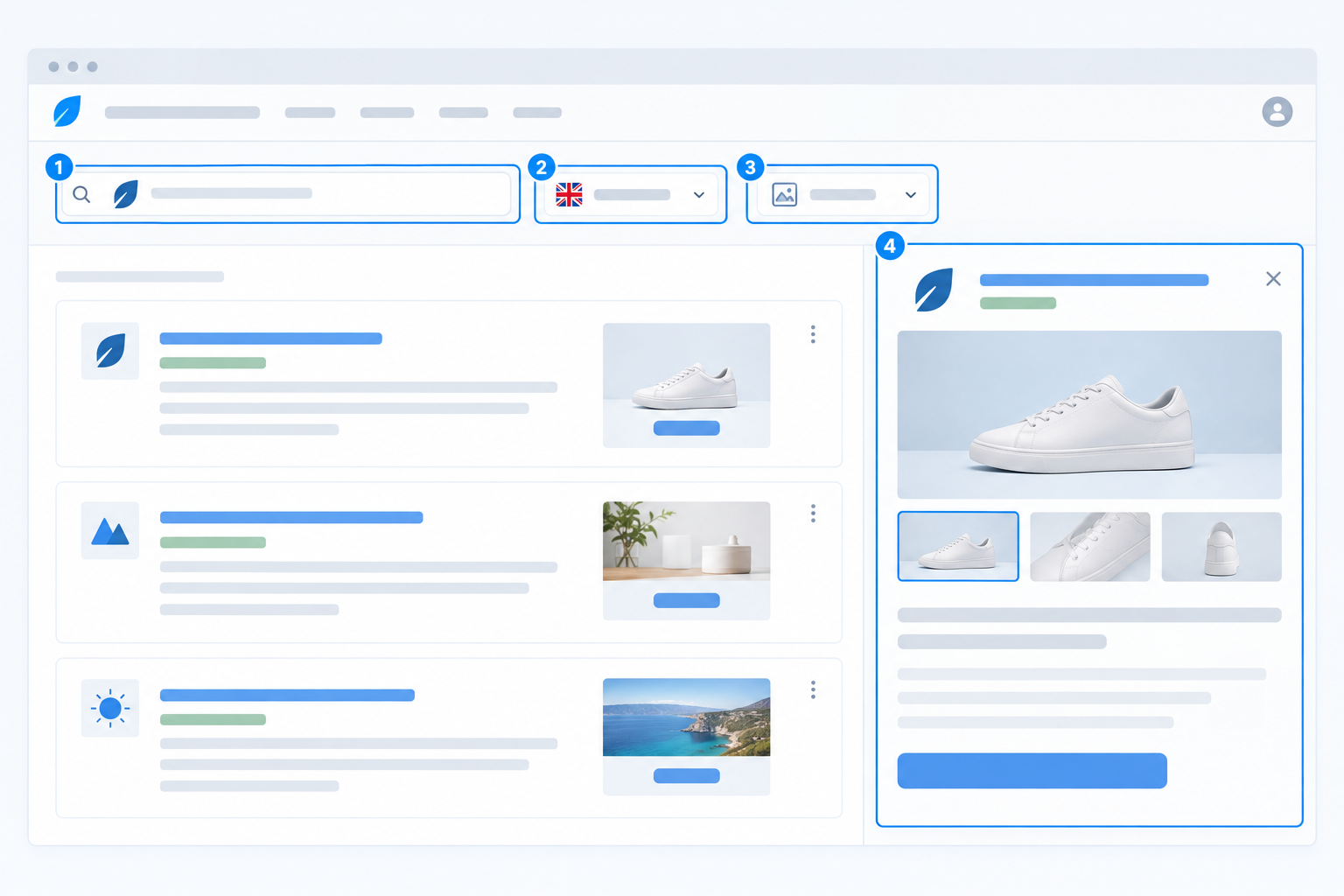
- Go to adstransparency.google.com and search by the competitor's advertiser name or their website domain.
- Set the region to United Kingdom if the option is offered. That keeps the focus on ads associated with UK audiences rather than wading through global results.
- Use whatever filters are available. Depending on the current interface, you may be able to narrow by format (text, image or video) and by date range.
- Click into individual ads and look at the creative, the verified advertiser name and where the ad ran.
- Save what you find, along with the date you checked. The tool is a window, not an archive you control.
Two tips that save a lot of head-scratching:
- Check for multiple advertiser entities. Competitors often advertise under a parent company, an agency or a regional legal name, so if you only search the brand, you can miss ads filed under a different verified advertiser name.
- Search by domain as well as brand name. Doing both catches variations and gives you a fuller picture.
What You Can and Can't See in Public Google Ads Data
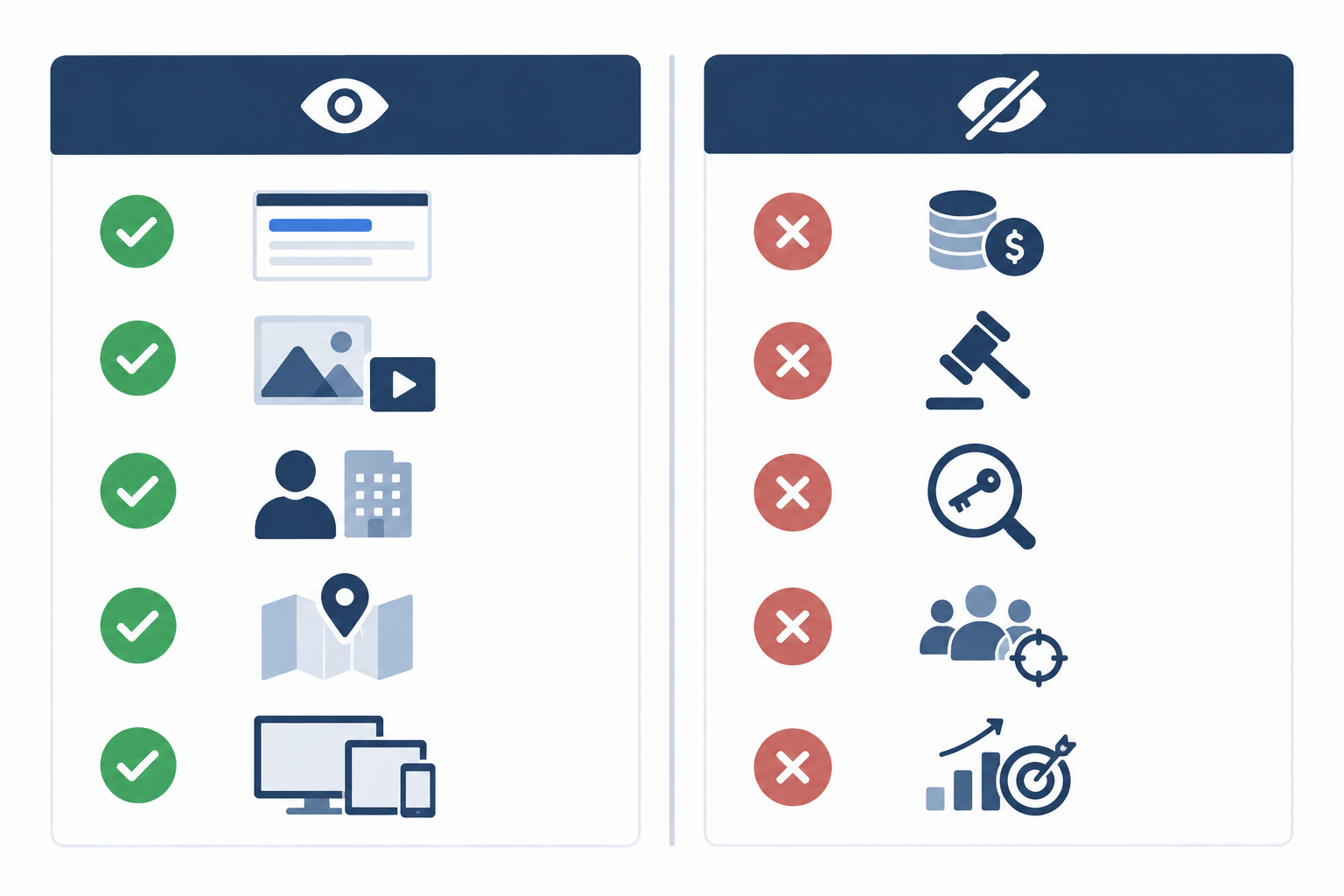
Before you build a process around public data, it helps to know what it actually contains. Here's the quick version:
| You can usually see | You can't see |
|---|---|
| Ad copy and creative assets | Budgets and bids |
| Formats (text, image, video) | Keyword lists and match types |
| Advertiser identity | Quality Scores |
| Regions where ads ran | Audience targeting and optimisation settings |
| Roughly when ads were shown | Conversion data and ROAS |
Important Limits of Public Google Ad Data
What's visible varies. Search, Display and YouTube ads don't all appear the same way, and the detail available can differ by ad and market. Check how your competitor's text ads are displayed rather than assuming it mirrors the results page.
The data window is limited, and Google controls it. This is a public window, not a complete history. Retention rules can change, so check Google's Transparency Center help pages for the current position before you promise a client any kind of lookback, and note the date you checked.
A missing ad isn't proof of anything. If an ad doesn't appear for the UK in your date range, that doesn't mean the competitor switched it off, and it certainly doesn't tell you why. Coverage, region and timing all play a part. Not finding a result isn't proof a business isn't advertising either.
Typed queries aren't their keyword list. An ad appearing when you search a term doesn't mean the competitor bids on that exact term. Location, time, device, user context and auction conditions all influence what shows.
Advertiser location isn't where the ad was served. A business based outside the UK can still run ads to UK audiences, so keep the region set to the United Kingdom and note the advertiser's stated location separately.
How Google Ads Transparency Data Compares With the Meta Ad Library
If you've used the Meta ad library, you'll know it shows a more explicit active or inactive status. Google's public tool is less explicit, so be careful about inferring that something has stopped.
You may also see references to the EU Digital Services Act, which requires covered platforms to maintain public ad repositories with details such as the advertiser, payer and display period (see Regulation (EU) 2022/2065, Article 39). It's an EU regulation, not a UK domestic requirement, so don't assume every field it mandates will be available for every UK ad.
Method 2: Combine Live Google Search Checks With Archives
The Transparency Center is the backbone, but live searches and archives help fill the gaps. The trick is making your checks comparable from week to week.
Standardise Your Competitor Google Ads Spot Checks
Personalisation means results vary by location, device, time of day and search history. You can't remove that, but you can control what's in your hands and log the rest. Before each round of checks:
- Use the same browser profile, or a fresh private window, every time, signed out of Google.
- Stick to the same device type (say, desktop on a UK broadband connection) and note it.
- Search from a UK location and record the city or region if you know it.
- Keep a fixed query list of competitor brand terms, product terms and a few high-intent category terms, and use identical wording each week.
- Check at roughly the same time of day, and write down the date and time.
- Log what you see, including when nothing shows. 'No ad for this query on this date' is still useful.
A few other ways to build the picture:
- Don't repeatedly click competitor ads. It wastes their budget, can distort their data, and may breach platform policies. You can see the ad without clicking it.
- Take dated screenshots as evidence. They're handy, but manual screenshots are inconsistent, scattered across desktops and easy to lose.
- Cross-reference with the Wayback Machine for landing pages. It can show how a competitor's page copy and offers changed over time.
- If you like, compare regions. UK-based location checks can show whether messaging differs between, say, London and Manchester.
Think of live searches as spot checks. They confirm what's showing under particular conditions, but they're not a systematic source on their own.
How to Read Competitor Google Ad Copy and Landing Pages
Finding ads is the easy bit. The value is in reading them carefully, and when I look at a competitor's Google ads, I work through a short checklist.
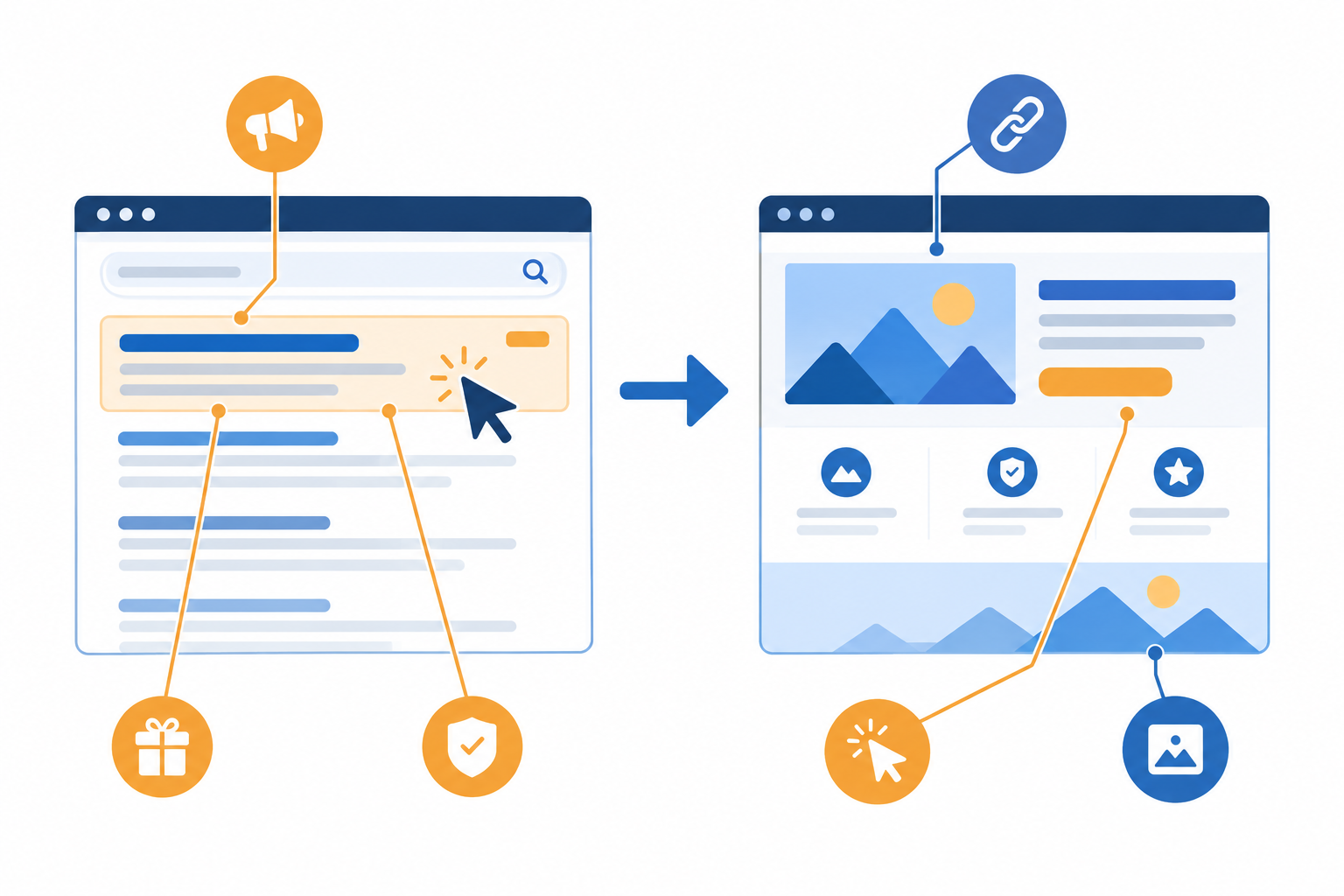
- Headlines: look for repeated angles. Is it price, speed, trust, an offer or a comparison claim?
- Descriptions and ad assets (formerly called extensions): these are the extra snippets like sitelinks and callouts. What proof points lead? Reviews, guarantees, free delivery, UK-specific claims like 'made in Britain' or 'next-day UK delivery'?
- Destination URL: is it a dedicated landing page, a category page or the homepage? That hints at how tightly the campaign is structured.
- URL structure and UTMs: parameters (the tags added to links for tracking) can hint at how they segment campaigns, but a UTM tag is a clue, not a confession.
- Landing page match: does the message carry from ad to page? Where are the friction points, like a slow load, a buried offer or a mismatched headline?
- Offers and pricing language: how do they handle UK specifics such as VAT-inclusive pricing, delivery costs and returns?
A Worked Example: Observation, Inference, Test
Here's how I separate what I can see from what I'm guessing.
Observed: across three consecutive weekly checks, a UK mattress retailer's ads all lead with '100-night trial' in the headline. The landing page puts the trial above the fold, and the price sits further down.
Reasonable inference (tentative): right now they seem to be prioritising risk reduction over price in their messaging. I can't tell whether it's working, or whether it's a test, a seasonal push or a brand decision.
Hypothesis to test: would a trial or returns message beat our current price-led headline for our audience? I'd run one A/B ad variation in our own account and let our own data decide.
That's the pattern. Competitor ads show you what someone else chose to run, not whether it worked, so treat them as a source of hypotheses and never as proof.
Tracking Competitor Google Ads Changes Over Time
A snapshot tells you what's visible today, but strategy shows up in the changes.
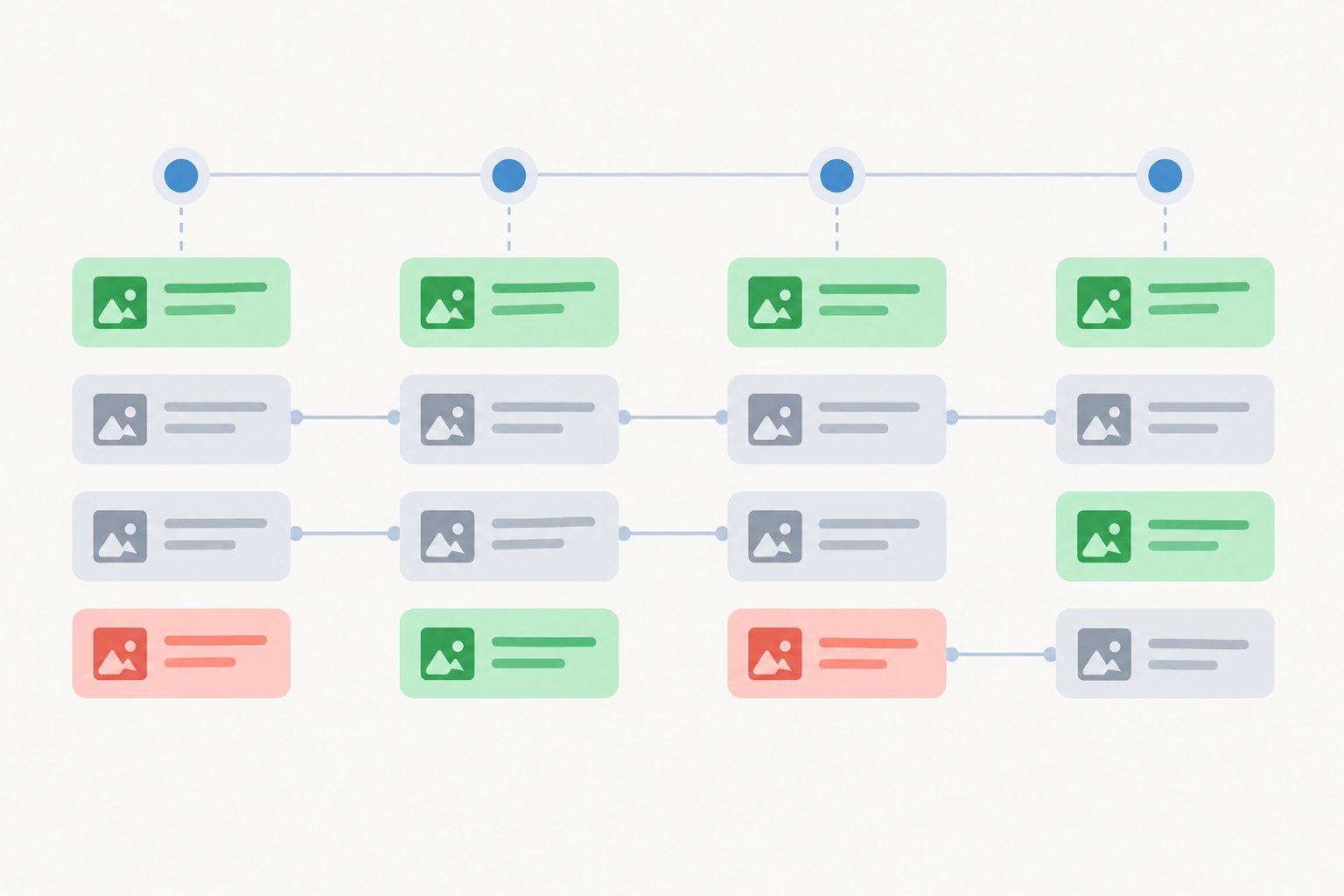
A 'new, no longer seen, continuing' lens is a handy way to organise what you record. Just keep these as observations, not verdicts.
New ads might reflect a test, a promotion, a positioning shift or just a refresh. You can note the change, but the reason is a hypothesis.
Ads no longer seen may have been paused, replaced, limited by coverage, or caught by the data window. Don't read it as a failed test.
Ads that keep appearing have simply been visible for longer. Longevity isn't a reliable proxy for performance, because ads can run for ages for reasons unrelated to results, like inertia and nobody reviewing them.
Manual processes struggle for three reasons. You forget to check, you have no consistent record, and you can't compare this week against last week without digging through old screenshots.
Here's an illustrative example. Picture a media buyer at a UK homeware retailer who checks a rival every now and then. One day she notices the rival is leading with a '0% finance' offer. Great, she thinks, that's new. But when she tries to work out when it started, there's nothing to compare it to. It turns out it had been visible for around a month, and the free delivery messaging had disappeared in the meantime. She'd lost a month of context. She still couldn't say whether the change was working for the rival, but she could at least have reacted sooner.
The Simple DIY Approach to Competitor Ad Tracking
If you want to start without any tools, a spreadsheet and a weekly calendar reminder go a long way. Set up columns for:
- Date and time checked, plus device and location
- Competitor and advertiser name
- Ad copy (headline and description)
- Landing page URL
- Status (first seen, still seen, no longer seen)
- Notes and hypotheses
The honest trade-off is that this works nicely for one or two competitors on one platform. It starts to creak at five, and it falls apart at ten or twenty, especially if you also care about Meta, TikTok and LinkedIn.
Saving Time With Search Ad Monitoring and Competitor Ad Spy Tools
When the admin starts to outweigh the insight, automation can help. If you're evaluating a competitor ad spy tool, here's what I'd look for:
- No ad account connection. You shouldn't have to hand over access to anything.
- Clear coverage information. Which platforms and regions does it cover, and how complete is the data?
- A stated refresh schedule, weekly at minimum, so you're not working from stale data.
- Archived creatives and copy, so you can look back at what was running.
- Change tracking, meaning a side-by-side comparison of this week against last week rather than just a pile of ads.
Where Rival Ads Fits In (Our Own Product)
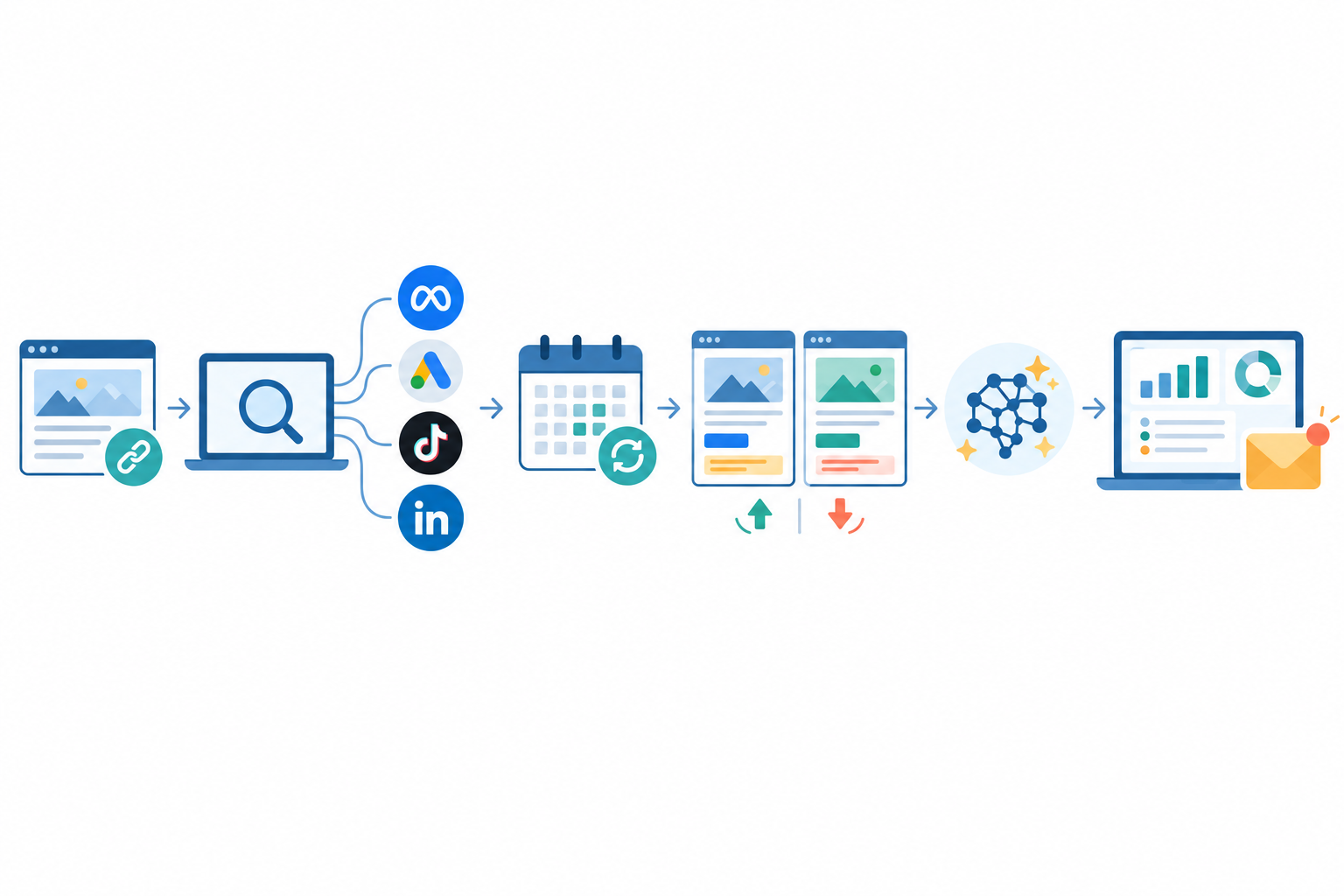
This section describes our own product, so read it as a description, not an independent comparison. With Rival Ads you enter a competitor's website, and it looks for their presence on Meta, Google Ads, TikTok and LinkedIn, then fetches their ads weekly, with creatives, copy and links. No ad account connection is needed. It produces week-over-week comparisons of what's new, what's changed and what's no longer seen. You also get AI-generated analysis (powered by Claude), a dashboard and a weekly email digest.
Two honest caveats. Like any tool built on public ad data, coverage depends on what the platforms make available, and refresh timing can vary, so it won't capture literally everything. And the AI analysis is a starting point for your own judgement, not a performance verdict. Please check our product page for current coverage and feature details before you decide.
For agencies, there are team roles, competitor assignment and whitelabel options. Pricing starts at $29/month at the time of writing, with plans scaled to the number of competitors you monitor. That's in US dollars, so UK readers should expect currency conversion.
A Simple Weekly Workflow to Find and Track Competitor Google Ads
You don't need a big setup. This routine takes an hour or so a week.
- List your top 3-5 competitors and their domains, including parent companies or alternative trading names.
- Check each in the Transparency Center, filtered to the United Kingdom, and save notes with the date.
- Run your fixed list of brand and category searches using the standardised conditions above.
- Log new angles, offers and landing pages in a shared doc or your monitoring tool.
- Review what changed and pick one hypothesis to test in your own account. Just one, because it keeps things actionable.
- Share a short summary with your team or clients. Three bullet points is plenty.
My friendly nudge: start manual. It teaches you what to look for. Then, when the admin outweighs the insight, automate it so your time goes on decisions rather than screenshots. 🙂
FAQ: Finding Competitor Google Ads
Can I See Competitors' Google Ads for Free?
Yes. The Google Ads Transparency Center is free and needs no ad account. You can search by advertiser name or domain, use the available filters such as region, and view the ads they've run. It shows creative and copy, but not spend, keywords or performance.
Do I Need a Google Ads Account to Find Competitor Ads?
No. The Transparency Center and live searches are open to anyone. Monitoring tools such as Rival Ads also work without connecting an ad account: you give it a competitor's website and the platform looks for and tracks their ads.
How Far Back Does Google Ads Data Go?
Public Google ad data covers a limited window, and Google sets the retention rules, so it isn't a full historical archive. Check the Transparency Center help pages for current timeframes. Saving your own dated record, manually or with a monitoring tool, is the only reliable way to build long-term history.
How Do I Track New Competitor Ads as They Appear?
Re-check the Transparency Center each week and log changes in a spreadsheet. If you're following several competitors across platforms, a monitoring tool can automate the weekly collection and comparison.
Can I See How Much Competitors Spend on Google Ads?
No. Public transparency tools show what ads exist, not budgets, bids or results. How long an ad has been visible or how often creative changes are observations, not spend figures, and they can't tell you what's performing.
Is It Legal to Monitor Competitor Ads?
This is general information, not legal advice. Viewing publicly available ad information is common practice, but what's permitted depends on your jurisdiction, the platform's terms and how the data is collected. Avoid repeatedly clicking competitors' ads or scraping in ways that could breach platform terms. If you use a third-party monitoring service, review its collection method and terms, and take legal advice if you're unsure.