Why Every Startup Founder Should Monitor Competitor Ads
Competitor ad monitoring for startups: a practical guide for UK founders to spot rival positioning, offers and strategy shifts before losing market share.
Chris Edington
13 min read
Competitor Ad Monitoring for Startups: A Practical Guide for UK Founders
Quick answer: Startup founders should monitor competitor ads because paid ad copy is often the first public place a rival tests new positioning, offers, or pricing — before it appears on their website, in reviews, or in sales calls. A fortnightly check of your top 3–5 competitors, using free tools such as Meta Ad Library and Google's Ads Transparency Centre, gives you an early warning system. Treat what you see as a signal worth logging, not proof of a finished strategy.
Here's a habit worth stealing from every sharp media buyer I've worked with: watch competitor ads, not just competitor websites. It's one of the highest-leverage, lowest-cost habits you can build as a founder. Ads can go live, get tested, and get killed within days — a website redesign takes months. That speed is exactly why competitor ad monitoring is worth doing.
You don't need a competitive intelligence team or a big budget to start. You need to know where to look, what to look for, and — just as importantly — what not to assume from what you see.
Why Competitor Ad Monitoring Matters for Startups
I've talked to plenty of founders who track competitor pricing pages obsessively, set up Google Alerts for product launches, and read every new G2 review the moment it drops. Smart moves, all of them. Far fewer are watching competitor ads with any regularity, even though ads are often the first place a positioning change surfaces.
Ads are cheap to launch and cheap to kill, which makes them a reasonable place for a competitor to try things they're not fully committed to yet. A new pricing tier might be floated in ad copy before it's announced anywhere else. A positioning shift often gets tested in a headline before it reaches the homepage.
Without a system for watching this, teams tend to notice competitor moves reactively — after losing a deal, or after someone mentions “oh yeah, I saw their ad about that” in Slack. By then, the competitor may have had weeks of head start.
This is riskier for startups than for bigger companies. An established player can afford to notice a shift a quarter late. A UK startup fighting for its next ten customers usually can't. If a rival repositions around a pain point you've been ignoring, every week you don't know is a week they might be compounding an advantage. Not every ad change is a threat, though — reacting to noise is its own risk, which is why the framework below matters as much as the watching.
What Competitor Ads Reveal About Positioning
Once you start looking at competitor ads with intent, there's a surprising amount packed into a single piece of creative. It's not a complete strategy document, but it's a useful fragment of one. For each signal below, record what you see — but be careful what you infer from it:
- The problem they lead with. This often shows how they're segmenting the market, sometimes more plainly than their own “About” page. Record the exact phrase. Don't assume it's their only positioning — it might be one test among several.
- Headline pain point versus body copy. The headline is usually what they believe converts fastest, for that audience, right now. Record it as a hypothesis they're running, not a confirmed strategy.
- Pricing and offer structure, when stated directly. A £29/month “starting at” price or a 14-day free trial tells you how they're trying to close deals — in that ad, for that audience, at that moment. Offers often vary by region, so a US ad's pricing may not reflect what a UK visitor sees.
- Platform choice. Meta versus Google versus LinkedIn versus TikTok hints at who they think their buyer is. It can also just reflect an agency's default playbook or a small testing budget. Note it, but don't build a theory on it alone.
- Visual and tonal shifts. A move from scrappy, founder-led creative to polished, enterprise-grade visuals can suggest a move upmarket or a new budget — or simply a new agency. Record the change; hold the interpretation loosely.

None of this requires guesswork — it's sitting right there in the creative. It does require judgement about how much weight any single data point deserves.
How Messaging Shifts Can Signal Strategy Changes
Here's where competitor ad monitoring gets genuinely useful: it's not just what a competitor is running, it's what changes over time. A single ad tells you what they're testing today. A pattern across several weeks tells you something closer to what's sticking.
A sudden headline shift — say, from “the fastest way to send invoices” to “cut your admin costs by 30%” — can mean a competitor is testing a new ideal customer profile or repositioning after weak results. It's often not random. But it's not proof either. It could be a seasonal campaign, a new marketing hire experimenting, or a test running alongside the old messaging rather than replacing it.
Be honest about what public ad libraries can and can't tell you. They generally don't show spend, impressions, or conversion rates. An ad disappearing might mean it underperformed — or it might mean the budget ran out, a platform flagged it, or the campaign was restructured. An ad staying live for months might mean it's a winner — or it might be a low-spend, always-on retargeting ad that nobody's touched in a year. Use a simple confidence scale instead of guessing:
- Low confidence: one ad, one platform, first time seen.
- Medium confidence: the same angle reappears in a second ad or a second check, roughly two weeks apart.
- High confidence: the angle appears across two or more platforms, the old messaging is dropped, and it holds for more than two weeks.

You can only catch this with week-over-week comparison. A single snapshot tells you almost nothing about direction. Check consistently, log what you see, and the pattern — not any one ad — is what earns your attention.
A simple framework before you act: observe the change, verify it shows up across more than one platform or ad, check whether it's relevant to your ideal customer profile, and see if it persists for more than a couple of weeks. Don't rewrite your positioning off the back of one ad you spotted on LinkedIn.
How to Monitor Competitor Ads With a Small Team
You don't need fancy software to start. Here's a version any small UK team can run with almost no cost, just a bit of discipline:
- Pick your 3–5 closest competitors, not every company in your category. Tracking everyone means tracking no one properly.
- Check Meta Ad Library and Google's Ads Transparency Centre every couple of weeks. Both are free, public, and cover platforms with reliable archives. Set your region to the UK or EEA where the tool allows it — a US-facing ad may look completely different from what a British buyer sees.
- Screenshot every ad you log, and save the landing page URL. Ads and landing pages disappear without warning, and a screenshot with a date stamp is the only record you'll have that it existed at all.
- Log the findings in a simple spreadsheet. At minimum, include: competitor, platform, date first seen, headline or angle, offer or pricing, CTA, landing page, target region, confidence (low/medium/high), and a next action column — even if that action is just “keep watching.”
| Date | Platform | Angle | Offer | Confidence | Next action |
|---|---|---|---|---|---|
| 12 May | Meta | “Fastest way to send invoices” | 14-day free trial | Low — first sighting | Keep watching |
| 26 May | “Cut admin costs by 30%” | £29/mo, was £39 | Medium — new angle, old one still live | Check again in 2 weeks | |
| 9 Jun | Meta + Google | “Cut admin costs by 30%” only | £29/mo | High — cross-platform, old angle dropped | Brief sales, test similar angle |
- Assign ownership. Even 20 minutes a fortnight needs an owner, or it quietly disappears the moment things get busy — which, at a startup, is always.
- Set a recurring calendar reminder. Good intentions don't survive a busy sprint. A calendar block does.
This approach has real limits — it won't catch dark posts (ads only visible to targeted users), it may miss regional variants, and it tells you nothing about actual spend. It's still far better than nothing, and it costs almost no money to start.
When to Use an Automated Ad Intelligence Tool
Manual checks work fine when you're tracking 2–3 competitors on one or two platforms and someone has a spare 20 minutes every fortnight. It strains once you scale past that, or once competitors spread across more platforms.
| Manual Monitoring | Automated Ad Intelligence Tool | |
|---|---|---|
| Platform coverage | Meta Ad Library and Google's Ads Transparency Centre are genuinely public and searchable. LinkedIn's ad library is more limited (mainly EU/EEA advertiser disclosures), and TikTok's Commercial Content Library has narrower regional coverage — as of the time of writing | Can pull from more platforms in one place, but completeness is still capped by what each platform publicly exposes |
| Historical context | You typically see that an ad exists now, not always when it started | Can show week-over-week history, if the tool has been tracking that competitor long enough |
| Time required | Roughly 20+ minutes per competitor, per check | Lower ongoing effort once set up; setup and review still take time |
| Insight depth | Raw creatives only — you interpret everything | Can surface summaries that speed up interpretation, but still need human judgement |
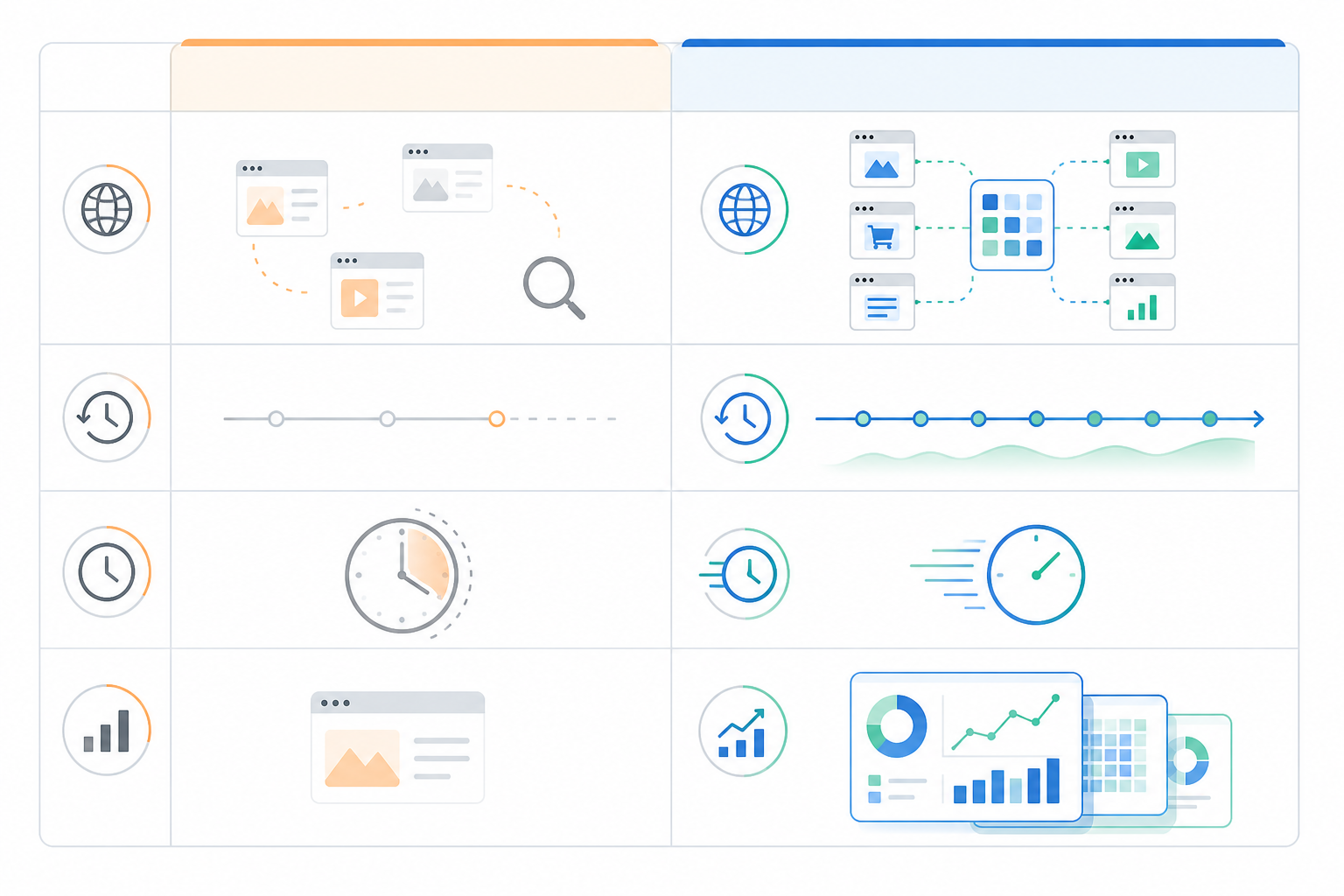
LinkedIn and TikTok are the honest weak spots here. Neither offers the same level of public, searchable transparency as Meta and Google. That limits manual checks and automated tools alike — a tool can make the process faster, but it can't manufacture transparency a platform doesn't provide. Be sceptical of any tool claiming complete, guaranteed coverage across every platform.
When a tool is worth it: if you're spending more than an hour a week on manual checks, tracking competitors across more than two platforms, or finding changes slip through because no one owns the process, it's probably time to look at paid options. Ask any vendor about data provenance (where the ad data actually comes from), historical depth, update frequency, export options, and how they handle duplicate or expired creatives.
Optional: when a tool can help. Full disclosure — I'm part of the team behind Rival Ads, so take this as one option rather than a neutral recommendation. It's built to reduce the manual legwork above: you point it at a competitor's domain, and it attempts to detect their ad presence across Meta, Google Ads, TikTok, and LinkedIn, surfacing what it finds on a weekly basis with a diff of what's new or paused. It includes an AI-generated summary to speed up interpretation. Like any tool in this category, its coverage is bound by what each platform exposes publicly, so treat the summary as a starting point for your own judgement, not a final answer.
Case Study: Spotting a Competitor Positioning Pivot Early
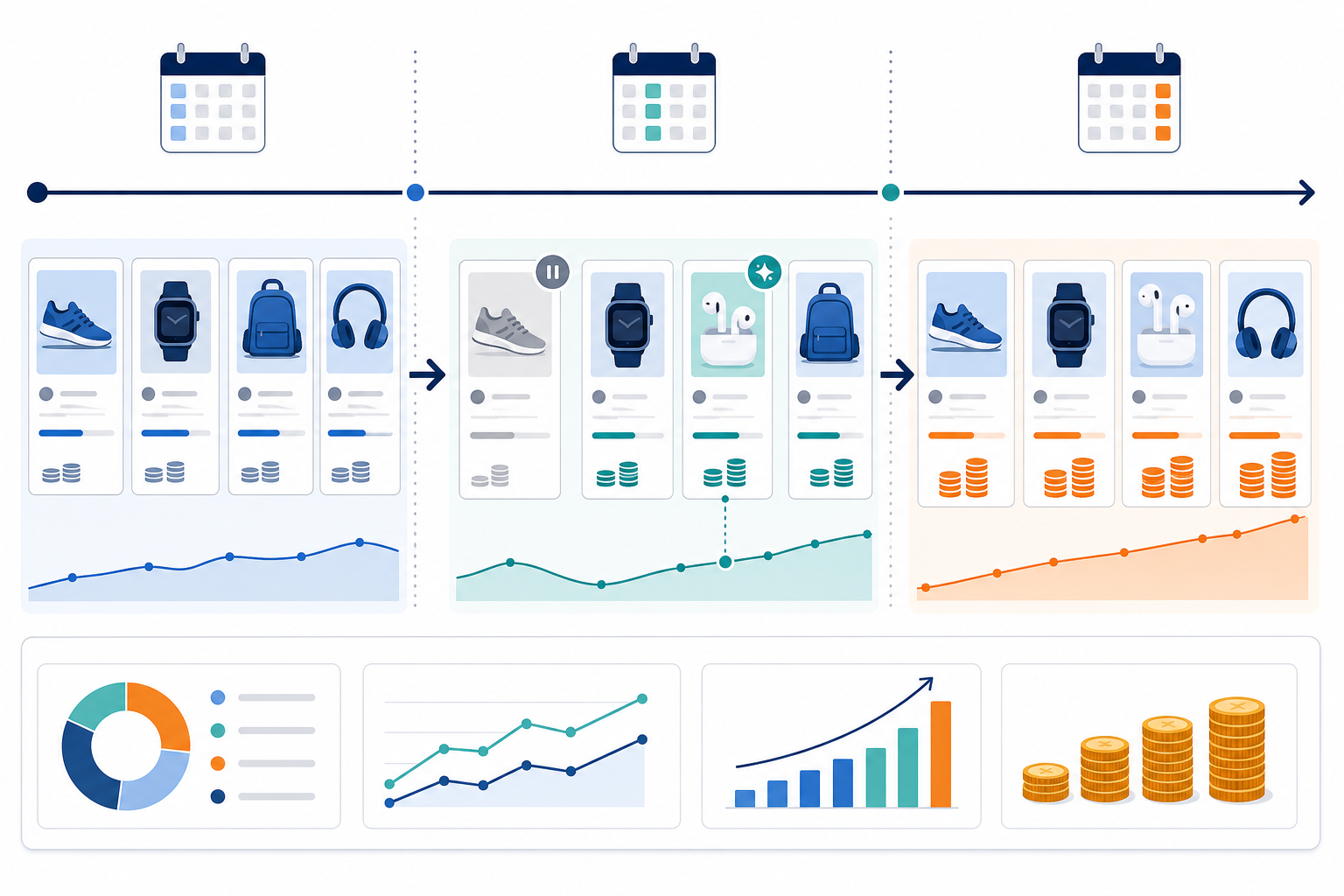
Here's a scenario based on a pattern that shows up often in competitive UK SaaS markets — a realistic composite, not a documented case study. Imagine a direct competitor in invoicing software shifts from feature-led messaging (“the fastest way to send invoices”) to ROI-led messaging (“cut your admin costs by 30%”) across both Meta and Google within a few weeks, alongside a price drop from £39/month to £29/month.
| Date first seen | Platform | Observed | Confidence |
|---|---|---|---|
| Week 1 | Meta | “Fastest way to send invoices”, £39/mo trial offer | Baseline |
| Week 2 | New ad: “Cut costs by 30%”, £29/mo — old ad still running on Meta | Medium — new angle exists, not yet a replacement | |
| Week 3 | Meta + Google | “Cut costs by 30%” now the only angle on both platforms; old creative gone | High — cross-platform, consistent, old messaging dropped |
A team without monitoring likely wouldn't notice until it showed up somewhere painful — a lost deal where the prospect mentions the competitor's new pitch, or a sales call where someone asks “can you also cut our costs by 30%?” By then, the competitor may have had weeks to refine the message.
A team using a log like this could reasonably flag the pattern by week 3 — not from the first ad, but once the shift held across two platforms and the old angle disappeared. That's the point where confidence moves from “maybe” to “probably worth a response.” The sensible next step isn't to panic and copy the messaging. It's to brief the sales team on the likely objection (“they're pitching cost savings now”), test a similar cost-led angle in a small, controlled way, and keep the log running to see if the pattern holds or fades.
Frequently Asked Questions About Competitor Ad Monitoring
Why does competitor ad monitoring matter for early-stage startups?
Early-stage startups have less brand recognition and less room for error, so a competitor's messaging shift can chip away at your pipeline before you notice. Monitoring ads gives you an earlier view of positioning changes, new offers, or pricing tests. It's an early warning, not a guarantee — plenty of ad changes are tests that go nowhere.
How can a small team monitor competitors without extra headcount?
Start with a manual habit: check Meta Ad Library and Google's Ads Transparency Centre for your top 3–5 competitors every couple of weeks, screenshot what you see, and log it with a confidence level and a next action. Give it a month before drawing conclusions — one check is rarely enough to separate a real shift from a short-lived test. Once it gets too time-consuming, or you need LinkedIn and TikTok coverage too, a tool can take over the repetitive parts, but someone still needs to review and act on what it finds.
What can ad messaging tell me about a competitor's next move?
Ad copy is often where competitors test new positioning before it rolls out anywhere else, so a change in headline angle, audience, or offer can be a leading indicator. It isn't proof on its own — plenty of ad tests fail and get quietly dropped. What you're watching for is a pattern: the same shift showing up across multiple platforms and sticking around for more than a couple of weeks.
Is monitoring competitor ads legal or ethical?
Yes, as long as you're using public sources. Meta Ad Library and Google's Ads Transparency Centre exist specifically so anyone can see active ads — you're not accessing anything private or scraping account data. Stick to what's publicly disclosed, respect each platform's terms of use, and you're on solid ground.
Start Competitor Ad Monitoring This Week
Competitor ad monitoring for startups isn't about catching every single change a rival makes. It's about not being the last to know when something real shifts. Here's how to start before the week is out:
- Pick your 3–5 closest competitors.
- Run one search each in Meta Ad Library and Google's Ads Transparency Centre.
- Screenshot what you find and date-stamp it.
- Set up a log with a confidence column and a next-action column.
- Book a recurring calendar reminder for two weeks from today.
Stay sceptical of single data points, watch for patterns instead, and build the habit before you need it.