Ad Spy Tool Buyer's Guide: 7 Things to Look for Before You Pay
Compare ad spy tools with this vendor-neutral UK buyer’s guide. Check platform coverage, fresh data, weekly change tracking, team features and transparent pricing.
Chris Edington
17 min read
Ad Spy Tool Buyer's Guide: 7 Things to Check Before You Pay
The best ad spy tool is the one that reliably shows you what your competitors are running on the platforms where they advertise, and makes it easy to see what changed week to week. Before you pay, check seven things: platform coverage, data freshness and completeness, change tracking, analysis beyond raw ads, setup effort, team and agency features, and transparent pricing. Tools that cover several platforms and show week-over-week diffs tend to save the most time, because they turn a pile of screenshots into a short list of things worth testing.
That's the short version. The rest of this guide is the checklist we'd use ourselves if we were buying, plus a few tests you can run in a free trial so you're not relying on a sales demo. Yes, we make one of these tools (Rival Ads), so we'll say so up front. Our own product gets one short, clearly labelled section at the end, and the checklist works whichever tool you pick.
What an Ad Spy Tool or Ad Intelligence Platform Should Do
Picture the scene. You've got 14 tabs open, you're scrolling the Meta Ad Library by hand, and a colleague asks what your biggest competitor launched last week. You can't say. You saw something on Tuesday, but you didn't screenshot it, and it may already be gone.
That's the problem a good ad spy tool solves. Ad monitoring means surfacing competitor ads, creatives, copy and landing pages so you can spot angles and trends worth testing. It should save you the scroll-and-screenshot routine, not give you one more dashboard to forget about.
Most teams buy the wrong tool because they mix up two different products:
- An ad library is a lookup. You search a brand, you see ads. Meta, Google and TikTok all offer free versions, and they're genuinely useful.
- An ad intelligence platform (or ad monitoring software) is a monitoring system. It checks competitors on a schedule, records what changes, and may offer analysis to help you make sense of it.
If all you need is the occasional peek at one competitor, the free libraries may be enough. If you need to know every week what launched and what disappeared, you're shopping for something else.
One caveat before we go further. Ad libraries show what is running, not what it costs or how it performs. Nobody outside the advertiser can see spend or conversion data from these sources, so everything a tool tells you about 'winners' is inference. Use it to come up with hypotheses, not conclusions.
And the goal isn't to copy ads. It's to learn which messages and formats competitors keep running, then build better versions in your own tests. Copying brings legal risk and, frankly, it's a lazy strategy.
Here's how to use the rest of this guide. We'll walk through seven criteria. Score each tool you trial from 1 to 5 on each one, and by the end you'll have a simple ad spy tool comparison based on evidence rather than feature lists.
1. Platform Coverage: Which Ad Channels Do You Need?
Short answer: no, you don't need every platform on day one. You need the ones your competitors and your buyers actually use. In practice, a tool that does two or three channels well, matched to where your budget goes, will often serve you better than a broad one with shallow or opaque coverage.
That said, single-platform tools create blind spots. A competitor might test a hook on TikTok, run the same idea on Meta, then retarget with Google. If you only see Meta, you see part of the story. A cross-platform view also shows whether messaging is consistent and where activity is shifting.
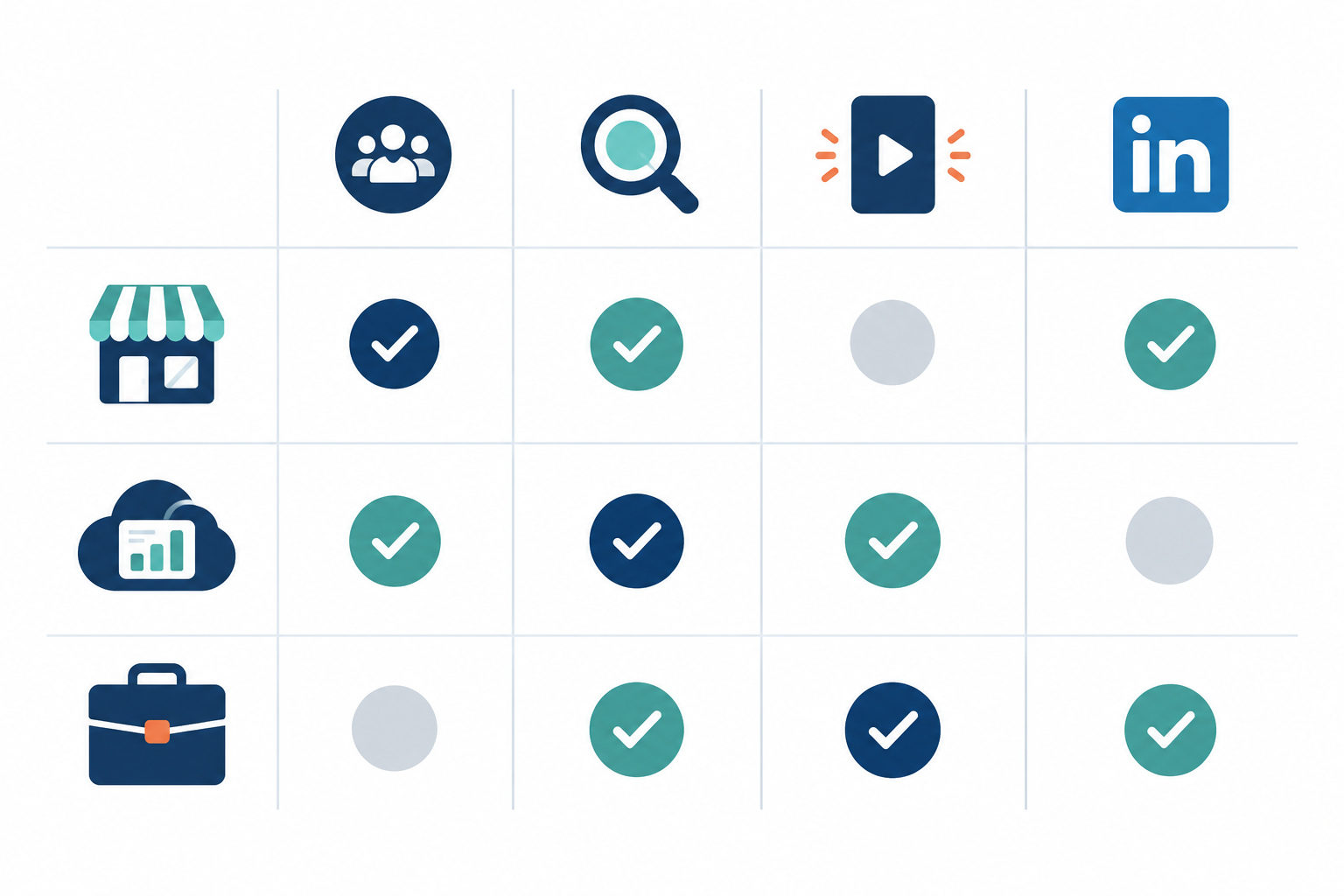
Here's a rough starting hypothesis for which channels tend to matter most. It's our own rule of thumb, not a universal benchmark, and your sector, audience and competitors can change it completely.
| Advertiser type | Meta | Google Ads | TikTok | |
|---|---|---|---|---|
| DTC / e-commerce | High | High | High | Low |
| B2B SaaS | Medium | High | Low | High |
| Agency (multiple clients) | High | High | Medium-High | Medium-High |
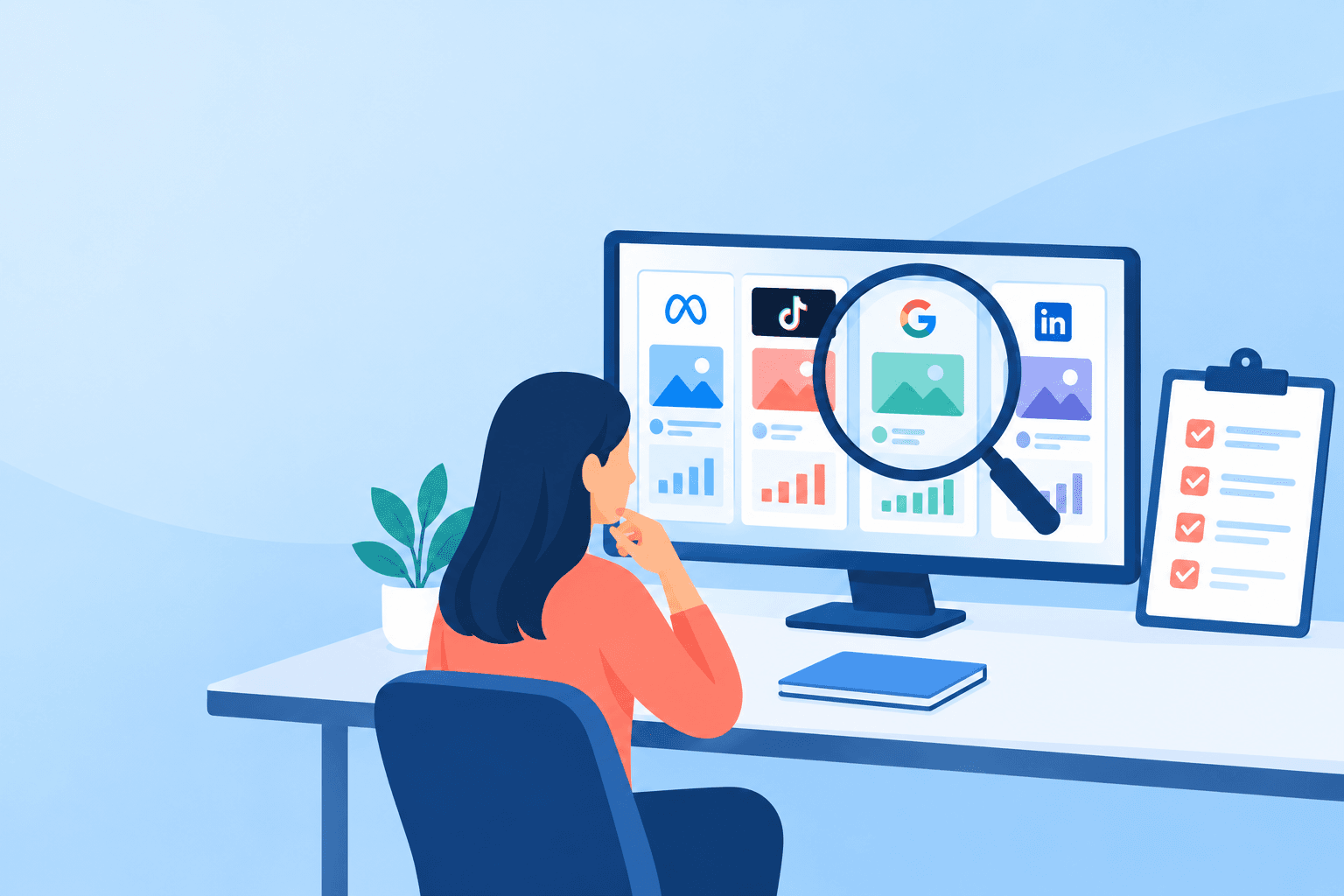
How to Check Ad Platform Coverage
Don't let a vendor demo their sample brand. Sample brands are chosen because they look great. Instead:
- Ask for a trial on a competitor you know well.
- Compare what shows up with the platform's own library (Meta Ad Library, Google Ads Transparency Center, TikTok's resources).
- Check what's captured per ad: creative, advertiser, placement, first and last seen dates, and landing page link. Missing fields can matter more than a headline platform count.
- Be wary of vague claims like 'TikTok coverage'. TikTok's Creative Center is built for inspiration and top ads rather than being a uniform archive of every ad, so ask exactly what the vendor's TikTok data includes and what it leaves out.
Ad Spy Tools for UK Advertisers
If you advertise in Britain, check that UK-targeted ads are surfaced properly. Many tools were built around US data, and one that's brilliant for American DTC brands can be patchy on UK advertisers. Run a UK competitor through the trial, in your own sector and on your own platforms, and see what comes back.
2. Data Freshness and Completeness in an Ad Spy Tool
Freshness and completeness are two separate checks, and vendors love to blur them. A tool can update daily and still miss ads. Here's what to probe.
- Update frequency. Daily, weekly or 'whenever'? For strategy, weekly is usually plenty, while stale monthly data isn't. Daily can help during fast-moving periods like Black Friday, but only if the tool tells you what changed rather than dumping everything again.
- Completeness. Does it capture every ad it can find, or a sample of 'top performers'? Samples can hide the small tests that often signal where a competitor is heading. No third-party tool can promise it sees everything, so ask what is and isn't covered.
- Real assets. You want actual creatives, exact copy and destination links, not thumbnails and summaries. If you can't see the real landing page, you can't judge the offer or funnel.
- Archive depth. Can you see ads that have since stopped? Platform libraries differ here. Meta's public library focuses mainly on currently active ads, with longer retention for some categories such as political and social issue ads, and TikTok's Commercial Content Library has its own retention window. These policies change, so check each platform's current documentation, and ask the vendor for its own retention window in writing. History is one of the clearest reasons to pay, but only if it's real.
- How competitors are found. Some tools need manual brand lookups, which is where gaps creep in. Others let you enter a website and detect the competitor's presence across platforms. The second approach is usually faster, but verify it caught the right pages and accounts.
A 10-Minute Test for Ad Data Accuracy
Pick one competitor and one country. Open the Meta Ad Library and the Google Ads Transparency Center, then pick ten individual ads. Check whether the tool shows each one, with matching creative, copy, dates and destination link.
You can compare total ad counts too, but don't treat matching totals as proof of completeness. Platforms and vendors define, group and deduplicate ads differently, and region settings and formats (video, carousel, text) can change the numbers. Small differences are normal. Missing ads you can see in the library, or wrong dates, are the real warning signs. Repeat the check a few days later to see whether updates are consistent.
3. Change Tracking and Alerts: What Should an Ad Spy Tool Show?
This is the criterion we'd weight most heavily. A static snapshot tells you what's live right now. It doesn't tell you what's new, what's disappeared, or what's been running for three months. And the changes are where the insight is.
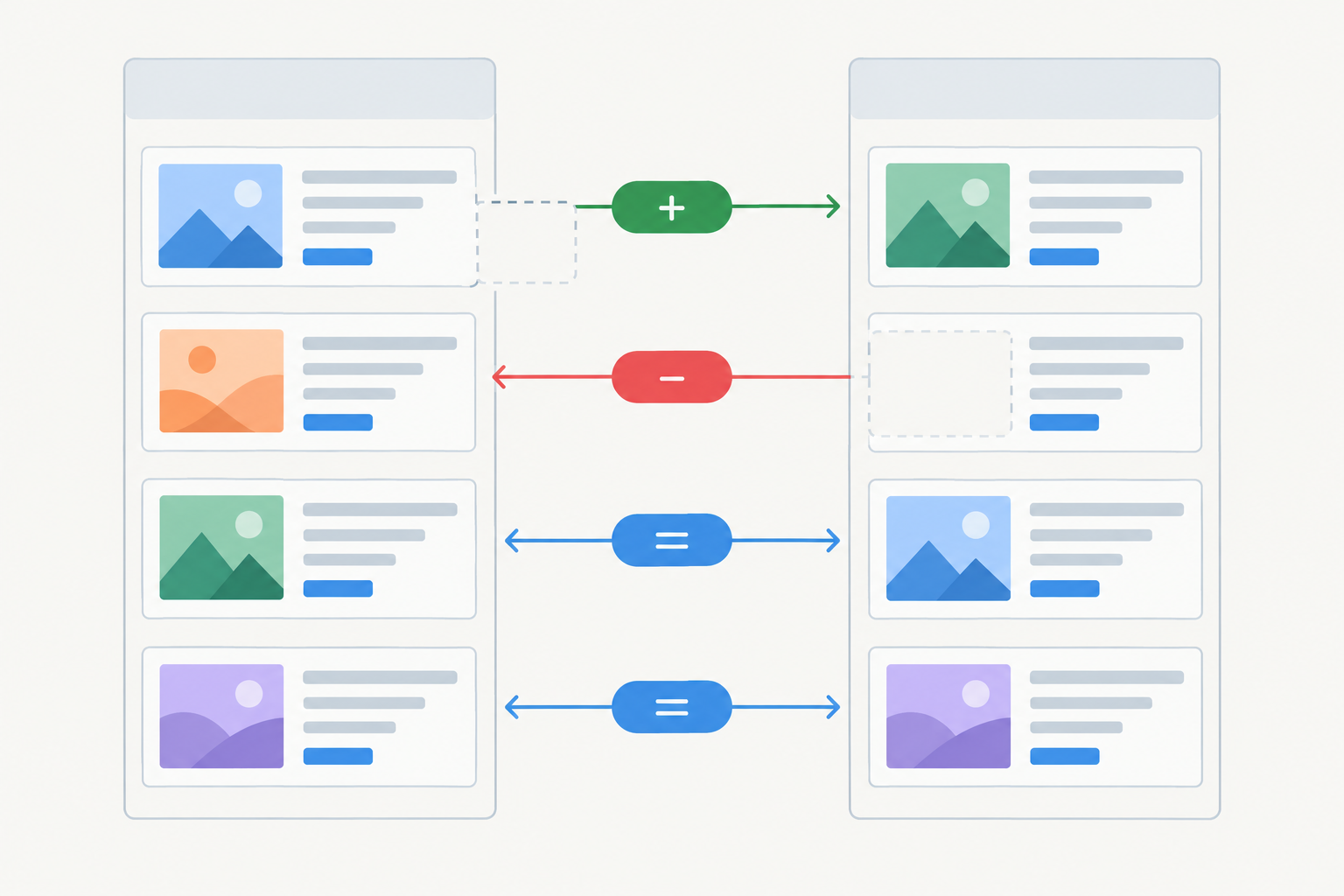
A good week-over-week diff sorts ads into three buckets:
- New: what they've just started testing.
- Stopped: what has disappeared from the library, which may mean it was paused, replaced or simply ended.
- Still running: what they haven't switched off, which can be a sign it's worth a closer look.
Longevity can be a proxy signal for creative that's working, but let's be honest about its limits. An ad that's run for 90 days might be profitable, or someone might have forgotten to switch it off. You can't see their conversion data, budgets or delivery. Treat longevity as a pointer to investigate, not proof. The same goes for the word 'scaling': unless a tool has evidence of more placements or more variants, 'still running' is the honest label.
Here's a short example of the diff in action. A competitor's six discount-led ads disappear, and a single social-proof video is still running across Meta and TikTok. We can't know why. Maybe discounting stopped working, maybe they're protecting margin, maybe it was a planned burst that just ended. Either way, it's a cue to dig in, look at how the testimonial is structured, and ask whether your own offer is leaning too hard on price.
Ad Monitoring Alerts and Red Flags
Insights only matter if they reach people. Look for a dashboard plus email digests, so your strategist sees the update on Monday morning without logging in. And watch for these red flags:
- Alerts that fire on noise (every minor copy tweak counts as 'new').
- No way to filter by competitor or platform.
- No record of what's stopped, so you can't see what was dropped.
4. Analysis Beyond Raw Competitor Ads
There's a big gap between 'here are 400 ads' and 'here's what it might mean for your strategy'. Raw ads are just data. Somebody still has to read them, cluster them and decide what matters. If that somebody is you, on a Friday afternoon, it probably won't happen.
Good analysis pulls out themes and recurring angles, offers and pricing signals, hooks and opening lines, audience clues (who the ads seem to speak to), funnel hints from landing pages, and shifts in positioning over time.
Many tools now add AI-generated summaries, and quality varies wildly. The best read like a senior media buyer's notes: specific and tied to evidence. The worst read like a horoscope ('Competitor focuses on benefits and urgency').
Here's how to judge it. Ask for a sample report on a real competitor, then check whether it cites specific ads. If a claim like 'they're shifting towards UGC' can't be traced to actual creatives you can click on, be sceptical. Also look for a clear line between what the tool observed (new ads, formats, copy) and what it's inferring (intent, performance). That applies to our analysis as much as anyone's, so test it against a competitor you understand.
And remember where human judgment still matters. AI interprets; you decide what to test. Each week, turn two or three observations into hypotheses ('social proof appears to be replacing discounts, so test a testimonial hook against our current offer') and let your own data settle the argument.
5. Setup Effort, Data Access and Legal Considerations
Setup is the criterion people overlook until they're two hours into onboarding. Check these points before you commit.
- Does it need access to your ad accounts? For competitor monitoring, it generally shouldn't. Tools that need no ad account connections are quicker to start, and you're not sharing sensitive account data. If a tool asks for credentials, a browser extension or OAuth permissions, make sure you understand why, and review the scopes requested.
- Time to first insight. Can you be up and running in under 15 minutes? If setup involves a call, a spreadsheet and a week of waiting, that's a poor sign.
- Data sources. Ask how the vendor gets its data: official APIs, public libraries, licensed partners or automated collection. Request a short written statement of source coverage, update frequency, geographic limits and retention. A slick dashboard doesn't prove the data is complete or authorised.
- Compliance language. Clear, specific answers are a good sign. Hand-waving isn't.
Is It Legal to Monitor Competitor Ads in the UK?
This isn't legal advice, and the honest answer is 'it depends on what you do'. Viewing ads that platforms publish for transparency, such as in the Meta Ad Library or Google's Ads Transparency Center, is what those libraries are for, and looking at them yourself is low risk.
Things get more complicated once data is collected at scale or reused. Public availability doesn't by itself establish that every collection method complies with a platform's terms or with applicable law, and the position can depend on the platform's terms, how the data is gathered, where you and the vendor are based, and what you do with the results. So treat it as due diligence: read the vendor's terms, ask how it collects data, and speak to a solicitor if your use is unusual.
A few UK-specific points to check against current official guidance:
- ASA/CAP Code. The rules apply to your ads. Competitor research doesn't change that, but it's a good reminder not to copy a claim you couldn't substantiate yourself.
- UK GDPR. If a tool handles personal data, ask who the controller or processor is, how long data is kept and how deletion requests work. The ICO publishes guidance on controllers and processors.
- Copyright and passing off. This is where the ethical line sits. Learn from angles, structures and formats. Don't lift creative or copy wholesale.
6. Team Features and Agency Capabilities
If you're a solo marketer, you can skip most of this section, and honestly you shouldn't pay for advanced roles you won't use. If you work with a team, though, this is where a tool either fits your workflow or becomes shelfware.
Look for roles and permissions, so juniors, strategists and clients see what they should and nothing more. Look for competitor assignment, so each person tracks the right accounts and nobody duplicates effort. Shared digests beat screenshots flying around in Slack. And exports, tagging and saved views make client reporting far less painful.
Ad Spy Tools for Agencies
Whitelabel is the big one. If you can deliver competitor monitoring under your own brand, it can turn from a cost into a revenue line. Clients like seeing 'what your rivals launched this week' in a branded report, and it's an easy add-on to paid media retainers. Check that whitelabel covers the dashboard and the emails, not just a logo swap on a PDF.
7. Ad Spy Tool Pricing: What Does It Really Cost?
Prices vary widely, from entry-level plans advertised at around $29/month (roughly £23-25 before any VAT at recent exchange rates, though rates move and you should check current figures) to enterprise packages costing hundreds a month. Treat those as indicative, not quotes. The sticker price matters less than what it includes.
First, remember the baseline: Meta Ad Library, Google's Ads Transparency Center and TikTok Creative Center are free. Any paid tool should clearly beat them on history, cross-platform organisation, alerts, analysis or time saved. If it doesn't, keep your money.
Common Ad Spy Tool Pricing Models
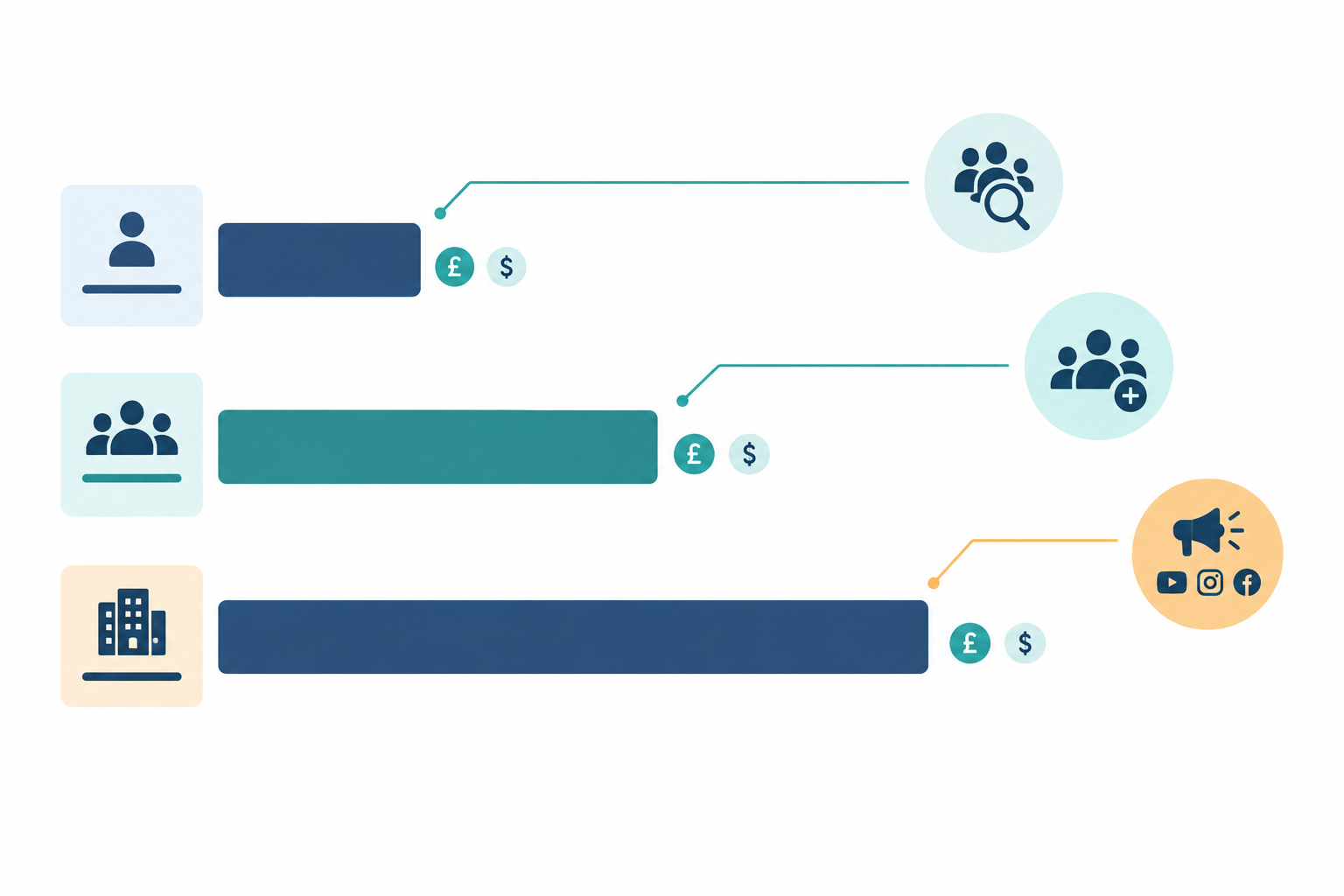
| Model | What scales the price | Watch out for |
|---|---|---|
| Per competitor monitored | Number of brands you track | Costs jump if your competitor set grows |
| Per seat | Team size | Clients or juniors needing extra seats |
| Per platform | Channels covered | Add-ons for TikTok or LinkedIn |
| Search credits | How much you look things up | Running out mid-month |
Hidden Costs to Check Before You Buy
- Add-ons for extra platforms
- Limited history on cheaper plans
- Export fees or caps
- Prices quoted in USD or excluding VAT. UK VAT is 20%, and UK businesses may also see card or currency conversion fees, so ask for the all-in GBP figure.
- Trial prices that differ from renewal prices
To work out value, think in hours. If a tool saves your team a few hours a week of manual research, a plan in the £25 range can pay for itself quickly. A £300 plan has to justify itself more carefully. Either way, confirm that the tool covers your platforms and UK advertisers before you do the sums.
On contracts, be careful with annual lock-in before you've tested the tool. Note the renewal amount, billing frequency and cancellation deadline before entering card details. And the cheapest tool that needs a second tool to fill the gaps isn't actually cheap.
Ad Spy Tool Comparison Scorecard: Questions to Ask Before You Buy
Here's how to put all of this into practice without losing a month to it.
- Name your three to five must-have competitors and platforms. Include at least one UK competitor if you're selling here.
- Run the same competitors through every tool you're trialling. Same brands, same countries, same dates. That's the only fair comparison.
- Score each tool 1-5 using the table below.
- Ask vendors the awkward questions:
- How often is data refreshed?
- Do you capture every ad you can find or a sample?
- How do you collect the data, and how long do you keep history?
- What does the analysis include, and can I see an example?
- What's the all-in GBP price including VAT, and what happens if I add competitors?
- Review a full week of output before committing, so you see real diffs rather than a one-off snapshot.
- Decide based on which tool changed what you'd actually test next. If it didn't change your plans, it's not earning its fee. A simple rule: drop any tool that scores 2 or below on coverage or freshness, however good the rest looks.
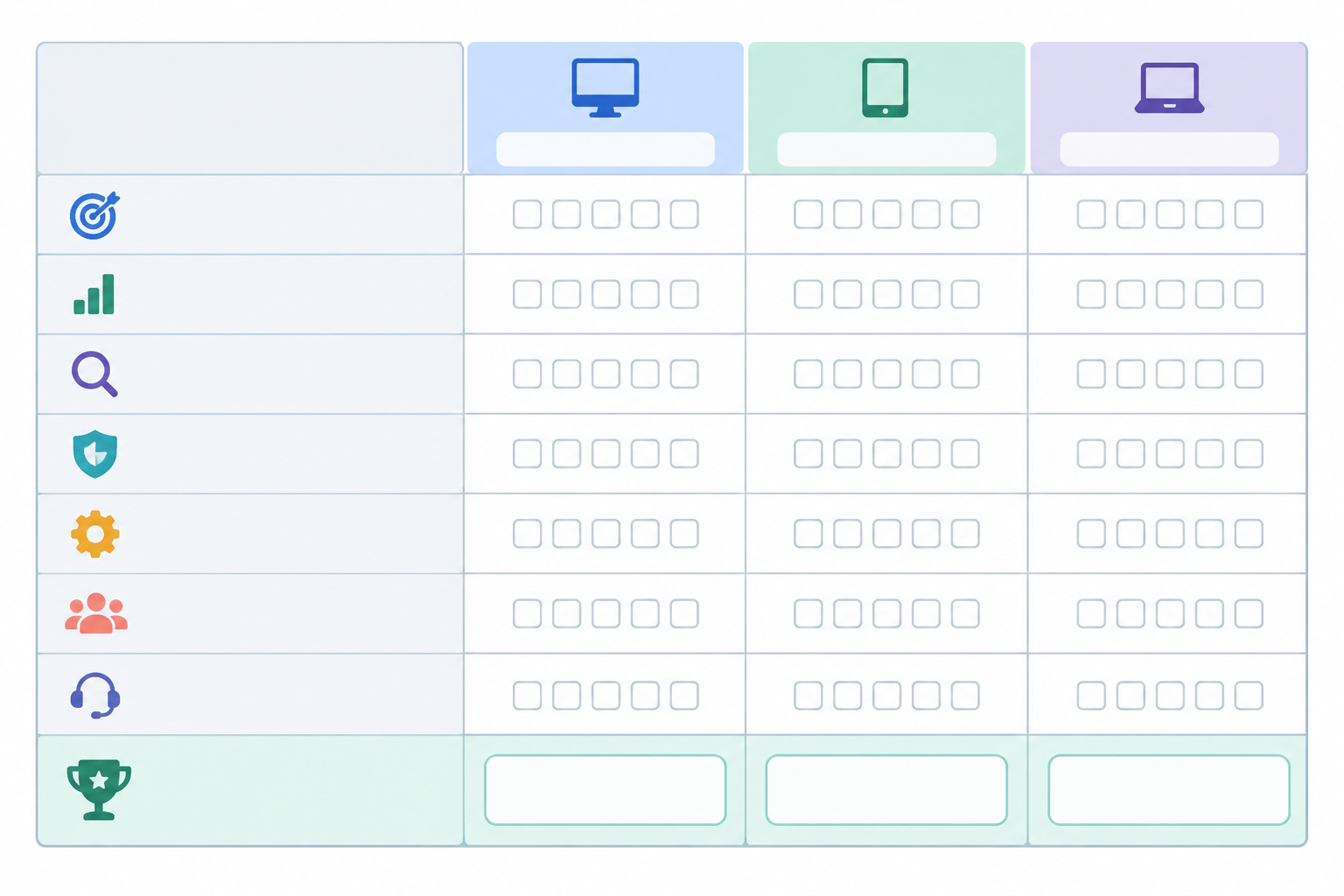
| Criterion | Tool A | Tool B | Tool C |
|---|---|---|---|
| Platform coverage | /5 | /5 | /5 |
| Freshness and completeness | /5 | /5 | /5 |
| Change tracking | /5 | /5 | /5 |
| Analysis | /5 | /5 | /5 |
| Setup effort | /5 | /5 | /5 |
| Team features | /5 | /5 | /5 |
| Price (all-in, inc. VAT) | /5 | /5 | /5 |
| Total | /35 | /35 | /35 |
Where Rival Ads Fits
Disclosure: we make Rival Ads, so treat everything below as our claims and verify them with the same trial checks you'd use on any other tool.
Our setup is website-only. You give us a competitor's URL and we aim to detect their presence across Meta, Google Ads, TikTok and LinkedIn, with no ad account connections. Each week we fetch their active ads and show what's new, what's stopped and what's still running, with Claude-powered analysis and a weekly email digest. Plans start at $29/month, with team roles and whitelabel for agencies.
We'd rather you test us than take our word for it. Run us alongside any other tool, using the same competitors and the scorecard above, and see which one changes what you'd test next.
FAQ: Choosing an Ad Spy Tool
What's the Best Ad Spy Tool?
There isn't one best tool for everyone. It depends on which platforms your competitors use, how fresh you need the data to be, and whether you want raw ads or interpretation. Score two or three tools on the same competitors using the scorecard above.
Do I Need All Platforms Covered?
Not necessarily. Start with the channels that matter to your audience and make sure you can add others later. See platform coverage for how to test it.
Is It Legal to Monitor Competitor Ads?
Viewing ads in platforms' public libraries is what they're designed for, but how a tool collects data and how you reuse it both matter. This isn't legal advice, so check the vendor's terms and speak to a solicitor if you're unsure. More detail is in the legal section.
How Much Does an Ad Spy Tool Cost?
Entry-level plans are advertised from around $29/month (roughly £23-25 before VAT at recent rates), while larger platforms can run into hundreds a month. Always confirm the all-in GBP price, renewal terms and what scales the cost. See pricing.
How Often Should Ad Data Be Updated?
For strategic decisions, weekly updates with clear week-over-week changes are usually enough. Daily data suits fast-moving periods like seasonal sales, but only if the tool flags what actually changed.