
Client Ad Reports That Actually Get Read: A Report Structure That Builds Retention
Build client ad reports UK agencies actually read: turn competitor ads and ad intelligence into strategic insights that prove value and improve retention.
Chris Edington
12 min read
Client Ad Reports: How to Build Competitive Reports Clients Actually Read
Clients don't ignore competitive ad reports because the data's bad. In my experience, they ignore them because most reports are data dumps with no clear "so what." You send over a PDF full of screenshots and ad counts, the client skims the first page, forwards it to no one, and moves on with their day. The fix isn't more data—it's structure. A report that leads with a strategic takeaway, backs it up with evidence, and ends with a recommendation stops looking like busywork and starts looking like the reason clients keep paying you.
I've watched this play out across a lot of agency relationships, including a few UK agencies I've worked alongside. The teams that treat client ad reports as a retention tool—not just a deliverable ticking a box—tend to have fewer awkward "what exactly are we paying for" conversations at renewal time. I can't promise a report structure will save every account (weak campaign performance will always be the bigger factor), but a well-built report makes the value of your work visible instead of invisible. Let's get into why most reports fail, and what actually works instead—including a client ad report template you can use for your next weekly send.
Why Most Client Ad Reports Get Ignored
Here's the classic mistake: leading with raw data. Screenshots of competitor ads. A spreadsheet of ad counts by platform. A grid of creatives with no framing. It feels thorough because there's a lot of it—but volume isn't value.
The deeper issue is that different people on the client side need different things from the same report, and most reports serve none of them well. A founder wants to know if something threatens the business. A marketing lead wants to know if it changes this quarter's plan. A media buyer wants the raw creative so they can study the mechanics. If your report is one undifferentiated wall of screenshots, none of those readers gets what they came for—so everyone skims and nobody acts.
Think about it from their side. If a report requires someone to squint at ten screenshots and piece together the pattern themselves, it feels like homework. And nobody wants homework from a service they're paying a monthly retainer for. The moment a report feels like effort rather than insight, it gets skimmed, filed, and quietly resented.
A good filter here is what I call the "so what?" test. For every slide or section you're about to include, ask: if the client read only this, would they know what to do next? If the answer is no, cut it or rework it. This single habit will do more for your report quality than any design template.
What Should Be Included in a Client-Facing Competitive Ad Report?
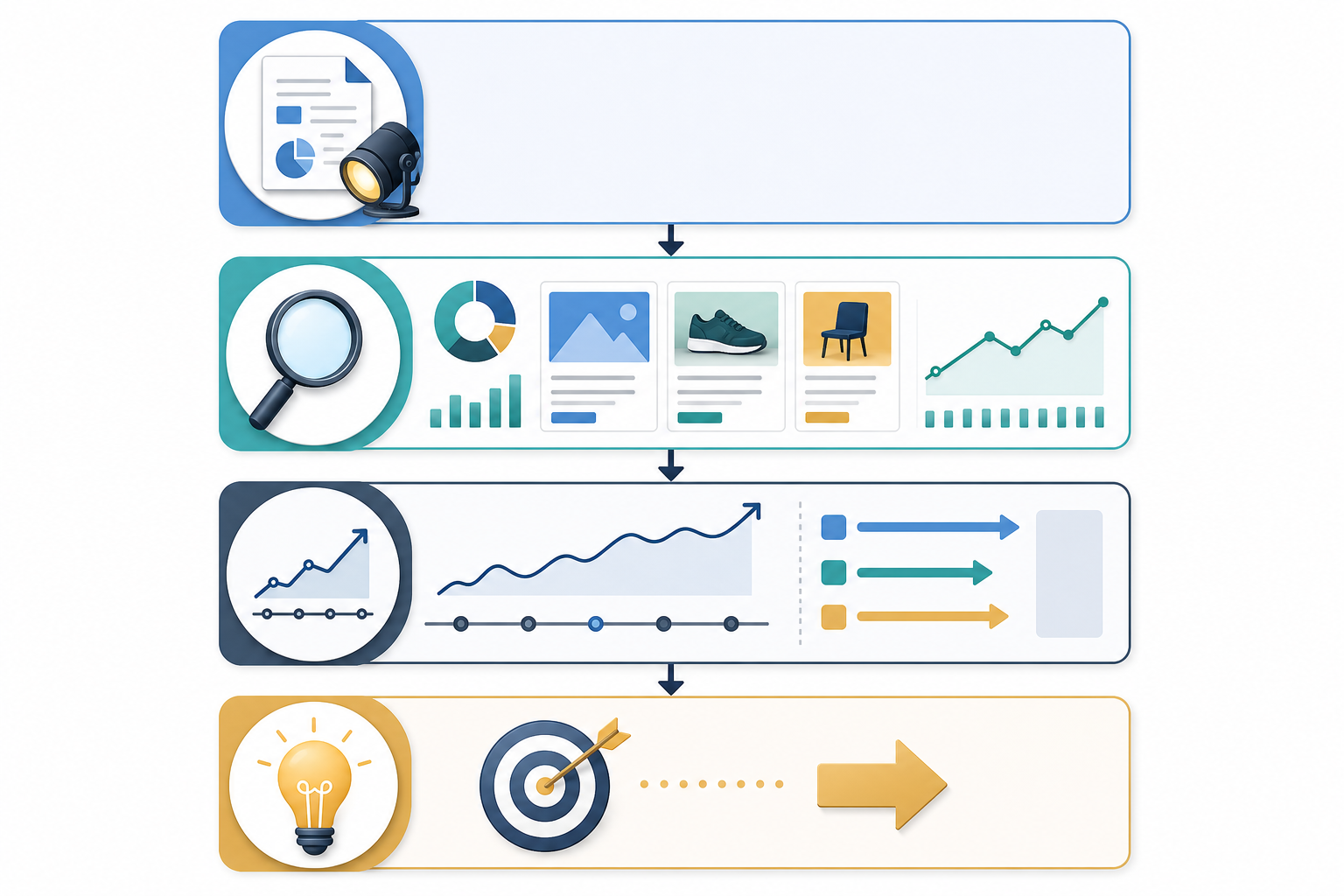
Attention drops off the further down a document you go—that's true of most written communication, not just ad reports—so the order of information matters as much as the information itself. Here's the structure I'd build a client-facing report around:
- Executive summary first. Three or four sentences on what changed this week and why it matters to this specific client. No jargon, no ad counts—just the headline.
- Evidence second. This is where the actual creatives, ad copy, and platform breakdown live—Meta, Google Ads, TikTok, LinkedIn, whatever's relevant to that client's market. The evidence supports the summary; it doesn't replace it.
- Trend context. Is this a one-off test from a competitor, or part of a pattern you've observed over several weeks? Context turns a single data point into intelligence—though it's worth being upfront that "pattern" here means "pattern in what's publicly visible," not confirmed spend or results.
- A clear recommendation, with an owner and a date. Something concrete to bring up on the next call, assigned to a person, not a vague "worth monitoring" left floating with no next step.
The logic is simple: put the most valuable, most digestible content where attention is highest, and let the supporting detail sit underneath for anyone who wants to dig deeper. Clients who only read the top get the value. Clients who want proof can scroll down and see it.
How to Structure Client Ad Reports Around Strategic Takeaways
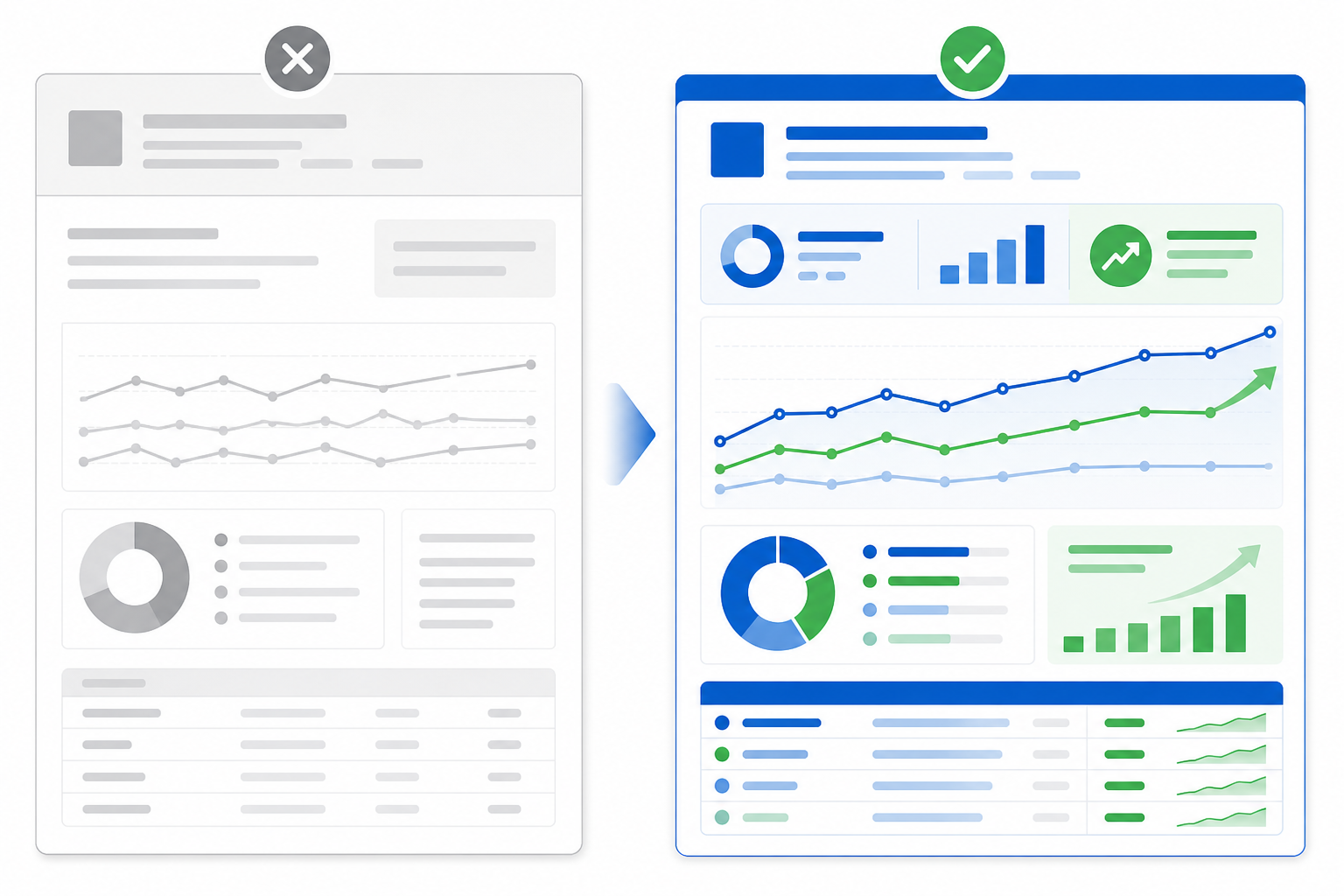
This is the part that separates agencies clients trust from agencies clients tolerate. The difference between a weak takeaway and a strong one is usually just a sentence—but that sentence is where the strategic value lives.
Compare these two:
- Weak: "Competitor launched 3 new ads this week."
- Strong: "Competitor is testing a price-led angle after months of brand-only messaging—possibly a response to softening conversion, worth watching over the next fortnight."
The first is an observation. The second is an interpretation, clearly flagged as a hypothesis rather than a fact. That distinction matters, because public ad libraries show you what's running, not what's working. More ad variations or a longer run time can be a signal of continued investment—but it isn't proof of spend, and it definitely isn't proof of performance. A competitor could be testing badly and still have five ads live. Say what you observed, say what you think it might mean, and be honest about your confidence level. That honesty is part of what makes the interpretation credible.
A simple three-step habit works well here: observe (what's actually changed), interpret (what it might mean, labelled as a hypothesis), and recommend (a specific test or discussion point for this client). AI tools can genuinely help with the first pass of the interpretation step—at Rival Ads, our weekly digests include an AI-generated summary of week-over-week changes that gives account managers a starting draft rather than a blank page. It still needs a human to add client-specific context and to check the confidence level before it goes out, but as a first draft it saves real time.
Done well, this is usually the section that gets forwarded—agency partners have told me the strategic takeaway paragraph is what clients screenshot for their own boss or founder. That's the moment a report stops being a deliverable and starts being proof of your agency's thinking.
Can Client Ad Reports Improve Client Retention?
For a lot of retainer clients, the ad report is one of the only tangible, regular proof points that work is happening between billing cycles. Strategy calls happen monthly. Campaign optimisations happen in the background, invisible to the client. A report, on the other hand, is visible, dated, and specific—which is exactly why it's worth treating as more than a formatting exercise.
That said, weekly isn't automatically better than monthly. The right cadence depends on how fast the client's market moves and how much genuinely changes week to week. A fast-moving UK e-commerce brand competing in a crowded paid social space might need weekly checks because competitors are testing offers constantly. A B2B SaaS client with three known competitors and slower-moving campaigns might get more value from a considered fortnightly or monthly report than a weekly one that mostly says "no significant change." Match the cadence to the pace of change, not to a rule of thumb.
A few ways to get more retention value out of whatever cadence you choose:
- Send reports on a predictable schedule. Consistency—not just frequency—is what makes a report feel reliable rather than reactive.
- Treat the report as proof of ongoing strategic work. Especially for clients on a flat monthly retainer who don't see hourly logs, a recurring report is tangible evidence that someone's actively watching the competitive landscape on their behalf.
- Connect recommendations to outcomes over time. If you suggested testing a price-anchored hook three weeks ago, follow up on whether it happened and what it did. This is what actually builds the retention effect—not the report alone, but the visible link between report and result.
- Turn delivery into a moment, not just an email. A two-line Slack or Teams message—"this week's competitor report is in, one thing worth flagging: they've moved budget onto TikTok for the first time"—does more for the relationship than a silent PDF drop ever will.
- White-label it, if you're reselling the tool. If a client is looking at a report with someone else's logo on it, you're reminding them there's a tool doing the work rather than your team. If you're using a third-party platform to power your reporting, white-labelling keeps the report reinforcing your agency's brand and expertise instead.
Clients pay agencies for judgement and relationship, not for access to a dashboard. A white-labelled report—where relevant—protects that perception.
Client Ad Report Template: A Sample Structure to Use
If you want a template to start from, here's the structure I'd build a client ad report around, with enough operational detail to actually use week after week rather than just look good in theory.
Report header (fill in every time):
| Field | Example |
|---|---|
| Client | [Client name] |
| Reporting period | 3–9 March |
| Client objective this period | Increase paid social conversions |
| Platforms covered | Meta, TikTok |
| Confidence level | Medium — based on public ad library data only |
Body sections:
- Headline takeaway. One to two sentences. The single most important shift this week, no fluff. If the client reads nothing else, this is what they need to know.
- What's new. New creatives, offers, or platforms a competitor has entered. Label each as an observation, not a conclusion—e.g. "Competitor X is now running ads on LinkedIn for the first time (observed 6 March)."
- What's stopped. Ads that dropped off since last report, plus your best guess at why—underperformance versus seasonal wind-down versus planned campaign end—flagged clearly as a guess.
- What's scaling. Creative or messaging that's clearly getting more visible spend or placements—more variations, wider platform coverage, longer run times. Note this as "increased visible activity," not confirmed budget increase, since ad libraries don't show spend.
- Strategic recommendation. One concrete, client-specific suggestion, with an owner (who raises it) and a next review date (when you check if it happened). Not "keep monitoring"—something like "consider testing a similar price-anchored hook in your next creative batch; revisit outcome on [date]."
- Appendix. Full creative screenshots, copy, and links for anyone who wants to dig into the detail—kept out of the way of the parts that need to be read first.
Every section here earns its place by passing the "so what?" test. Nothing is included just because it's available, and nothing is presented with more certainty than the underlying data supports.
How to Build Ad Intelligence Reports Without Burning Hours
All of this sounds great in theory until you factor in the time it takes to build it—every period, for every client, across every platform they're active on. Manually pulling ads from the Meta ad library, checking Google Ads, scrolling TikTok, and tracking LinkedIn for every competitor across every client account isn't sustainable once you're managing more than a handful of accounts. It's the kind of task that eats an account manager's Friday afternoon and still doesn't get done consistently.
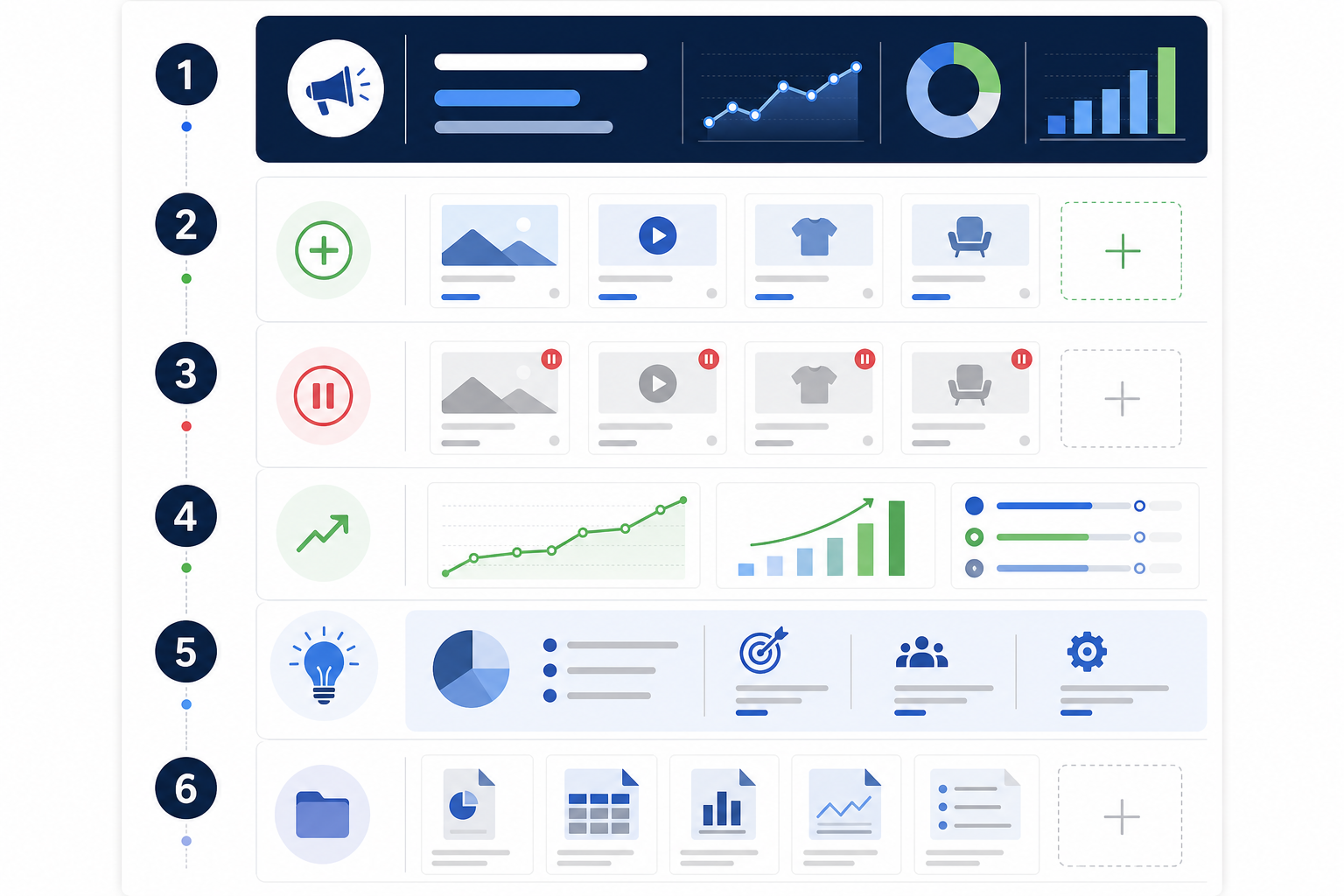
There are really four separate jobs happening in a good report workflow: collection (finding and pulling the ads), validation (checking what's actually new, stopped, or scaling), interpretation (turning that into a takeaway and recommendation), and delivery (formatting and sending it in a way that looks like your agency's work). Most of the manual pain sits in collection and validation—which is exactly the part that's sensible to automate, so your team's time goes into interpretation instead.
That's the gap tools like Rival Ads are built to close: you provide a competitor's website, it detects their presence across Meta, Google Ads, TikTok, and LinkedIn, and fetches the active ads—creatives, copy, and links—on a set schedule. It generates the week-over-week diff and an AI-drafted strategic summary, which your team edits and adds client context to before it goes out white-labelled under your own branding. Whatever tool or process you use, the principle holds: automate the collecting and flagging, and spend your team's judgement on the interpreting and recommending.
The report structure is what makes clients read and value the work. The right workflow—automated or not—is what makes it possible to deliver that structure consistently without it becoming a second job.
Client Ad Report Checklist Before You Send
- Does the top of the report answer "so what?" in one glance?
- Is every claim about a competitor labelled as observed, inferred, or a guess—not stated as fact?
- Does the recommendation have an owner and a date to revisit it?
- Is the cadence matched to how fast this specific market actually moves?
- Would this report make sense to someone who's never seen a competitor's ad library?
If you can tick all five, you've got a report clients will actually read—and one more reason for them to keep you on the retainer next quarter.
Frequently Asked Questions About Client Ad Reports
What should be included in a client-facing competitive ad report?
At minimum: a short strategic summary, evidence of what's changed (new, paused, or scaling ads across relevant platforms like Meta, Google Ads, TikTok, and LinkedIn), and a recommendation tied to the client's own strategy, with someone named to act on it. Skip anything that doesn't help the client make a decision—raw ad counts and screenshots without context are the first things clients stop reading.
How do I make competitive reports feel valuable, not just data-heavy?
Lead with interpretation, not data, but be clear about the difference between the two. Instead of just listing what competitors are doing, explain what it likely means—while flagging it as a hypothesis rather than fact, since public ad data shows activity, not confirmed spend or results. AI tools can help draft that first-pass interpretation, which your team then checks and tailors to the client's context.
Can reporting improve client retention?
It can help, but it's not a substitute for good campaign performance. A regular ad intelligence report gives clients a visible, dated proof point of ongoing strategic work, which reduces the chance they question value out of the blue. The retention benefit comes from following through—linking a recommendation to what actually happened afterwards—rather than from the report existing on its own.
Should competitive reports be weekly or monthly?
It depends on the client's market. Fast-moving, high-competition spaces (a lot of UK D2C and e-commerce accounts fall into this) often justify weekly checks because competitors are testing constantly. Slower B2B or niche markets may get more value from a considered fortnightly or monthly report. Match the cadence to the pace of meaningful change, not to a default.
Do I need to white-label competitive reports for clients?
Only if you're using a third-party tool to power the reporting and reselling it as part of your service. In that case, white-labelling keeps the client's attention on your agency's brand and strategic input rather than on the underlying platform—which is why tools like Rival Ads offer white-label options for agencies. If you're building reports entirely in-house, this doesn't apply.