
How to Build a Competitor Ad Monitoring Workflow That Sticks
Learn how to build a repeatable competitor ad monitoring workflow for your marketing team—from assigning ownership to turning weekly ad insights into
Chris Edington
13 min read
A competitor ad monitoring workflow only survives when it has three things: clear ownership (someone assigned to each competitor), a fixed review cadence, and a system for turning what you see into actual campaign decisions. That's it. No fancy dashboard or clever spy tool will save a process that's missing any one of these three legs.
Most UK marketing teams I speak with already have the tools. They've bookmarked Meta Ad Library. They've explored Google's Ads Transparency Center. Someone on the team probably has a folder of screenshots from a competitor's TikTok feed. What they don't have is a repeatable process—one that turns occasional curiosity into a genuine competitive advantage. This guide walks through building a competitor ad monitoring process step by step and shows where a tool like Rival Ads can automate the parts that usually cause the whole thing to fall apart.
Why Competitor Ad Monitoring Fails Without a Process
Here's a pattern that comes up again and again in conversations with marketing teams. Someone—often a paid media lead or a curious product marketer—opens Meta Ad Library one afternoon and finds something genuinely useful. Maybe a competitor just launched a new offer, or their creative style has shifted. They screenshot it, post it in Slack, everyone reacts with a few emojis, and then... nothing happens. Weeks later, someone does the same thing again, usually after the competitor's campaign has already run its course.
This isn't really a discipline problem. It's a structural one. Manual research doesn't scale once you're tracking more than one competitor across more than one platform. Checking Meta, Google Ads, TikTok, and LinkedIn individually for even three competitors means juggling four separate ad libraries with four different interfaces, none of which are built for ongoing tracking. It's tedious enough that even well-intentioned teams quietly stop doing it.
There's an ownership problem hiding underneath the scale problem, too. When competitor ad tracking is "everyone's responsibility," it becomes nobody's actual job. No one feels accountable for noticing when a competitor's messaging shifts, so nobody does. And even when someone does spot something interesting, if there's no system for capturing it, that insight lives in a Slack thread for a week and then evaporates. There's no institutional memory—so the same competitor moves get "discovered" repeatedly, always slightly too late.
A concrete illustration: imagine a competitor quietly introduces a free-trial offer and runs it across Meta and LinkedIn for six weeks before anyone on your team notices. That's six weeks where they've had the market's attention and you haven't reacted—not because the offer was unbeatable, but because nobody was watching closely enough to respond while it was still fresh. The cost of weak monitoring is rarely embarrassment. It's missed timing.
Step 1: Assign Competitors to Owners
The fix starts with something deceptively simple: give each competitor a name attached to it—a real person on your team, not a shared responsibility.
- Build a shortlist first. Don't try to monitor every company vaguely in your space. Pick 3–8 competitors who genuinely shape how customers perceive your positioning or pricing. This keeps the workload manageable and the insights relevant.
- Assign one competitor (or a tight cluster of two or three) to each team member. This could be a paid media lead, a product marketer, or a competitive strategist—whoever has the context to interpret what they're seeing, not just observe it.
- Give each owner a clear mandate: know this competitor's ad strategy better than anyone else on the team. That's a far more motivating brief than "keep an eye on things occasionally."
- Use role-based access to cut the noise. Rival Ads supports team roles and competitor assignment, so each owner only sees the accounts they're responsible for—no wading through six competitors' worth of ads to find the one thing relevant to them.
- Consider rotating ownership periodically, but don't treat it as mandatory. Fresh eyes can catch things stale eyes miss, but rotation also has a cost: it takes weeks for a new owner to build the same intuition for a competitor's patterns. If you do rotate, pair it with a documented handover—a short brief covering what the outgoing owner has already learned—so you don't lose the accumulated context along with the person.
A simple ownership register keeps this visible to the whole team, rather than living in one person's head:
| Competitor | Owner | Backup | Platforms tracked | Review slot | Last handover |
|---|---|---|---|---|---|
| Competitor A | Priya | Tom | Meta, Google | Mon 9:30am | — |
| Competitor B | Tom | Priya | Meta, TikTok, LinkedIn | Mon 9:45am | — |
| Competitor C | Sam | Priya | Google, LinkedIn | Mon 10:00am | — |
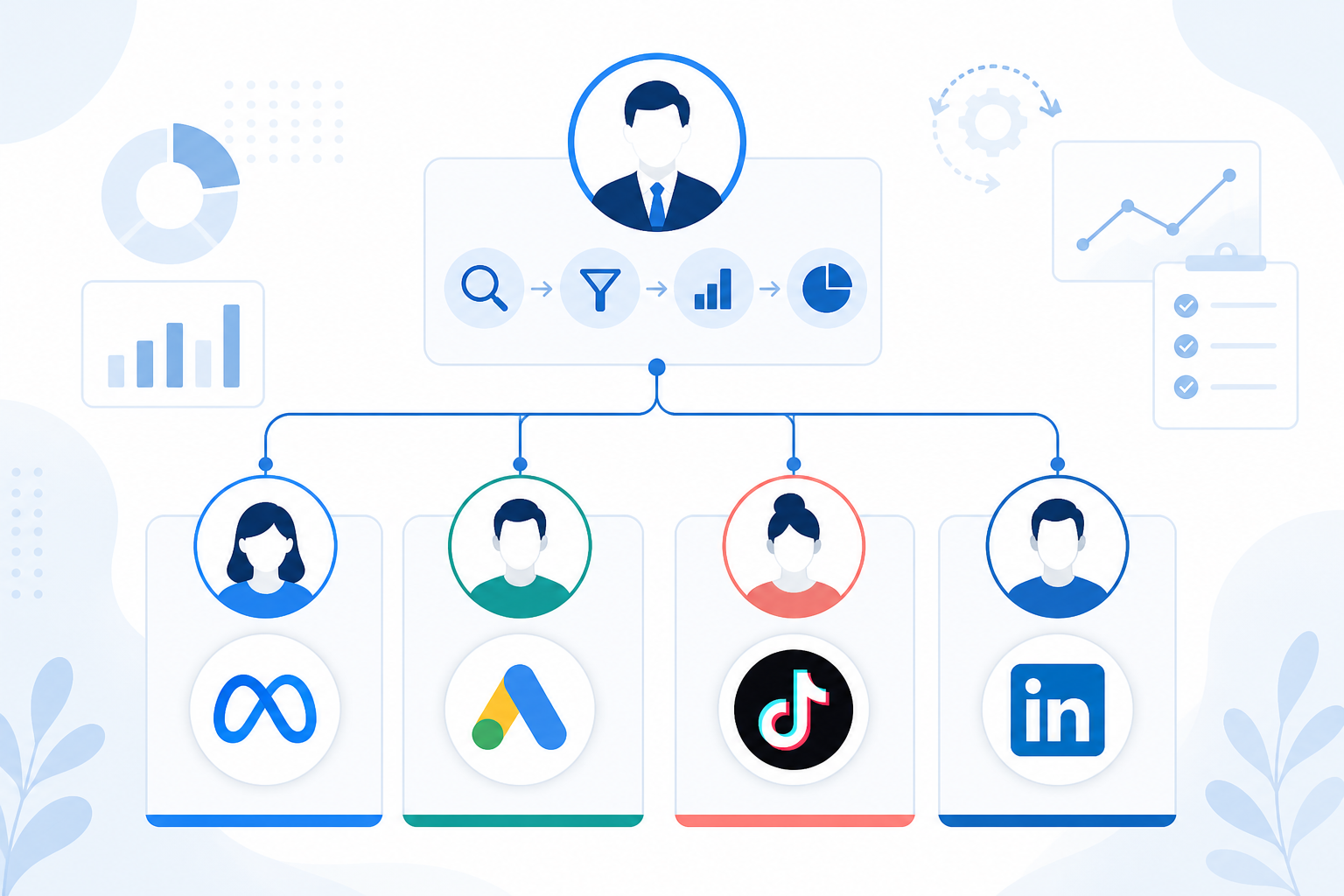
This structure does something subtle but important: it turns competitor ad monitoring from a vague, occasional task into a named responsibility with a clear owner. That alone solves most of the "nobody's job" problem.
Step 2: Set a Weekly Competitor Ad Review Cadence
Ownership without a cadence just becomes a slower version of the same problem. The second piece is picking a rhythm, and for most teams, weekly turns out to be the sweet spot.
Daily checks create noise. Ad platforms don't change meaningfully day to day, and checking that often just trains your team to tune out. Monthly reviews, on the other hand, are too slow—plenty of competitors will launch, adjust, and pull a campaign within a four-week window, so a monthly cadence means missing the whole arc.
- Anchor the review to whatever sits just before your team's campaign planning cycle. For a lot of teams that's Monday morning, since it precedes weekly planning and turns competitor insight into an input rather than an afterthought. But the principle matters more than the specific day—if your planning cycle runs Wednesday to Wednesday, put the review there instead.
- Use a diff format, not a fresh scan every time. A "diff" simply means comparing this week's ads to last week's, so the review focuses on what's new, what's stopped, and what's still running—rather than re-reviewing everything from scratch.
- Keep it short as a starting point. If the data's already organised, around 15 minutes per competitor is often enough for a stable category. Fast-moving or high-risk categories—new market entrants, aggressive challenger brands—may justify a longer or more frequent check.
- Be careful with the word "scaling." Seeing an ad repeated or appearing across more placements is a signal worth noting, not proof that it's working. Ad libraries show you what's live; they don't reliably show spend, delivery, or conversion performance. Treat an apparent increase in ad presence as a hypothesis to investigate, not a confirmed result.
- Automate the legwork where you can. This is where a tool like Rival Ads can help: it can deliver a weekly diff by email, so each owner starts their week with new, stopped, and continuing ads already laid out, instead of manually re-checking four separate ad libraries.
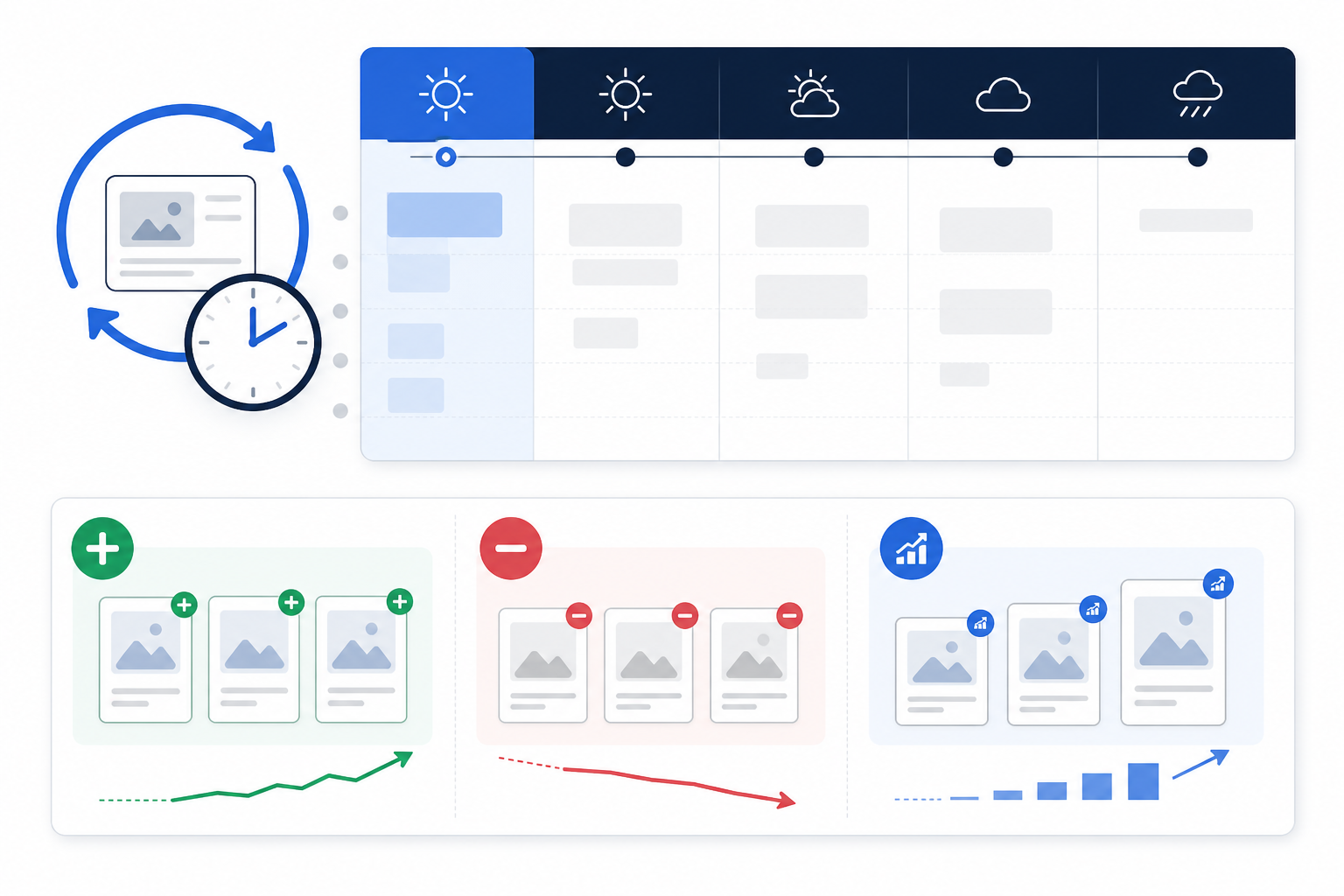
The cadence matters more than most teams realise. A weekly rhythm is frequent enough to catch a competitor's new offer while it's still fresh, but infrequent enough that it doesn't become a chore people quietly abandon after a couple of months.
Step 3: Turn Competitor Ad Diffs Into Action Items
Here's where most monitoring efforts actually break down, even the disciplined ones. You can have solid ownership and a reliable weekly cadence and still end up with nothing to show for it, because spotting a change isn't the same as doing something with it.
- Flag anything genuinely new. A fresh creative angle, a new offer, or a competitor showing up on a platform they weren't using before—these are the signals worth pausing on, rather than routine creative refreshes.
- Run every flagged change through three questions: Is this working for them (as far as we can reasonably tell)? Should we test something similar? Does this affect how we're positioning ourselves? Not every change deserves a response, but every change deserves at least a moment's consideration.
- Log action items somewhere shared—a doc, a task board, whatever your team already uses. Insights that live only in one person's head disappear the moment that person is on holiday or moves teams.
- Treat AI-generated analysis as a starting brief, not a verdict. Rival Ads includes an AI-generated summary, built on Anthropic's Claude, that flags patterns worth a closer look—what might be a test, what might be scaling, what looks abandoned. It's a genuinely useful head start for structuring the weekly review, but it's pattern-matching on visible ad data, not a substitute for your team's context about your market and customers. Read it as a prompt for discussion, not a conclusion.
- Bring one competitor insight to every campaign planning meeting. This is the habit that keeps monitoring tethered to output. If competitor intelligence never makes it into a planning conversation, it's just observation for its own sake.
Here's what that looks like end to end. Say the Monday diff shows a competitor has launched a price-led video ad on Meta and LinkedIn, a combination they haven't used before. The signal is: new offer, new platform combination. The hypothesis, not the conclusion, is that they're testing price sensitivity—repeated presence over two weeks doesn't confirm it's converting well, just that it's still running. The decision might be: brief two landing-page variants that test a similar price framing, assign a designer and copywriter, set a two-week deadline, and define success as a lift in click-through rate against the current page. That's the difference between noticing a change and doing something with it.
A simple action-item template makes this repeatable:
| Field | Example |
|---|---|
| Signal | New price-led video ad, Meta + LinkedIn |
| Hypothesis | Testing price sensitivity, not confirmed success |
| Action | Brief two landing-page variants |
| Owner | Priya |
| Deadline | Two weeks |
| Success metric | CTR lift vs. current page |
This is the step that separates teams who "monitor competitors" from teams who actually use competitor ad monitoring as part of their marketing strategy. The dashboard is only valuable if it changes what you brief, test, or ship.
Tools That Make Competitor Ad Monitoring Repeatable
All of the above is achievable manually, in theory. In practice, the tooling you choose determines whether the workflow survives past week three—and it's worth judging any option against the same criteria: how much time it takes, how many platforms it actually covers, whether it can estimate spend or performance (most can't, reliably), how far back it retains history, and whether it stays consistent week to week.
The manual approach—checking Meta Ad Library, Google Ads Transparency Center, and TikTok Creative Center one by one—works fine for a single, curious look. It falls apart as an ongoing process because it's slow, inconsistent, and entirely dependent on someone remembering to do it.
Spreadsheet tracking is a step up. At least there's a record. But spreadsheets break down fast once you're monitoring more than two or three competitors across multiple platforms—someone has to manually pull screenshots, paste links, and note dates, and that upkeep tends to be dropped the first time things get busy.
Dedicated ad intelligence platforms aim to solve the scale problem by automating discovery and archiving without requiring access to anyone's ad accounts, though coverage and depth vary by provider.
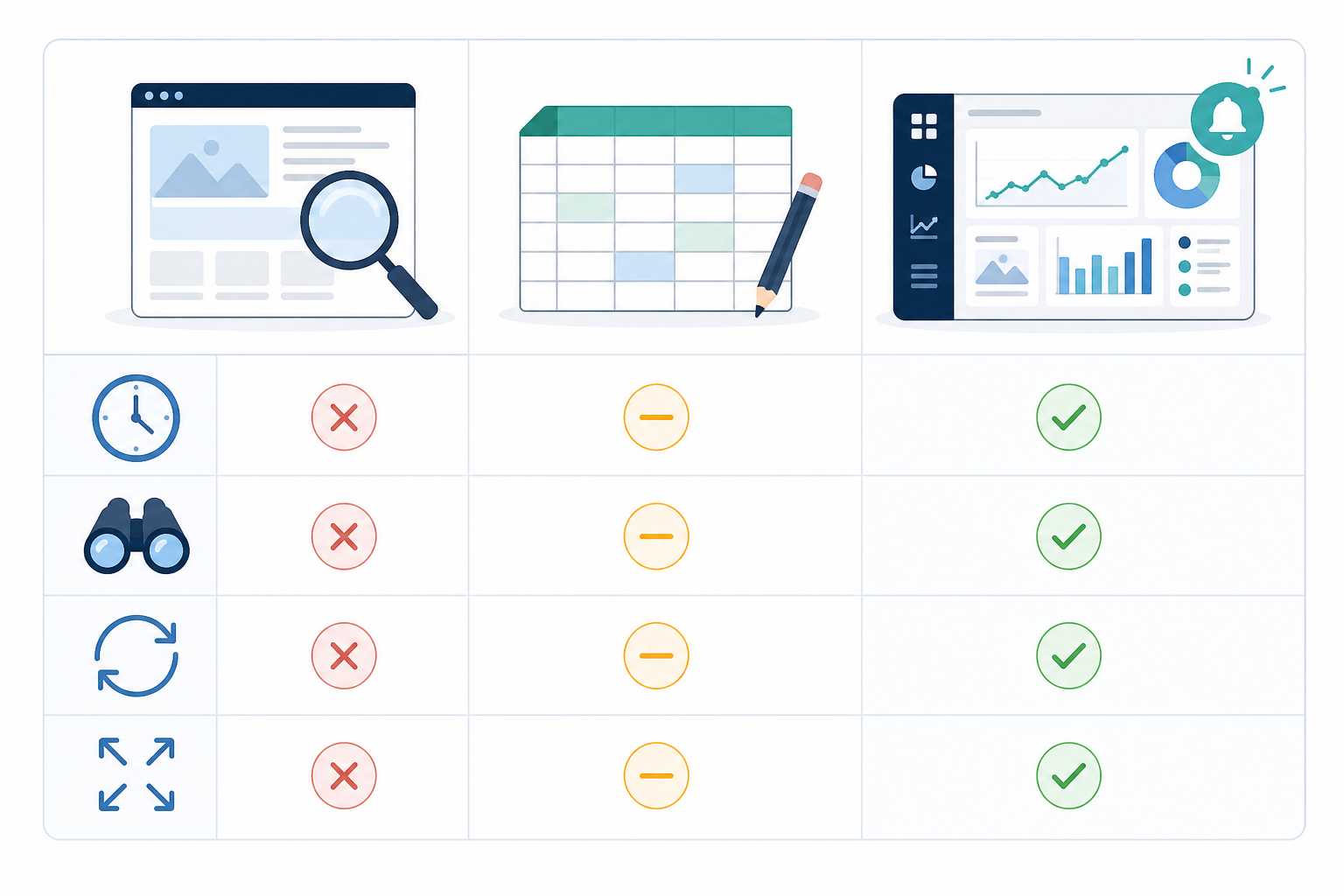
| Approach | Time required | Discovery & creative archiving | Spend/performance data | Historical retention | Consistency over time |
|---|---|---|---|---|---|
| Manual ad library checks | High—repeated per platform | Manual, one platform at a time | Not available | None, unless manually saved | Low, depends on memory |
| Spreadsheet tracking | Moderate to high | Manual entry required | Not available | As good as your upkeep | Breaks down past 2–3 competitors |
| Automated ad intelligence (e.g. Rival Ads) | Low—largely automated | Automated across supported platforms | Not reliably available from any public ad library | Ongoing, platform-dependent | Consistent, weekly by default |
Worth being clear-eyed about: no public ad library tool, including Rival Ads, can tell you a competitor's actual spend or conversion rate. What these tools are good at is discovery and archiving—surfacing ads you'd otherwise have to hunt for manually, and keeping a consistent record over time. Performance is always inferred, never confirmed, from the outside.
Where Rival Ads Fits Into the Workflow
You provide a competitor's website—no ad account connection or login required—and Rival Ads checks for their presence across Meta, Google Ads, TikTok, and LinkedIn. Coverage depends on the competitor actually running visible, public ads on each platform; a competitor running only unlisted or geo-restricted campaigns may not show up fully, and detection can occasionally lag a new campaign launch by a few days. From there, it archives active ads it finds weekly, including creative, copy, and destination links, so owners have a running record rather than a one-off screenshot.
Features that map onto the workflow above:
- Week-over-week diffs, so owners see what's new, stopped, or still running without re-scanning everything from scratch
- AI-generated summaries, giving each review a starting point for interpretation—useful, but not a substitute for your own judgement
- Dashboard plus weekly email digest, so the review has a brief ready before the meeting starts
- Team collaboration with roles, matching the ownership structure from Step 1
- Whitelabel capability, relevant if you're an agency—more on that below
For UK teams specifically, it's worth checking whether a competitor's ads are UK-targeted or part of a wider global campaign—Meta and Google ad libraries don't always separate this clearly, and a global creative doesn't necessarily reflect what's actually running to UK audiences. If you're adapting a competitor's approach, run it past your own compliance check against ASA and CAP Code requirements before testing; what a competitor is doing isn't evidence that it's compliant, only that it's currently live.
Pricing starts at £29/month with tiers based on how many competitors you're tracking, which fits neatly with the 3–8 competitor shortlist from Step 1—you're not paying for coverage you don't need.
FAQ: Competitor Ad Monitoring
How do I organise competitor ad tracking across a team?
Assign one named owner per competitor (or a small cluster), give them a clear mandate to understand that competitor's strategy in depth, and keep an ownership register showing who covers what and on which platforms. Role-based access in a tool like Rival Ads helps here, so each owner only sees what's relevant to them rather than everyone's competitors at once.
What's a good cadence for reviewing competitor ads?
Weekly works for most teams. Daily checks create noise and burnout; monthly reviews mean you can miss campaigns that launched and were pulled within a few weeks. The key principle is placing the review just before your team's planning cycle—Monday morning suits many teams, but the timing should follow your planning rhythm, not the other way round.
How do we turn ad insights into actual campaign decisions?
Tie every review to a concrete output using a simple template: the signal you saw, your hypothesis about why, the action you're taking, who owns it, a deadline, and how you'll measure success. Without that structure, insights tend to sit in a dashboard or a Slack thread and quietly disappear.
Does seeing a competitor's ad repeated over several weeks mean it's performing well?
Not reliably. Public ad libraries show you what's currently live, not spend, conversion rates, or profitability. Repeated or expanded ad presence is a useful signal to investigate—treat it as a hypothesis worth testing internally, not proof that the approach is working for them.
Do we need access to competitors' ad accounts to monitor their ads?
No. Tools like Rival Ads only need a competitor's website to check for their presence across Meta, Google Ads, TikTok, and LinkedIn, then archive whatever active ads are publicly visible. Coverage depends on what the competitor is running publicly, and detection isn't always instant, so it's worth treating results as a strong starting point rather than an exhaustive record.
Can agencies use this workflow for multiple clients?
Yes. Agencies commonly assign account leads as competitor owners for each client, then use whitelabel reporting so the weekly digest looks like part of their own service rather than a third-party tool.