How to Track Competitor TikTok Ads and Spot Creative Trends (A Practical Guide for DTC Brands)
Learn how to track competitor TikTok ads in the UK with the TikTok ad library, a practical creative log, and weekly ecommerce ad monitoring to spot trends.
Chris Edington
15 min read
How to Track Competitor TikTok Ads: A UK Guide to Building a Creative Log
Imagine knowing, before Black Friday, that three of your rivals have quietly dropped their discounts and switched to routine-led demos. A simple, repeatable system for tracking competitor TikTok ads can give you that: time to test your own response while everyone else is still scrambling.
The system is simple. List your rivals, check their live ads every week using the TikTok ad library and a few other sources, and log each ad with consistent tags for hook, format and offer. After a few weeks, patterns in TikTok creative trends start to jump out, and you can turn them into sharper briefs for your creators. I wrote this for UK DTC and ecommerce teams who want to keep an eye on rival promotions, offers and creative testing without needing access to anyone's ad account.
Why Tracking Competitor TikTok Ads Matters for DTC Brands 🎯
Here's the pain point I hear most often: creative fatigue hits fast on TikTok. A hook that worked brilliantly in week one can feel stale by week four, and guessing what to test next is expensive. Every dud concept costs you creator fees, production time and media spend.
Watching rivals won't hand you a winning ad, but it can cut down the guesswork. Here's what you can realistically learn:
- Offers: discounts, bundles, free gifts, delivery thresholds, and how they change over time
- Hooks: the opening lines and visuals rivals keep coming back to
- Creator styles: talking-head UGC, founder-led, demo-first, skits
- Testing velocity: how many new variations they launch each week
- Longevity: how long a given ad stays live
Let's be honest about the limits, though. You can't see spend, conversion rates or profitability from public tools, and an ad being visible doesn't prove it's working. What you can use as signals are longevity and repetition. If a rival keeps an ad running for weeks, or keeps producing variations on one idea, something may well be earning its keep. Treat that as a clue, and check it against your own test results before moving budget.
TikTok publishes its own research on product discovery and shopping behaviour on the platform (you'll find it via TikTok for Business). Those figures are platform-reported and vary by market and study, so I'd read the original methodology rather than lean on a headline number. Either way, the practical point stands: if your rivals are investing there, their creative is worth studying.
At Rival Ads, we find competitor research works best as a source of hypotheses rather than templates. Spot a pattern, test your own version, learn faster.
Where to Find TikTok Ads: Is There a TikTok Ad Library?
Short answer: yes, sort of. TikTok has a Commercial Content Library (CCL), its transparency resource for searching ads and other commercial content. But it isn't a complete, uniform record of every ad in every market, so it pays to know what each source does and doesn't give you.
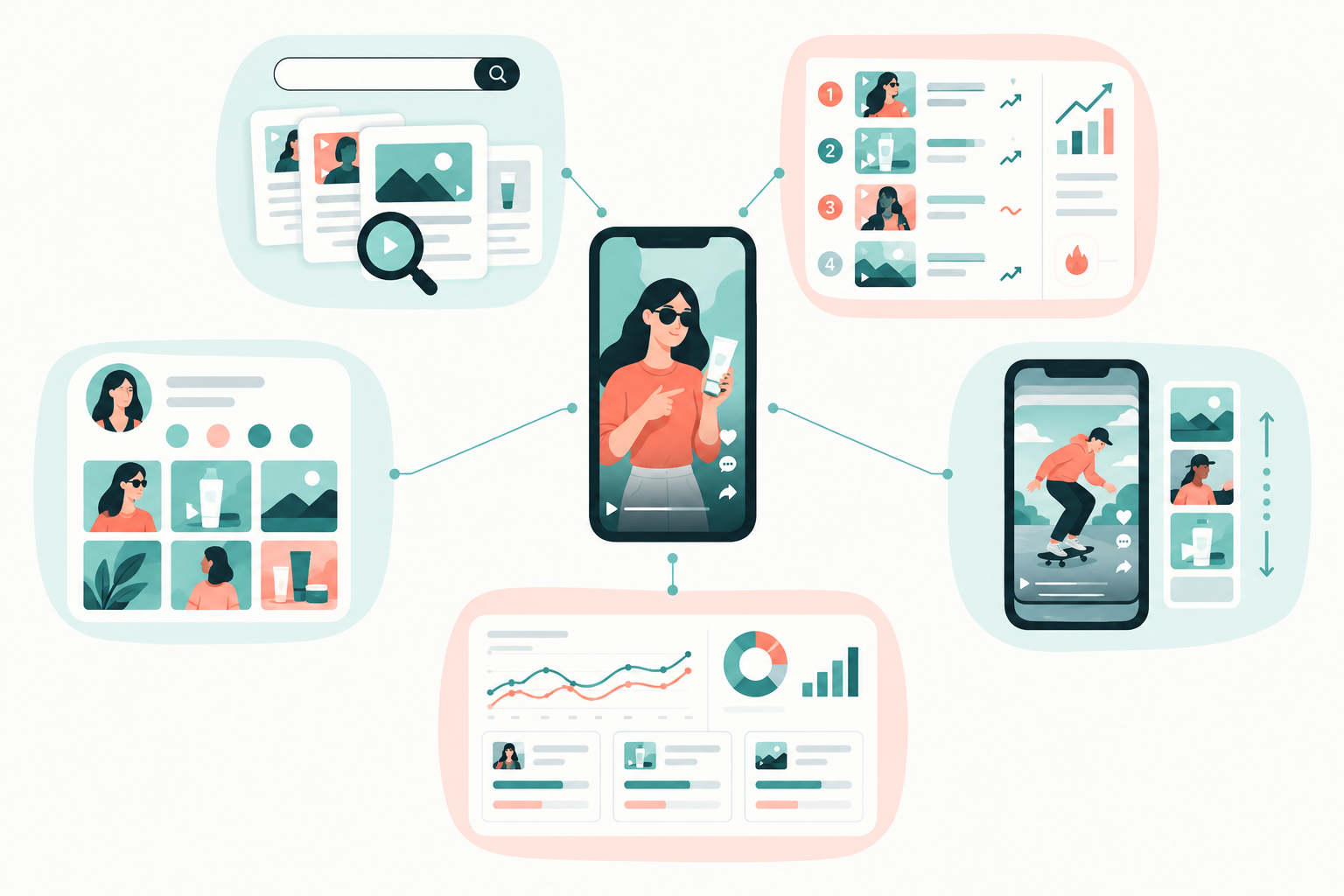
The main places to look for competitor TikTok ads
- TikTok Commercial Content Library: searchable by advertiser, with ad creatives and dates, plus targeting information where available. Coverage and searchable fields depend on the market and content type, and TikTok's documentation can change, so check its current scope for the UK rather than assuming it holds every ad. Search both a brand's consumer-facing name and its legal business name, because results can differ.
- Creative Center Top Ads: a free, curated discovery tool. You can filter by region, industry and objective and look at individual creative elements. It's brilliant for spotting TikTok creative trends in your category, but it's a selection of ads, not a record of what one specific rival is running.
- Brand profiles: a rival's own TikTok page shows organic posts, which often hint at what they'll later put money behind.
- The For You feed: handy for a gut check on what real users are seeing, though it's personalised and impossible to systemise.
- Spark Ads and creator accounts: ads boosted from creator posts can look like ordinary content, so watch creator partners as well as the brand. Comment sections can also show how audiences respond.
- Ad intelligence tools: this is where a TikTok ad spy tool or ad monitoring platform fits in. Manual checking is fine for a couple of brands, but a tool can archive creatives and flag changes so you don't re-check everything from scratch.
One word of caution: treat third-party tools as strong leads, not proof of spend, targeting or performance. The same goes for any ad library.
Your rivals are almost certainly advertising elsewhere too. Checking the Meta Ad Library and Google's Ads Transparency Centre alongside TikTok tells you whether a new offer is a TikTok-only test or a company-wide push, and it stops you over-reading a single ad.
How to Set Up a Competitor List You Can Actually Maintain
The fastest way to kill a tracking habit is to start with 40 brands. Here's what I'd do instead.
- Split rivals into three groups: direct competitors (same product, same customer), aspirational brands (the category leaders you admire), and emerging challengers (small brands scaling quickly).
- Cap the list at what you can review weekly. Five to ten is a sensible start, and you can add more later.
- Record the basics for each brand: website, TikTok handle, and any known creator partners or sub-brands.
- If you work in a team or agency, assign an owner for each competitor so nobody assumes someone else is watching.
Group rivals by category, set a fixed review slot, and resist chasing every brand that pops up in your feed. If a new name keeps appearing, add it. If one stays quiet for two months, swap it out.
For example, a UK skincare brand might track two direct rivals selling similar serums, one category leader with a huge creator roster, and one fast-growing challenger launching a new product every few weeks. That's four brands and three lenses: what direct rivals do now, what the leader has proven over time, and what the challenger is testing.
What to Record for Each Competitor TikTok Ad: Build a Creative Log
A creative log is just a spreadsheet or Notion database with one row per ad. It doesn't need to be clever. It needs to be consistent.
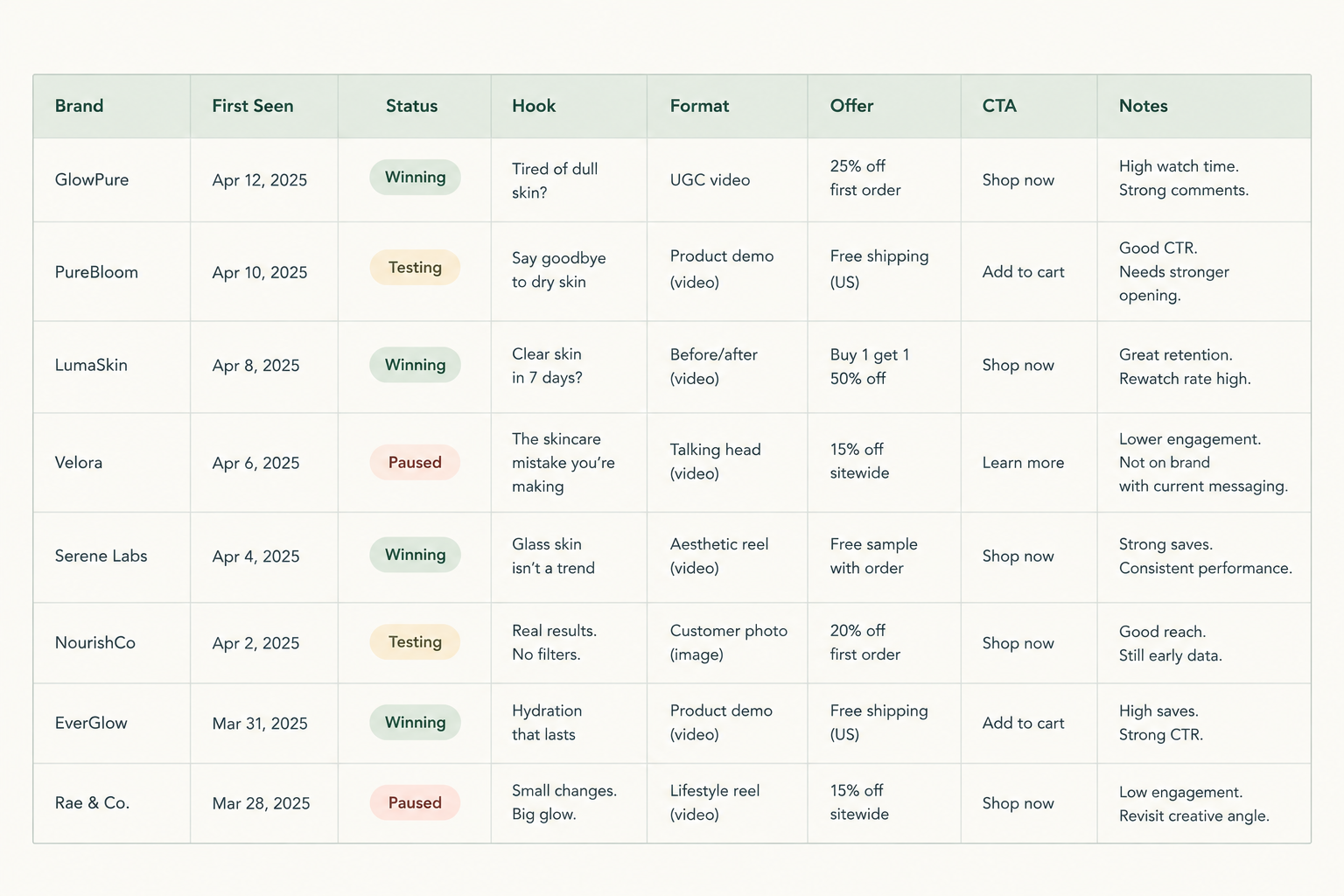
Here's a suggested layout, grouped by field type:
| Field group | What to capture |
|---|---|
| Core | Brand, first-seen date, last-seen date, ad link or screenshot, caption copy, CTA, landing page |
| Creative | Hook (first 3 seconds), format, creator type, length, audio style, on-screen text |
| Offer | Discount, bundle, free shipping, guarantee, urgency or scarcity, bundle price points |
| Status | New, continuing or stopped |
The status field is the sneaky star. Once you record whether an ad is new, continuing or stopped, you start to see which concepts get killed fast and which ones stick around.
Keep a dated evidence trail too. Screenshots or links with observation dates protect you from fuzzy memory and help you tell a recurring pattern from a one-off.
My honest tip: keep it light. A log with 25 columns gets abandoned by week three. Start with the fields above, and only add a new one once you've genuinely used the data.
How to Tag TikTok Ad Hooks and Formats So Patterns Become Obvious
Raw notes like 'lady talks about her skin, nice lighting' are impossible to count. Tags turn observations into data. The trick is a controlled vocabulary: a short, fixed list of tags per category (I'd aim for roughly 6 to 10 each), used the same way every time, so you can count, compare and chart them.
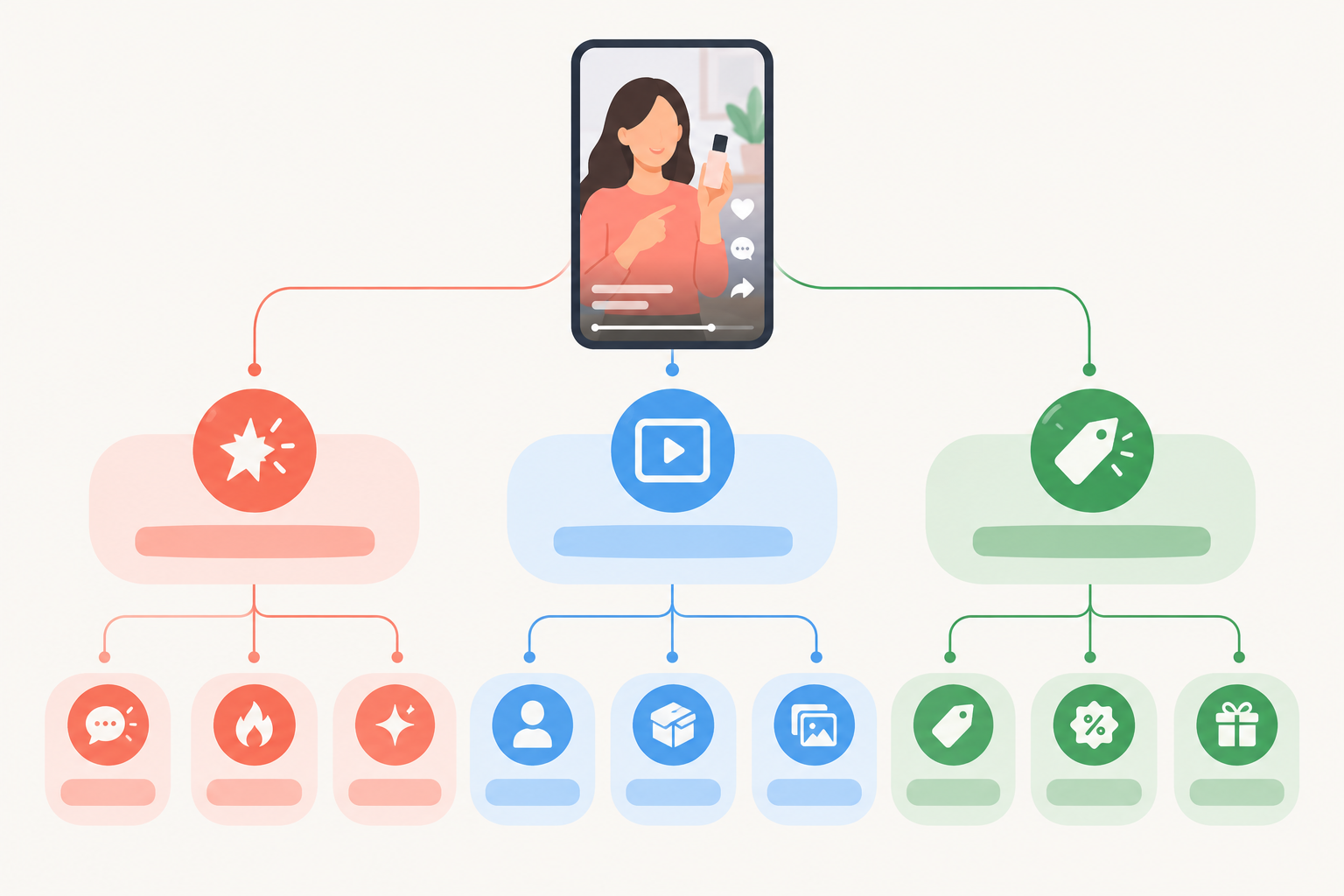
Starter tag sets for TikTok creative analysis
Hook tags
- Problem callout
- Bold claim
- Social proof
- Curiosity gap
- Unboxing
- Before and after
- Question
- Pattern interrupt
Format tags
- UGC talking head
- Founder-led
- Demo
- Green screen
- Split screen
- Slideshow
- Spark Ad
- Trend-led skit
Offer tags
- Percentage off
- Bundle
- Free gift
- Subscription
- Limited-time drop
- Free delivery threshold
- No offer
Give each ad one primary hook tag, one format tag and one offer tag. Plenty of ads have no promotion at all, so use 'No offer' rather than forcing a fit. That's a useful signal in itself. If an opening genuinely combines two devices, such as a question over a before-and-after, add one secondary hook tag, but no more. Adjust the lists to your category, and retire any tag you never use.
How to read the creative log data
Once you've got a few weeks of rows, look for clusters. If a rival has five hook variations on the same product, that's a testing cluster, and it's worth studying which hook they keep and which they drop. If three different brands in your category all lean on problem callouts with a demo, that's a category pattern.
How to Spot Seasonal Shifts and Emerging TikTok Creative Trends 📈
This is where weeks of logging pay off. Compare the number of new ads each week and each month, and you'll see when rivals ramp up.
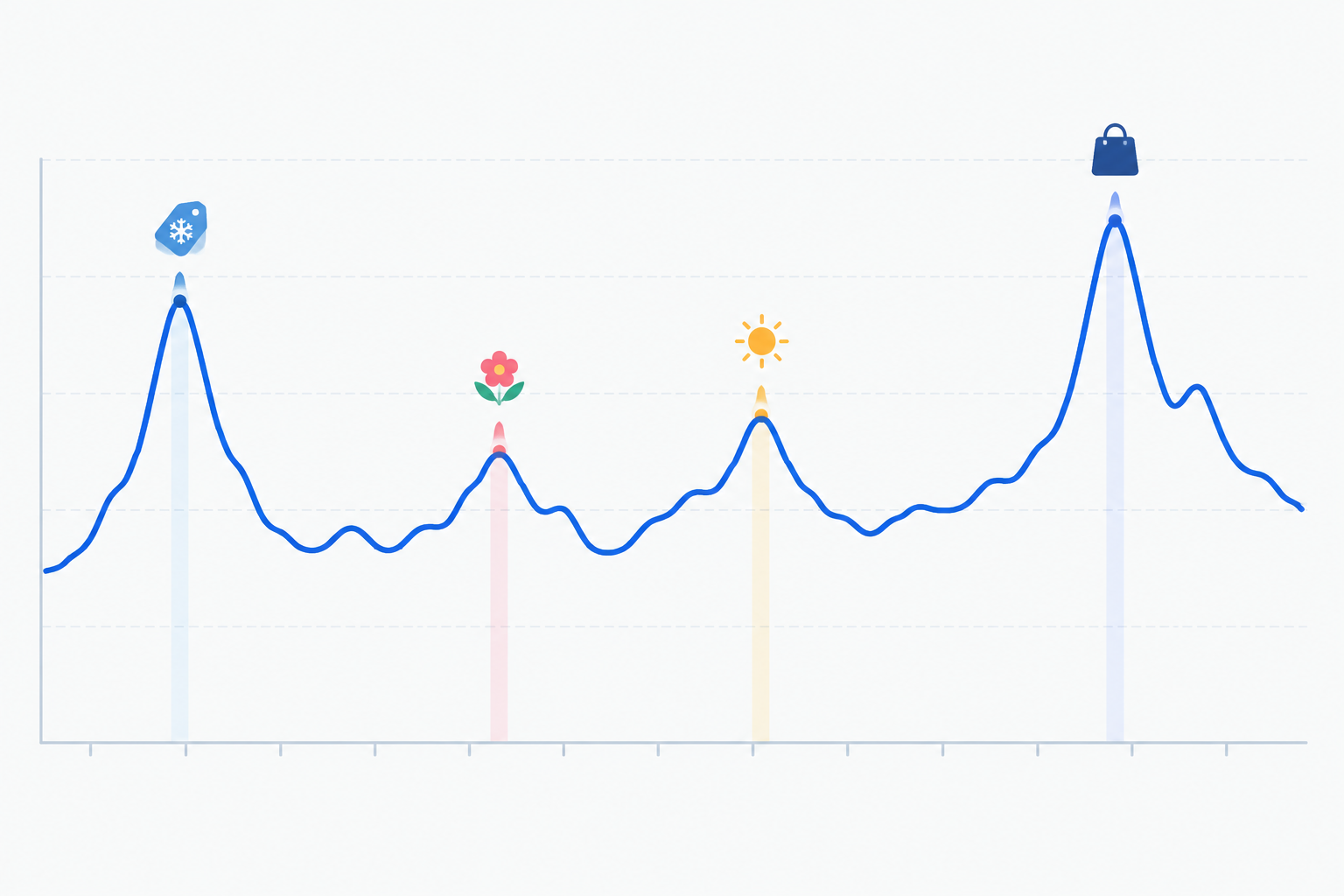
The UK retail calendar matters
Don't copy US retail rhythms wholesale. Watch these moments:
- January resolutions: routines, wellness and fresh-start messaging
- Mother's Day: it's in March in the UK, not May, so gifting creative lands earlier than US-based advice suggests
- Summer: warmer-weather use cases, travel sizes, outdoor occasions
- Back to school: routines, bundles and practical angles
- Black Friday and Boxing Day sales: offer-heavy, urgency-led creative
What a pre-peak pattern looks like
Before a big event, rivals often show their hand early, with teaser creative, a few offer tests and early-bird promos weeks ahead. If you log the offer tag and a seasonal cue for each ad, you can compare the same rivals before, during and after an event and see how their offer framing, urgency and gifting language changed.
Trend or one-off?
A single viral skit isn't a trend. A genuine TikTok creative trend shows up as repetition across several brands over several weeks. TikTok's Creative Center also offers trend discovery for hashtags, songs, creators and videos by market, which makes a good cross-check. I'd use it to supplement rival tracking, not replace it, and I'd remember that a trend that suits another brand won't automatically suit your product.
Here's a hypothetical example. Imagine a UK skincare brand logging a rival's ads through autumn. For weeks, the rival's new ads are discount-led: percentage off, countdown urgency. Then in late October the tags change. New ads are routine-led, with a morning-and-night demo, a bundle and no headline discount. Two other brands in the category do something similar within a fortnight. Spotting that shift before the peak gives you time to brief and test your own routine-led creative rather than scrambling in the middle of November. That's the whole point of tracking: time.
How to Brief Creators Using Competitor Ad Insights
Insight only helps if it reaches the people making your content. Here's how I'd turn a log into briefs that creators actually enjoy working with.
- Summarise the winning patterns on one page. Hooks, formats and offers, with counts. Don't send creators a folder of 30 competitor links. It's overwhelming and invites imitation.
- Translate the insight into your own angle. If several rivals open with a close-up application and then a texture demo, brief a creator to test a demonstration format using your product, claims and story. Never ask creators to copy a competitor's script, footage or distinctive assets.
- Spell out the essentials: hook options to test, key product benefits, must-say lines, and visual dos and don'ts. TikTok's own creative guidance (its 'Creative Codes' framework, available through TikTok for Business) suggests thinking in terms of an opening, a main message and a close, with native choices like vertical framing and sound. Treat those as prompts rather than rigid rules, and let creators adapt to their natural style.
- Ask for multiple hook variants per concept. Keep the offer and demo consistent so you learn which hook made the difference.
- Feed results back into the log. Did your tests beat the patterns you saw in the market? That loop is where the learning compounds.
Mini brief example
| Field | Example |
|---|---|
| Concept | Morning routine demo for our vitamin C serum |
| Hook options (test 3) | Problem callout ('Why does my skin look dull by 3pm?'), question, bold claim |
| Format | UGC talking head with close-up application |
| Key benefits | Brightening, lightweight texture, fragrance-free |
| Offer | Free delivery over a set threshold, bundle with moisturiser |
| CTA | Shop the bundle via the link |
| Dos and don'ts | Natural light, no filters on skin, no unsubstantiated claims |
UK advertising rules to keep in mind
Sort out usage rights and deliverables up front. In the UK, ads must be obviously identifiable as ads, and the ASA expects clear disclosure (such as #ad) placed upfront rather than buried. Any claims must be substantiated and comply with the CAP Code. Read the ASA's current influencer guidance via asa.org.uk before your first campaign, and again when you scale, because the rules and guidance get updated.
Ecommerce Ad Monitoring: Manual vs Automated Weekly Pulls
The manual route works. Checking each rival weekly is perfectly doable for two or three brands. But the maths turns nasty fast: five rivals across several platforms, each with dozens of live ads, means a lot of tabs, screenshots and 'was this here last week?' squinting.
Here's how I'd compare the two approaches:
| Manual tracking | Ad monitoring tool | |
|---|---|---|
| Best for | 1 to 3 rivals, one platform | Larger lists, several platforms |
| Cost | Free, but costs your time | Subscription fee |
| Archiving | Screenshots you take yourself | Automatic, if the tool supports it |
| Change detection | Relies on memory and notes | Flags new and stopped ads |
| Risk | Review habit slips | Over-trusting the tool's outputs |
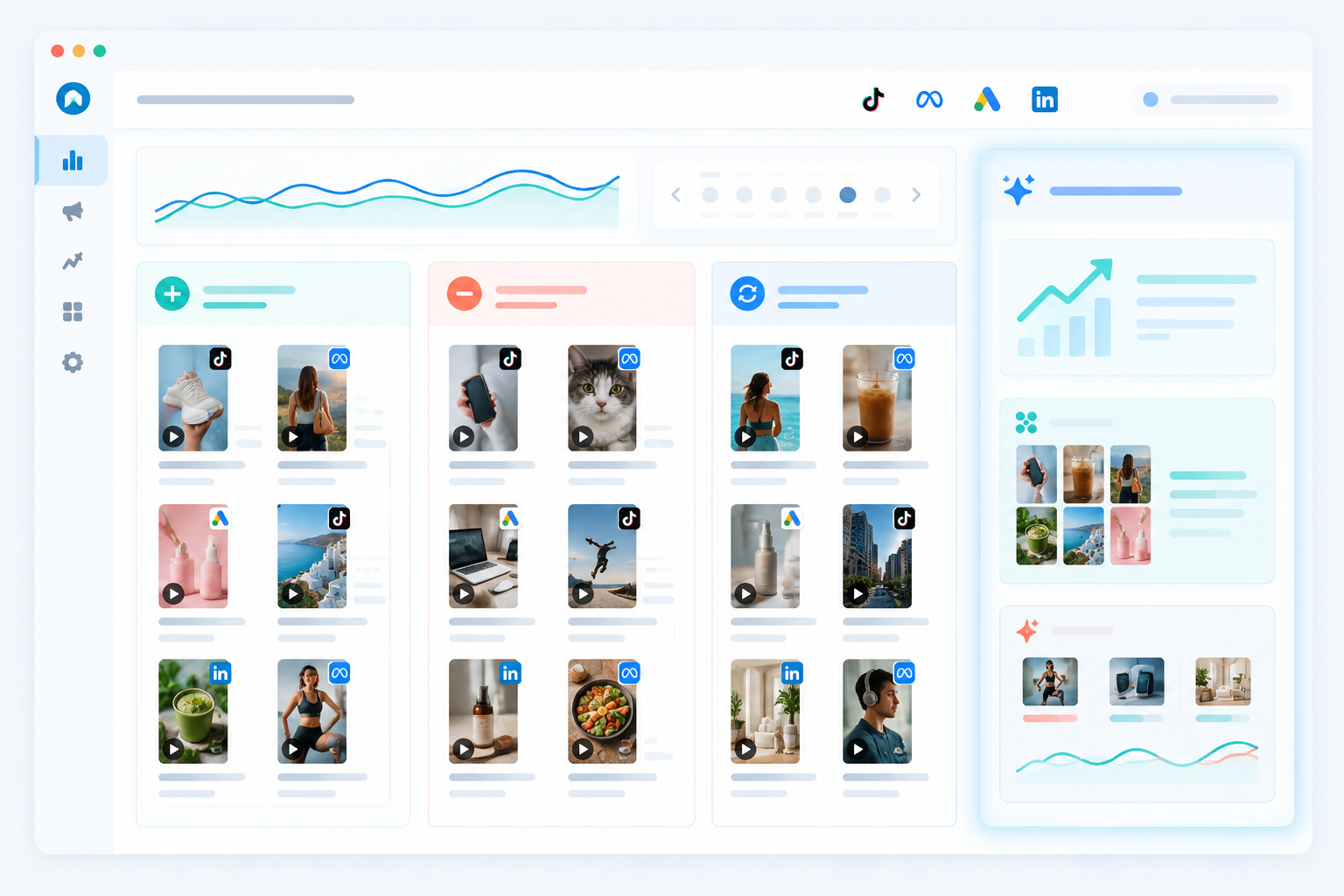
Whichever you choose, the jobs worth automating are the same: finding where a rival advertises, fetching their active ads, archiving creatives and copy so nothing disappears, and flagging what's changed since last week.
Disclosure: Rival Ads is our product, so weigh this accordingly. It's built to do those jobs. You add a competitor's website and it looks for their ads on platforms including Meta, Google Ads, TikTok and LinkedIn, then shows a week-over-week view of what's new, stopped and continuing, with AI-generated analysis on top. It doesn't need access to your ad accounts. Features, platform coverage and pricing change over time (plans started from $29 a month when I wrote this), so check the current details on the Rival Ads site, and trial any tool, ours included, before committing.
A rough rule for moving off spreadsheets: if you're tracking more than three competitors, or your weekly review has started slipping, it's time to consider a tool. Keep your tagging system either way. A tool saves you the collecting, but the thinking, and the tags, are still yours.
A Simple Weekly Routine for Tracking Competitor TikTok Ads ✅
You don't need a grand plan. You need a recurring slot in your calendar. This routine takes about 15 to 20 minutes per group of rivals.
- Monday, review: look at the new, stopped and continuing ads for each rival.
- Tag: apply your controlled vocabulary to new ads and update the status of existing ones.
- Flag: pick two or three standout patterns and note any new offers.
- Share: send a short summary to your team or creators, including one test idea for the week.
- Monthly, zoom out: review trends, retire tags that aren't useful, and update your competitor list.
Start small. Three rivals, a handful of tags per category, one weekly slot. Stay consistent for a month and you'll probably know more about your category's creative than most of your competitors do.
Frequently Asked Questions About Tracking Competitor TikTok Ads
Is there a TikTok ad library?
Yes. TikTok offers a Commercial Content Library where you can search ads by advertiser, plus a Creative Center that highlights top ads and trends. Coverage and fields vary by market and content type, so check TikTok's current documentation for the UK. They're useful starting points, but they don't track week-over-week changes, so many brands add an ad intelligence tool on top.
How do I monitor several competitors without it taking over my week?
Keep your list to a manageable number, group rivals by type, and set one fixed review slot each week. If you automate the pulls, you only need to review what's changed rather than re-checking every brand from scratch.
Can I see how much competitors spend on TikTok ads?
Not reliably. Public ad libraries generally don't show spend or performance for commercial ads. Use proxies instead, like how long an ad runs, how often it's iterated, and whether similar variations keep appearing, and treat them as clues rather than proof.
What should I record for each competitor ad?
At minimum, log the brand, first and last seen dates, the hook, the format, the offer (or 'no offer'), the CTA, the landing page and a screenshot or link. Add a status field (new, continuing, stopped) so you can see testing patterns over time.
How can I brief creators using competitor insights?
Turn patterns into a one-page brief covering hook options, preferred formats, key benefits and offer details. Use rivals for inspiration on structure, not for copying, and always ask for several hook variants to test.
Is it legal to monitor competitor ads?
Reviewing ads that are publicly available is generally treated as ordinary market research, but this isn't legal advice. The risks come from copying creative, copy or brand assets, republishing a rival's content, or collecting data in ways that breach a platform's terms. Make sure your own ads follow ASA and CAP guidance, and speak to a solicitor if you're unsure about a specific situation.