LinkedIn Ads Benchmarking: What B2B Rivals Are Testing Now
A practical guide to LinkedIn ads benchmarking for B2B founders and CMOs. See the messaging and creative trends competitors are testing, and learn how
Chris Edington
17 min read

LinkedIn Ads Benchmarking: What B2B Competitors Are Testing Now
LinkedIn ads benchmarking works best when you stop chasing average CTRs and start comparing what your B2B competitors actually run: their messaging, proof, formats, and how their creative changes over time. In the ads I look at, three patterns keep turning up: proof-led copy, founder- and employee-fronted video, and document-style creative. Treat those as things to check in your own category, not as a verdict on what performs.
That's the short version. The rest of this guide covers what to look for, how to read it, and how to turn it into a routine. It works for a founder with a coffee and an hour, and for a CMO who wants a weekly rhythm the team can sustain. 🔍
A quick note on evidence. This guide isn't a dated research study. The patterns below are audit categories from reviewing B2B ads, and the examples are hypothetical. I'll flag where a claim comes from a third-party source, and I'll show you how to build your own dated sample so you can confirm what's true in your market.
A quick disclosure. I work on Rival Ads, a competitor ad monitoring tool, so I mention it where it fits. You can do everything here by hand with a spreadsheet and LinkedIn's Ad Library.
Why LinkedIn ads benchmarking looks different from other platforms
Here's the problem every founder and CMO runs into. You can't see a rival's click-through rate, cost per lead, or pipeline contribution. Those numbers sit inside their Campaign Manager, and nobody is sharing.
So most people fall back on benchmark reports with average CPCs and CTRs. I get the appeal, but I'd be careful with them. They're aggregated across industries, they lag behind the feed, and they ignore positioning entirely. LinkedIn's own documentation says audience seniority, job function, industry, geography, campaign objective, and ad format all change delivery and results. A competitor's engagement rate is only a useful target if those conditions match yours, and you'll almost never know whether they do.
That's why I'd move from metric benchmarking to strategic benchmarking. Instead of asking "what's a good CTR?", ask:
- What are my rivals promising, and to whom?
- What proof are they using?
- Which formats and offers do they keep coming back to?
- How often do they refresh creative?
- Which ads have stayed live for weeks, and which disappeared in days?
You can observe all of this. LinkedIn's Ad Library lets you search ads running on the platform. Its scope and the details it shows change over time, so check the current rules and what's visible for UK and EU advertisers before you build a process around it. Either way, it shows you what's running, not what's working. For UK B2B teams without big research budgets, that's still a decent place to start.
The state of B2B competitor ads on LinkedIn today
LinkedIn has a big, professional audience. It announced 1 billion members globally in November 2023, and its marketing materials claim that 4 out of 5 members drive business decisions. Both figures are platform-reported and say nothing about ad effectiveness, so check the fit against your own target roles, industries, and regions. Still, they explain why B2B advertisers crowd into the feed.
In a crowded feed, my working hypothesis is that specific, problem-led and proof-led creative has a better chance of being noticed than a generic brand line like "Transforming the future of work". That's a hypothesis from reviewing ads, not a measured market-wide finding. The audit below is how you test it in your own category.
How to build a dated sample of LinkedIn ads you can trust
Before you draw conclusions about what's current, record what you saw and when:
- Advertisers: 5–10 competitors, with the mix noted (direct, adjacent, aspirational).
- Observation window: at least four weeks, with the start and end dates written down.
- Categorisation: a fixed set of tags (message type, proof type, offer, format, CTA) defined before you start.
- Counts: how many ads fall into each tag, so any chart comes from your numbers rather than impressions.
If you can't do this yet, treat everything in the messaging and format sections as a list of patterns to investigate.
Context that shapes the B2B ads you'll see
- The 95-5 rule. The LinkedIn B2B Institute popularised the idea that at any moment only around 5% of category buyers are in-market and 95% are not. It's a planning principle, not a measurement that holds for every category, so read the B2B Institute's own material for its basis and limits. It helps explain why rivals often run direct-response offers alongside problem-framing or brand-led creative. They usually target different stages of the buying cycle, so don't benchmark them against each other as if they were the same test.
- UK context. For UK teams, look for GBP pricing, UK-specific data-privacy and compliance cues (UK GDPR, FCA-regulated language in fintech), and local customer case studies used as trust signals. A named British customer plausibly carries more weight with a UK buyer than a generic US logo wall, though you'd want to test that.
One more thing. I'm not going to quote average CPM or CTR ranges here. They vary by audience, objective, and time period, and a number out of context is worse than no number. If you want LinkedIn's published figures, pull them from its Marketing Solutions resources and treat them as directional.
What a rival's LinkedIn ad set looks like next to yours
Picture a hypothetical. You're a UK SaaS company selling workflow software, and you pull up three competitors' active LinkedIn ads next to your own. Yours are mostly product screenshots with feature lists and a "Book a demo" button. Competitor A runs a customer quote with a specific number in the headline. Competitor B has a founder talking to camera about a costly problem. Competitor C promotes a benchmark report as a document ad.
None of that tells you who's converting best. It does tell you that you're the only one leading with features, and that's a positioning gap worth testing. That's the sort of insight this exercise produces.
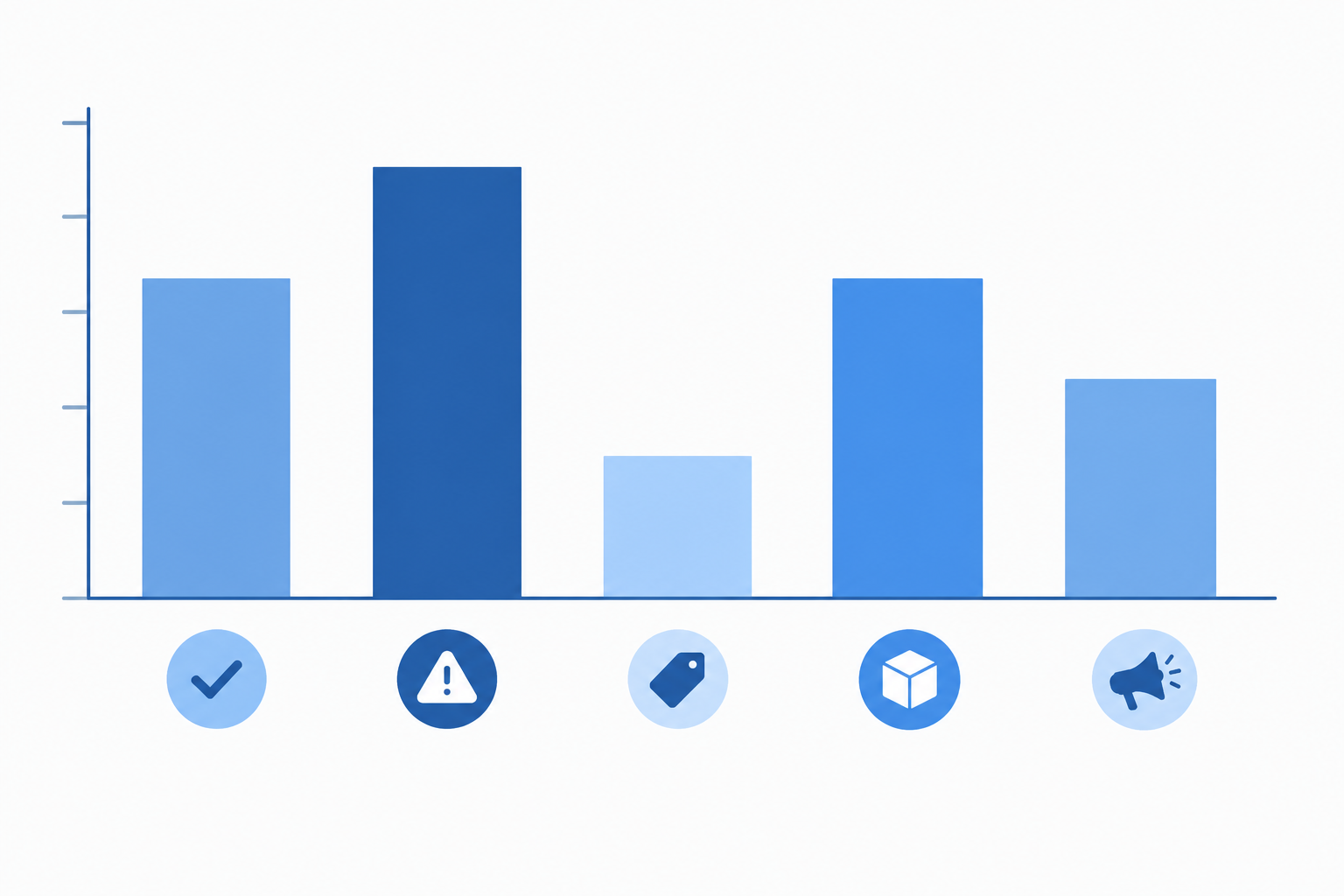
The chart above is a hypothetical illustration of how your own tagged sample could look. The values aren't research findings. Replace them with counts from your own dated audit.
Messaging trends to look for in B2B competitor ads
A handy framework is to compare the promise, proof, and audience in each ad. What outcome is promised, what evidence backs it, and which role or buying situation is addressed? Below are the messaging patterns I'd tag in an audit. They show what rivals choose to say, which isn't the same as what works, so for each one I've added what to spot and what not to copy.
1. Proof-first headlines
Named customers, specific numbers, and outcomes in the first line, instead of a feature list.
- What to look for: Headlines like "How [customer] cut onboarding time by X%", plus customer logos or quotes in the creative.
- Don't copy: The exact claim. If you can't back the number up with your own customers, you've borrowed a liability, not an insight.
2. Pain-point framing
Leading with a costly problem ("Still stitching together five tools?") before the product appears.
- What to look for: A question or blunt statement in the opening line, with the product arriving only in the second sentence or in the creative.
- Don't copy: The pain point itself, unless your buyers genuinely feel it. A borrowed problem that doesn't resonate just reads as noise.
3. Category-challenging copy
Positioning against the incumbent or "the old way" without naming names.
- What to look for: Phrases like "Spreadsheets aren't a strategy" or "Legacy tools weren't built for this".
- Don't copy: The tone, if it doesn't suit your brand. Challenger copy only works when you can credibly back up the contrast.
4. Offer-led ads
Benchmarks, reports, templates, and calculators as the first touch, rather than "book a demo".
- What to look for: Several rivals repeatedly promoting the same kind of webinar, report, or demo. That repetition shows what they're willing to keep funding, though not whether it converts.
- Don't copy: Their offer topic. Test a different one with a comparable audience, so you're not just joining a crowd.
5. Role-specific messaging
Variants written for CFOs, RevOps leads, and Heads of Marketing rather than one message for everyone. LinkedIn's professional profile data makes this kind of segmentation possible, so it's worth watching for.
- What to look for: Near-identical creative with different headlines or language, each aimed at a different job title.
- Don't copy: The assumption that you know who they're targeting. Public listings generally don't confirm targeting, so note it as an audience cue, not a fact.
6. Compliance and trust cues
In regulated sectors like fintech, healthtech, and cybersecurity, you may see certifications, security badges, and data-handling reassurance up front.
- What to look for: ISO 27001, SOC 2, or UK data-residency mentions in the creative or on the landing page.
- Don't copy: Any badge you don't hold. Obvious, but worth saying.
7. Thought-leadership angles
Leading with a point of view rather than a product claim. The 2024 Edelman–LinkedIn B2B Thought Leadership Impact Report found that 73% of surveyed decision-makers say thought leadership is a more trustworthy basis for judging a company's capabilities than its marketing materials or product sheets, and 75% said a piece of thought leadership led them to research something they weren't previously considering. Those are survey responses from one specific respondent group, so check the report's methodology before applying them to your audience. They describe attitudes, not ad results.
- What to look for: Ads built around an opinion, a data point, or a practical implication, with the product mentioned lightly or not at all.
- Don't copy: Hollow "thought leadership" with no actual insight. Buyers can tell.
Creative formats gaining traction in LinkedIn campaigns
LinkedIn's ad options include single-image, video, carousel, document, and Thought Leader Ads, plus Message Ads and conversation formats. When you compare formats, keep like with like. Objective, audience, and placement all change reported performance, and a rival's format mix tells you what they chose to run, not what returned the most.
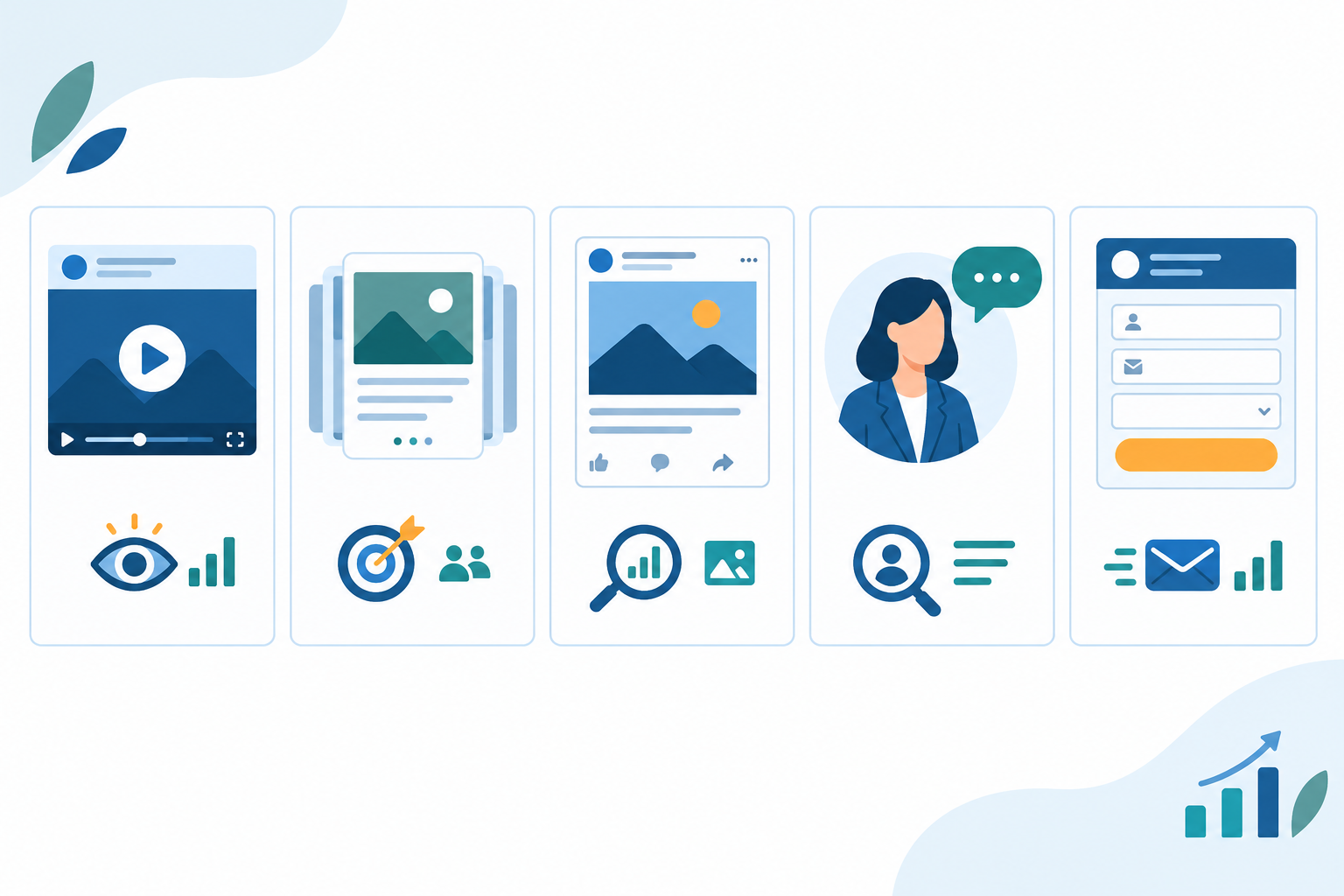
- Founder- and employee-fronted video. Talking-head clips that feel native to the feed. Look at the opening seconds, the captions, any on-screen proof, and whether it works with the sound off.
- Document and carousel ads. Slide-style explainers, frameworks, and mini-reports. Note the title, how many preview pages are visible, and how much content shows before a lead form appears.
- Static images with one bold stat or customer quote. Simple, cheap to produce, and easy to test. If a rival keeps coming back to a stat-led static, it's worth noting, though the reason could be cost or convenience as much as results.
- Thought Leader Ads. These let advertisers sponsor eligible posts from individual members, such as executives and subject-matter experts. LinkedIn has published figures claiming higher click-through and engagement rates than single-image ads (1.7× and 1.6×, in the version I've seen). That's a platform-reported comparison, so check the original source for the date, comparison group, and caveats before quoting it, and treat it as directional.
- Conversation and lead gen form ads. Lower-friction paths for gated content. Look at what's offered behind the form and how short the form seems to be.
What staying power can and can't tell you about competitor ads
This is where watching over time beats a single snapshot. A format that keeps appearing week after week, with fresh variations alongside it, is worth investigating. A format that shows up for three days and vanishes may have been a short test, a time-limited campaign, or a budget change. From the outside, you can't tell which.
Long-running ads have the same problem. An ad can stay live because it's working, but also because spend is tiny, it's evergreen content nobody got round to pausing, or it's serving a narrow audience segment. So I treat longevity as a clue to chase down, never as proof of performance.
How to read B2B competitor ad signals without a performance dashboard
You don't have a rival's dashboard, so you read behaviour instead. Here's what I'd look at, with the caveat that each of these only generates hypotheses.
Ad longevity. Ads that stay live for weeks or months deserve a closer look. Maybe they've earned their budget, but inertia, low spend, and evergreen use are all real alternatives. Pair longevity with other clues, like whether newer variants build on the same idea.
Volume and variation. A burst of new creative variants often suggests active testing. If a rival launches six versions of one headline, they may be hunting for a winner. Watch which version is still running a month later, and what the next round looks like.
What stopped. Ads that stop quickly might point to messaging that didn't land, or to a campaign that simply ended. If several competitors all dropped the same "AI-powered" angle, ask why, then check your own data.
Landing pages and offers. If an ad's destination changes from a demo page to a report download, the funnel strategy may have shifted. Compare the ad's promise with the landing page's promise too, because gaps there tell you something.
Seasonality and timing. Product announcements, event pushes, and end-of-quarter spikes all show up in the feed. Knowing a rival's rhythm helps you avoid fighting them for attention at the wrong moment.
The honest limit. You're inferring, not measuring. Public ad listings generally don't reveal spend, targeting, or results. Check every pattern against your own first-party data, like qualified-lead rate, opportunity creation, and pipeline contribution.
How to benchmark your own LinkedIn ads against competitors
Here's the process I'd follow, step by step.
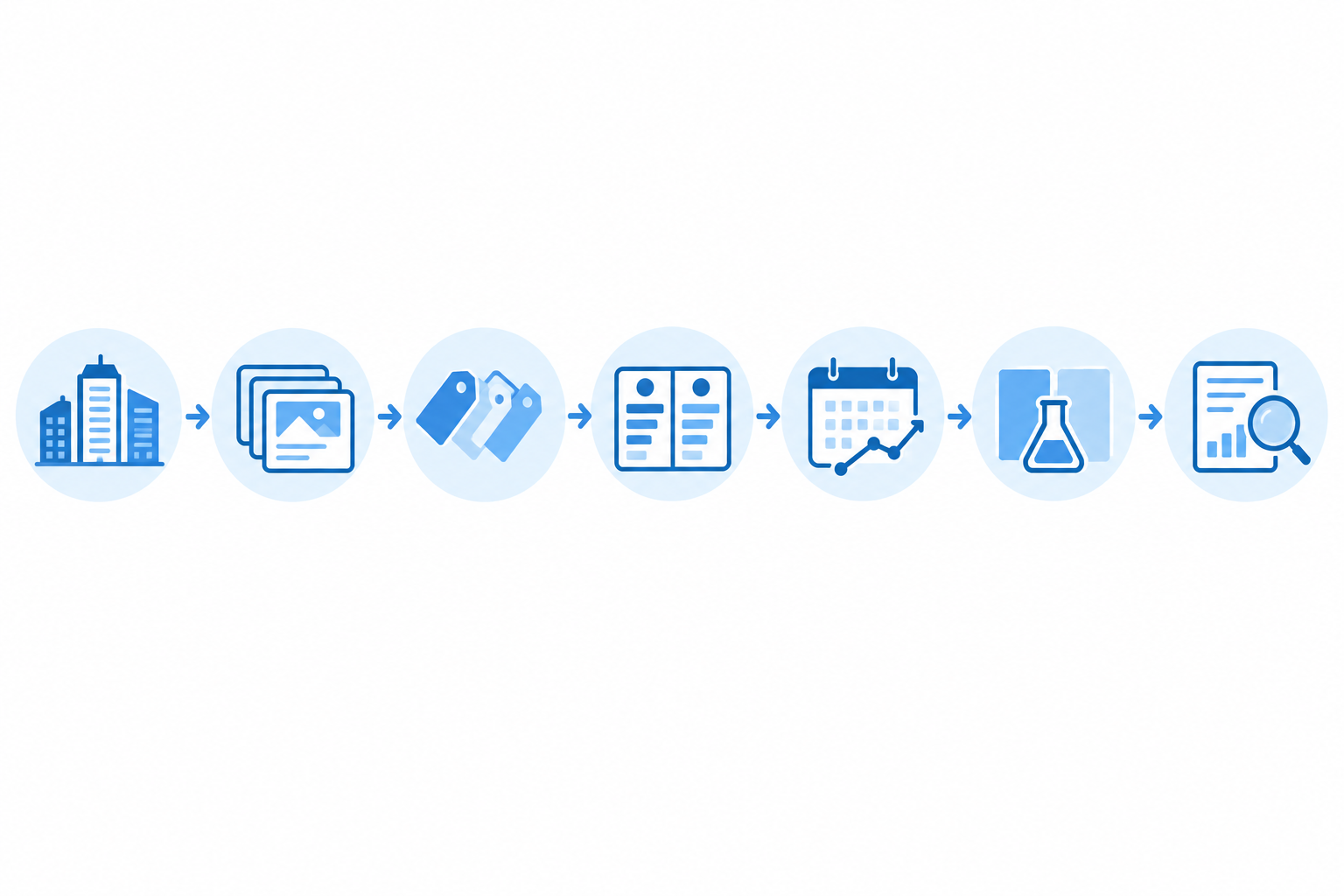
- Choose 5–10 competitors. Mix direct rivals, adjacent players who compete for the same buyers' attention, and one aspirational category leader. Don't only look at the obvious names.
- Capture their active LinkedIn ads, and date every capture. Record the creative, exact copy, destination links, and the date you saw them. You can do this manually through LinkedIn's Ad Library, which works fine for a handful of rivals. It gets tedious fast, though, and manual snapshots miss what changed between visits. If you'd rather automate it, tools exist for this. Rival Ads, the one I work on, detects a competitor's ads across LinkedIn, Meta, Google, and TikTok from their website and collects them on a regular schedule. Check its documentation for current coverage and limits.
- Tag each ad. Label message type, likely audience, offer, format, and CTA. Keep your tags consistent, or the patterns won't show up.
- Compare against your own ads in a simple scorecard. Cover messaging angle, proof, format mix, offer, and cadence (example below).
- Track week-over-week changes. Note what's new, what's stopped, and what's continuing. Whether you log it in a spreadsheet or use a tool's change tracking, this is how you spot patterns instead of leaning on one-off snapshots.
- Turn gaps into test hypotheses. Run two or three controlled tests a month, changing one meaningful variable at a time: quantified outcome versus customer quote, expert-led versus brand-led, video versus static, or gated versus ungated.
- Review monthly. Feed what you learn back into your wider positioning, not just your next campaign.
💡 Tip: If reading through dozens of ads sounds like a time sink, AI summaries can speed up the first pass. Some tools, ours included, offer AI-generated summaries of weekly changes. Treat those as a starting point, and read the underlying ads before acting on them.
A simple LinkedIn ads benchmarking scorecard
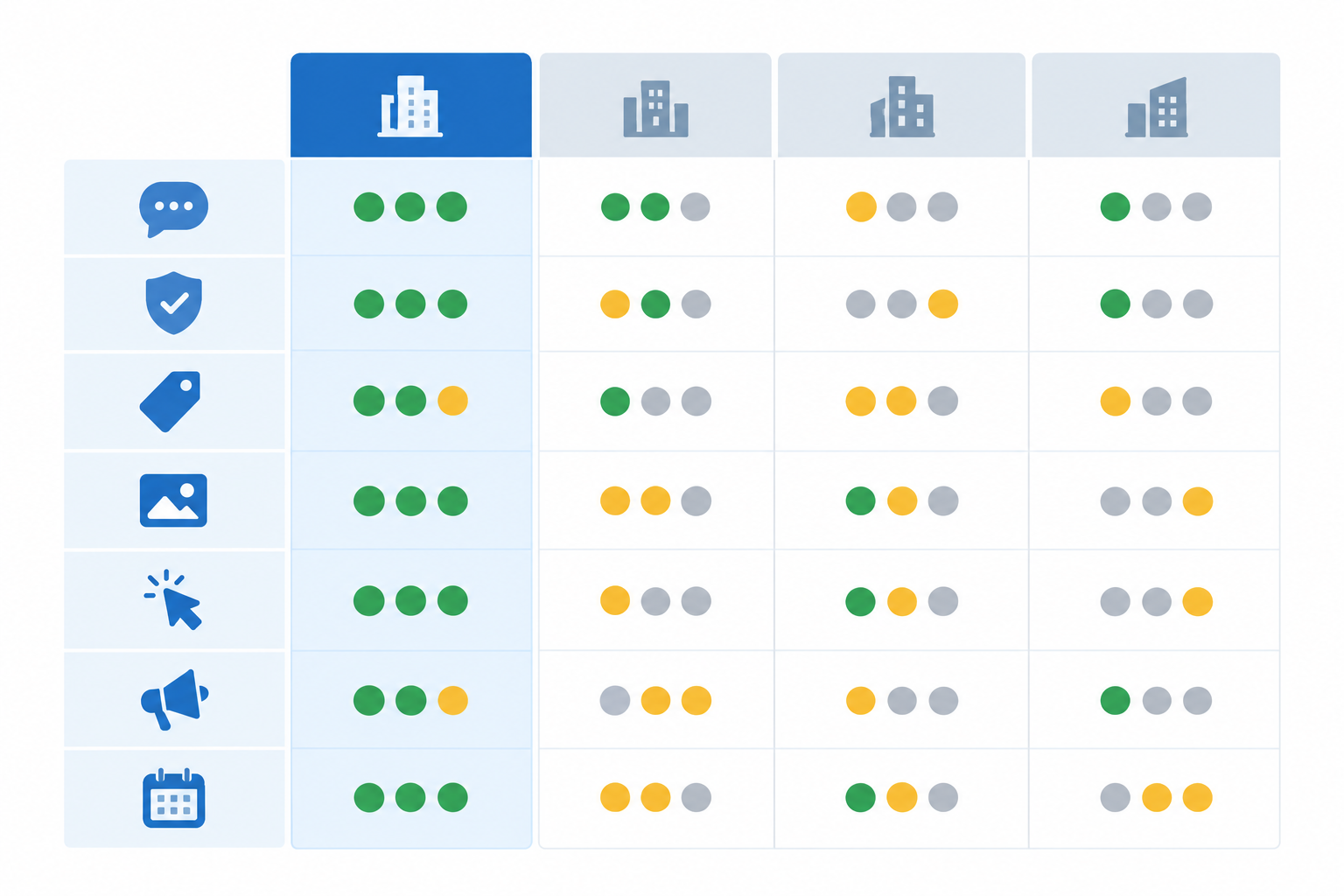
A scorecard keeps you honest. Below is a worked example for a fictional UK SaaS company, "FlowLedger", selling finance automation to mid-market firms. Every figure, competitor, and finding in this table is invented for illustration. None of it is real data or a performance benchmark. Target roles are marked as inferred because public listings generally don't confirm targeting.
| Dimension (fictional example) | Your brand (FlowLedger) | Competitor A | Competitor B | Competitor C |
|---|---|---|---|---|
| Primary message angle | Feature-led ('Automate month-end') | Proof-led (customer outcome) | Pain-point ('Still closing in spreadsheets?') | Category-challenging |
| Proof type | None visible | Named UK customer + number | Founder anecdote | Analyst quote |
| Offer | Book a demo | Case study download | Close-process checklist | Book a demo |
| Dominant format | Single image | Document ad | Founder video | Single image |
| CTA | Book a demo | Download | Get the checklist | Learn more |
| Ad volume (illustrative) | 3 | 9 | 6 | 4 |
| Observed ad lifespan (illustrative) | ~3 weeks | 8+ weeks | 5 weeks | 2 weeks |
| Target role (inferred, unconfirmed) | Finance leaders | CFOs | Finance managers | Finance leaders |
How to score the gaps
Go row by row and ask two questions: Is the market converging here? and Is there room to stand out?
- Match the market where several rivals have converged. In this fictional example, proof is the obvious one: FlowLedger has none visible, while Competitor A leans on proof-led document ads. That's a gap worth testing, not a guarantee it would work for FlowLedger.
- Differentiate where everyone is doing the same thing. Two rivals lean on "Book a demo" as a first touch, so FlowLedger could test a different entry offer, like a month-end benchmark report.
- Hold off where you can't read the signal. One competitor with short-lived ads in a format you're unsure about isn't strong evidence either way.
A simple 1–3 score per row (1 = behind, 2 = level, 3 = ahead) is enough. The aim isn't a perfect number. It's a short list of tests.
Common LinkedIn ads benchmarking mistakes to avoid
- Copying ads wholesale. Borrow the underlying insight, not the headline. Your customers, proof, and brand voice aren't theirs.
- Benchmarking once. A one-off audit is a snapshot. Rivals change creative constantly, and the useful stuff is in the changes.
- Watching only direct rivals. Adjacent brands compete for the same buyers' attention in the same feed, so include them.
- Ignoring the cross-platform picture. The same rival may run similar messages on Meta, Google Ads, or TikTok as well as LinkedIn. Checking those channels adds context, and sometimes you'll see an idea there before it reaches LinkedIn.
- Treating longevity as proof. A long-running ad is a clue, not a verdict. Some ads run on autopilot because nobody got round to turning them off.
Putting LinkedIn ads benchmarking into practice: a 30-day plan
- Week 1: Build your list and start your dated sample. Choose your 5–10 competitors and get their ads into one place, whether that's a spreadsheet and the Ad Library or a monitoring tool.
- Week 2: Tag and analyse. Work through the first batch of ads, tag them, and complete your scorecard.
- Week 3: Launch two or three tests. Base them on the gaps you found, change one variable at a time, and keep audience and objective consistent.
- Week 4: Review. Look at your results alongside what competitors added, stopped, and kept running, then plan next month.
Pick a few rivals, start recording what they run, and date everything. Within a fortnight you'll probably spot something that changes how you think about your own LinkedIn ads. 🚀
FAQs
What B2B ad trends are working on LinkedIn right now?
I can't tell you from public ad listings what's working, only what's running. Patterns I'd check for in your category include proof-led messaging with named customers and numbers, founder- or employee-fronted video, document-style carousels, and offer-led campaigns built around reports and templates. Longevity can suggest an ad is still in use, but it doesn't reveal results, so check any hypothesis against your own campaign data.
How do I benchmark my LinkedIn ads against competitors?
Pick a handful of competitors, collect their active ads with dates, tag them by message, format, offer, and CTA, then compare them with your own in a scorecard. Revisit regularly to see what's new and what's stopped. You can do this by hand with the Ad Library, or use a competitive intelligence tool to automate collection and change tracking.
What messaging styles perform best on LinkedIn?
There's no universal answer. Specific, outcome-focused messaging is a sensible hypothesis to test against generic brand copy, and pain-point openers, customer proof, and role-specific language are common approaches. Your own controlled tests will show what works for your audience.
Can I see my competitors' LinkedIn ads without access to their ad account?
Yes, to a degree. LinkedIn's Ad Library shows ads publicly, though what it displays varies, so check its current scope. Monitoring tools can also gather and archive ads from public sources without account connections. Either way, you'll see creative and messaging, not spend, targeting, or results.
How often should I benchmark LinkedIn ads?
A weekly check for changes and a monthly strategic review is a workable rhythm for most B2B teams. It's frequent enough to catch new tests without creating noise.