
How to Track Competitor Promotions Without Manual Screenshots: A Guide for DTC Brands
Track competitor promotions week to week with automated alerts. Monitor discounts, bundles and flash sales, then respond quickly without racing to the bottom.
Chris Edington
16 min read

The easiest way to track competitor promotions is to automate the boring part. Use an ad monitoring tool that archives rival ads across the channels you care about, then review the week-over-week changes instead of hunting for offers by hand. Focus on what's new, what's stopped, and what's still running. Those patterns hint at which promotions rivals keep investing in. They don't prove what's profitable. Then respond with a plan, not a panic discount.
That's the short version. The rest of this guide covers why manual tracking breaks down, what's worth logging, how to read the signals (and where they stop being useful), and what to do when a rival drops a flash sale on a Tuesday afternoon. 🏷️
Why Manual Competitor Promotion Tracking Falls Apart
You know the Monday-morning ritual. Open the Meta Ad Library, search a handful of rivals, screenshot anything with a percentage sign in it, and paste the lot into a shared folder. Three weeks later nobody has opened that folder, and the person who set it up has moved on to a launch.
We hear some version of this story from DTC teams a lot, usually just before they decide to automate. The effort isn't the real problem. The method is. Here's where it breaks:
- Screenshots go stale. Ads change constantly, and a screenshot captures one moment. It can't tell you when a promotion began, how long it ran, or whether it's still live. Without a timestamped history, you're guessing.
- Coverage has gaps. Most people check Meta because it's free and familiar. Google and TikTok ads go unchecked, so you only see part of what a competitor is doing.
- You can't see what stopped or changed. A promotion that vanished after four days tells a different story from one that's been running for two months, and a folder of screenshots can't show you either.
- Offer terms get lost. A cropped image often misses the coupon code, minimum spend, member-only eligibility, or exclusions. A visible sale price can misstate the real offer when a code or sign-in changes what the customer actually pays.
- Habits are inconsistent. One person saves to their camera roll, another emails themselves, a third forgets. The data ends up scattered across the team.
Context matters too. Adobe's Cyber Week 2024 reporting put peak US online discounts at around 30% for electronics, 27% for toys, and 23% for apparel. Those are US figures for one shopping period, so treat them as an illustration rather than a UK benchmark. The lesson travels, though. A discount only means something when you know the category, the timing, and what that rival normally does. One screenshot can't give you that. A history can.
How Do You Track Competitor Sales and Discounts?
Here's the process we'd recommend. It's six steps, and most of the grunt work disappears once you automate the middle three.
- List your 5-10 closest rivals. Include direct competitors and a couple of aspirational brands, the ones you'd like to be in five years. Go past ten and you'll struggle to act on what you learn.
- Choose an ad intelligence tool and check its coverage. Look for one that can find a competitor's ads from their website or brand name, without needing access to their ad accounts. Ask which platforms and markets it covers, and how it handles gaps.
- Capture active ads on a regular schedule, weekly at minimum. You want the real creatives, the exact copy, and the landing page links, not a vague summary. Public ad sources can have delays and gaps, so treat the archive as a very good sample rather than a guaranteed complete record.
- Review week-over-week diffs. See what's new, what's stopped, and what's continuing. This is where the insight lives.
- Log the offers you spot. Tag them by type (discount, bundle, free delivery, subscription) and urgency (evergreen, seasonal, flash).
- Share a short weekly summary with the wider team. Three bullet points and a recommendation beat a 20-slide deck nobody reads.
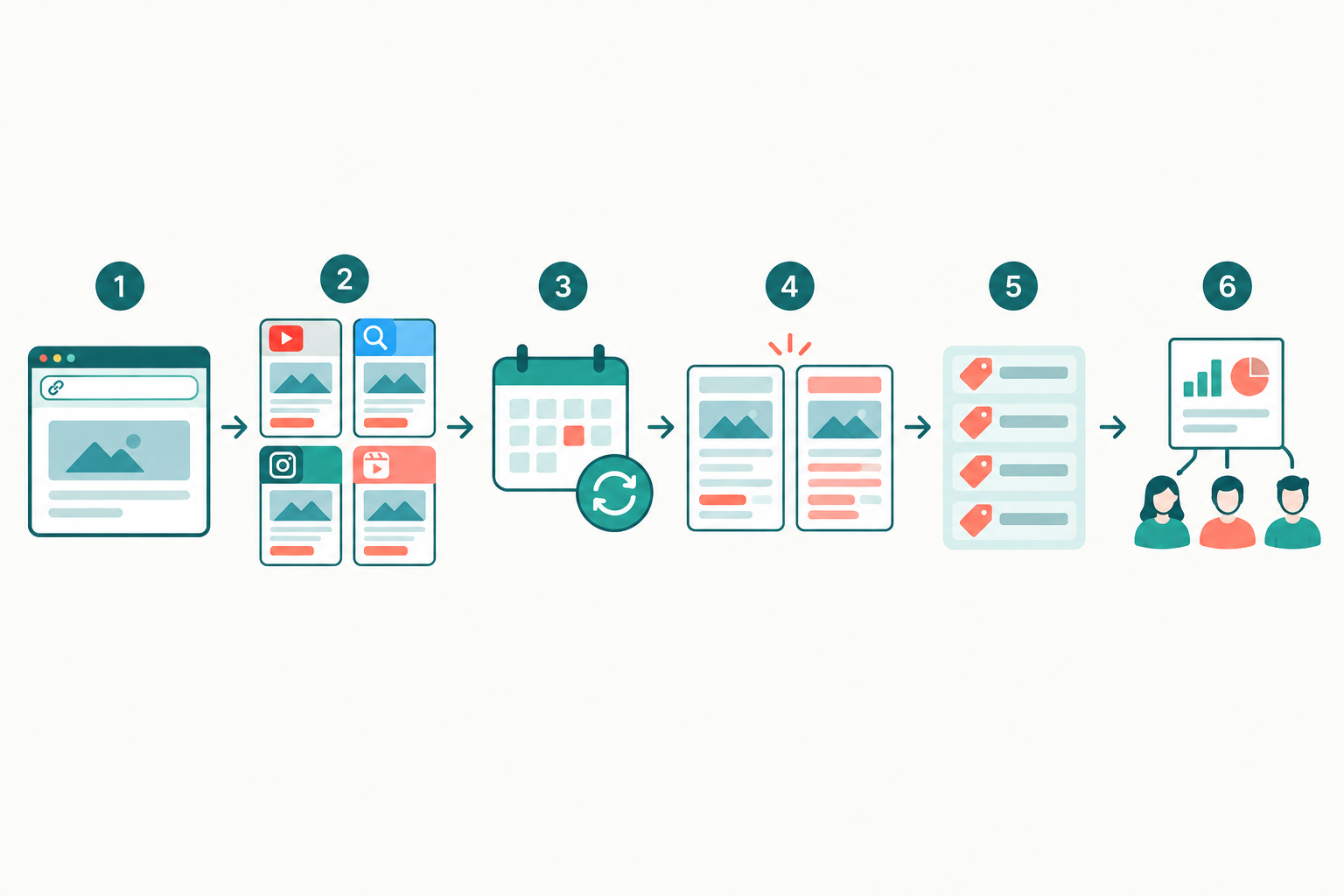
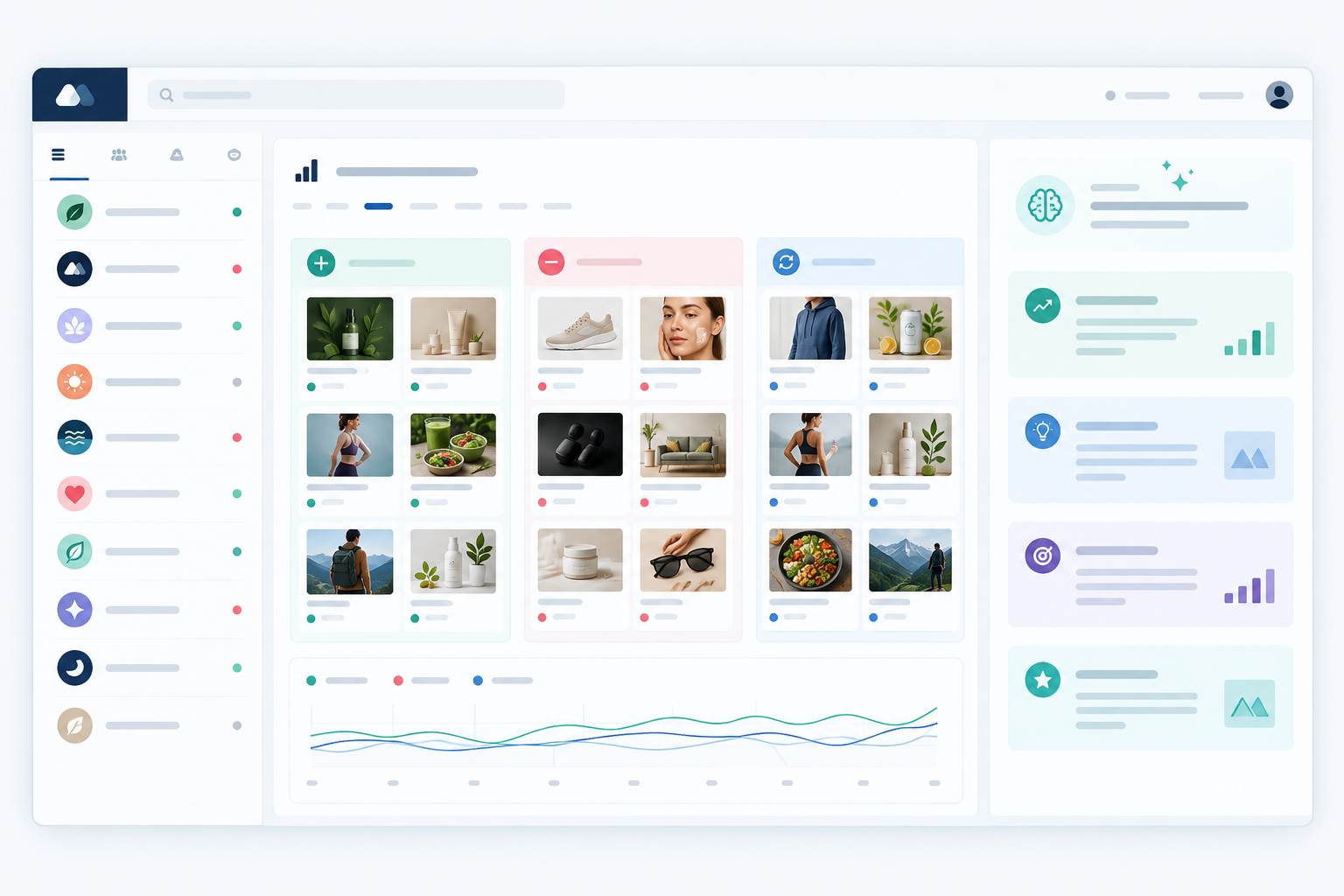
A quick disclosure: I work on Rival Ads, so weigh this part accordingly. It's built to handle steps 2 to 4. You give it a competitor's website, it looks for their presence on Meta, Google Ads, TikTok, and LinkedIn, collects the ads it can find, and highlights what changed from week to week. Results land in a dashboard and a weekly email digest, which leaves you free for steps 5 and 6, the thinking part. Coverage depends on what each platform makes publicly available, so check the Rival Ads site for current details on supported platforms and markets. Whichever tool you pick, run the same coverage check.
What Promotions Should DTC Brands Monitor?
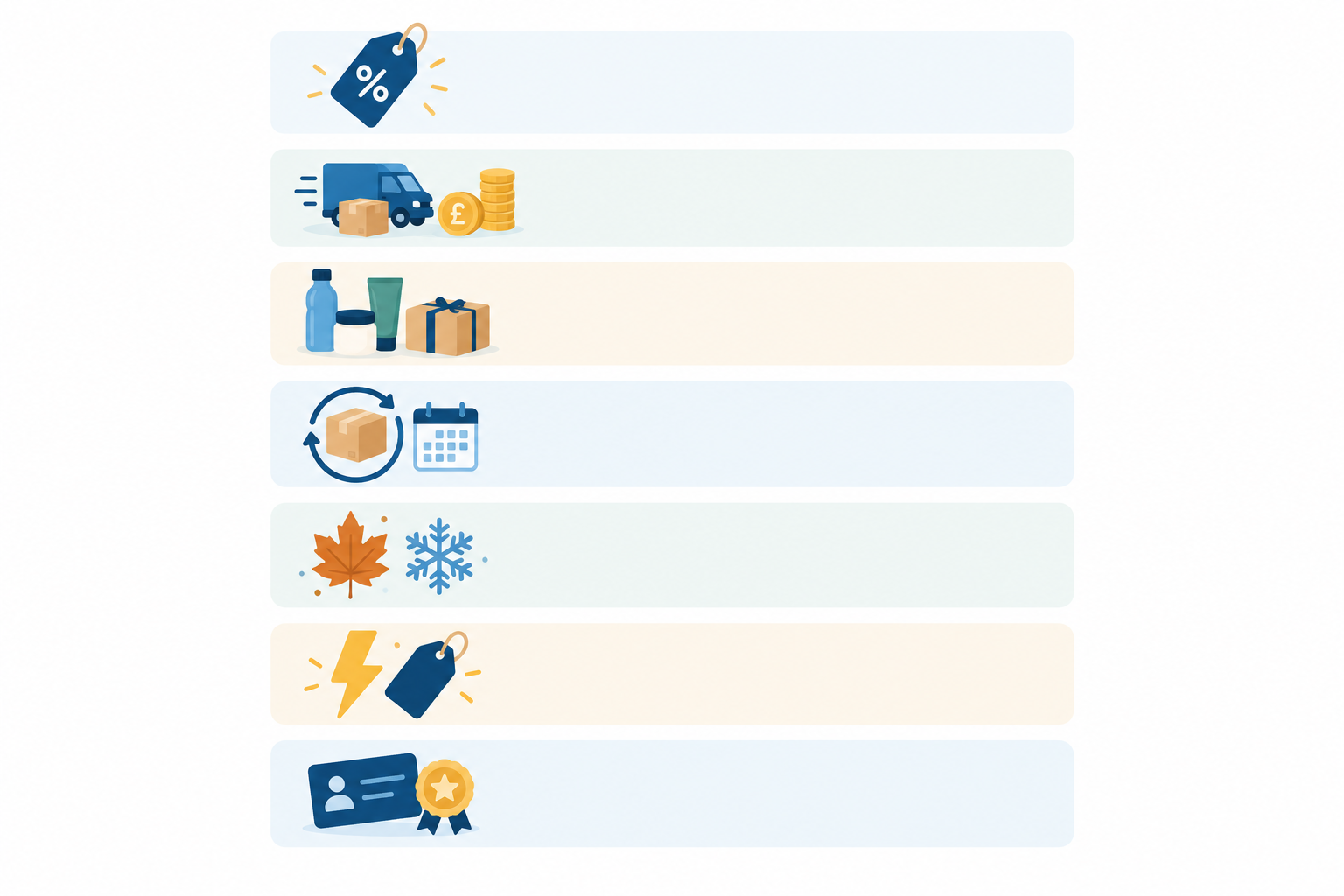
It's tempting to log only the headline percentage-off offers. Resist that. Shopify's documentation on discounts describes a wide range of mechanics, including discount codes, automatic discounts, buy X get Y deals, and free shipping offers. Several of these change the effective price without touching the listed price. Here's what we'd keep an eye on:
- Percentage and fixed-amount discounts. 20% off, £10 off your first order. Note not just the number but how the copy frames it. Is it 'save £10' or 'a tenner off'?
- Free delivery thresholds and delivery speed promises. 'Free delivery over £40' or 'next-day delivery' changes the total a customer pays, so log it next to the headline discount. Whether it beats a bigger discount for your customers is something to test, not assume.
- Bundles, multibuys, and gift with purchase. These can protect a competitor's margin while still feeling generous, which makes them worth studying.
- Subscription incentives and first-order discounts. Look at how they pitch the first order and what keeps people subscribed.
- Seasonal and calendar events. Black Friday, Boxing Day, Mother's Day, Bank Holiday sales, the January sales. Record the event window, how long the deals last, and any membership requirement.
- Flash sales and countdown urgency. '48 hours only' and ticking clocks. Track how often a rival uses them, because a brand that's always 'ending soon' isn't really running a flash sale.
- Loyalty perks, referral offers, and student or NHS discounts. These are often tiered or conditional, so capture the qualifying criteria.
- Creative angles around the offer. UGC, founder-led video, static price callouts. Watch how they test variations of the same deal.
- Landing page destinations. Does the offer lead to a collection, a bundle page, or a single hero product? That hints at what they're prioritising.
For each promotion you log, try to capture the product or collection, the advertised and effective price, any code, eligibility, minimum spend, exclusions, start and end dates, and shipping terms. It sounds like a lot, but that detail is what separates a broadly available offer from one limited to new customers or a specific basket size.
One more tip: check the landing page, not just the ad. Ad copy and the offer waiting on arrival don't always match, and that gap is useful intelligence in itself.
How to Read Competitor Promotion Signals: New, Stopped, and Still Running
Collecting ads is the easy bit. Interpreting them is where you pull ahead. A week-over-week view sorts a competitor's activity into a few categories, and each one suggests a different next step. Think of these as hypotheses to check, not conclusions.
| Signal | What it might mean | What to do |
|---|---|---|
| New ads | A competitor may be testing a fresh offer or angle | Watch it for a couple of weeks before reacting |
| Stopped ads | The offer may have ended as planned, hit a stock issue, or been replaced | Check against past runs before drawing conclusions |
| Continuing ads | The competitor may be happy enough with the offer to keep funding it | Study the creative, copy, and landing page closely |
| Multiple variants of one offer | They may be testing it, or putting more investment behind it | Note it and keep watching, then decide whether it warrants a response |
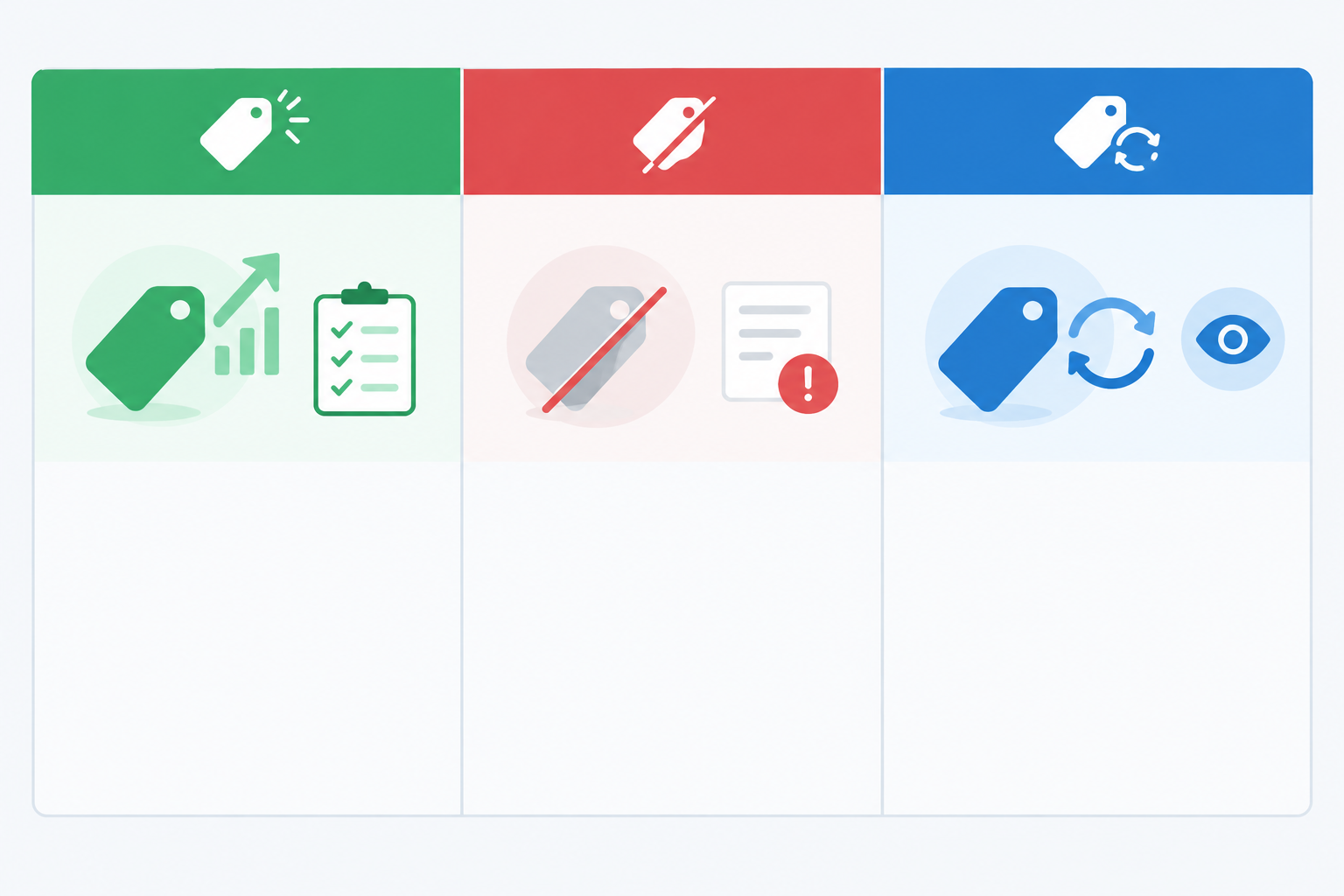
A caveat, because none of these are certainties. You can't see a rival's revenue, margins, or return on ad spend. A long-running ad can hint at sustained investment, but it can just as easily be a scheduled campaign, a low-cost awareness play, or an ad nobody got round to switching off. Several creative variants might mean they're scaling, or simply that they're testing. A stopped ad might have hit a planned end date or a stock issue. That's why we suggest looking at patterns over several weeks rather than single snapshots.
Here's how that might play out. Imagine a skincare brand tracking three rivals. One week, a rival launches a three-product bundle with free delivery. The team notes it but doesn't react, since new ads are often tests. Two weeks later it's still running. By week four there are three creative variants: a UGC video, a static price callout, and a founder explainer. By week six it's still going, and the landing page is now a dedicated bundle page. That's a decent sign the rival is investing in the bundle, so the skincare brand can plan a considered response, perhaps its own bundle with a different angle, rather than slashing prices on its hero product. (This is an illustrative scenario, not a real case study, but it shows the kind of pattern a weekly diff makes easier to spot.)
Some tools, Rival Ads included, add an AI-generated summary of what changed. Treat that as a suggested interpretation to kick off a discussion, not a verdict from a seasoned media buyer. It can't see the competitor's sales data any more than you can.
How to Set Up Automated Competitor Promotion Tracking and Alerts ⚙️
Setting up usually takes far less time than a round of manual screenshotting. Here's the flow, using Rival Ads as the example. Features and pricing change, so check the current product and pricing pages before you commit.
- Add competitor websites. Paste in the URLs and let the platform look for each brand's ad presence. You don't need access to competitor ad accounts.
- Choose how many competitors to monitor. At the time of writing, plans start at $29/month and scale with the number of competitors. Start with your priority rivals and expand later.
- Assign competitors to team members. If your plan supports roles and permissions, give each person a specific rival to own. Ownership is what stops the 'I thought you were checking that' problem.
- Set up the weekly email digest. Insights arrive in inboxes without anyone needing to log in, which is how you build a habit that sticks.
- Read the AI analysis critically. Use it to turn a list of changes into a few sensible questions, then check the underlying ads yourself.
- Agencies, ask about whitelabel. If you're running this for clients, check whether reports can go out under your own brand.
Build a simple weekly review habit
Tools only help if someone looks at the output. Our suggestion is a 20-minute Monday meeting. Open the digest, go through what's new, stopped, and continuing for each rival, and agree on one action. That could be 'test a bundle', 'watch another week', or 'ignore, not our customer'. Keep notes in one shared place. The point is consistency, not perfection.
Why Track Competitor Promotions Beyond Meta?
The Meta Ad Library is a great free starting point, and we'd never tell you to ignore it. But it covers ads across Meta technologies, and for most commercial ads it shows what's currently active rather than a tidy history or a diff of what changed. Check Meta's own help pages for the current scope in your market.
And Meta is only one slice. Here's what you miss if you stop there:
- Google Ads can reveal the search and shopping messages a competitor is running, including the offers and claims in their copy. You won't see what they bid or spend. Google's Ads Transparency Center is a useful complement, since it covers ads shown across Google's products.
- TikTok ads show how rivals package offers for that platform's audience, often with a very different tone and format. TikTok has its own Commercial Content Library, though its market and date coverage can differ from other libraries.
- LinkedIn ads matter if your DTC brand has a B2B or corporate gifting angle. Rivals might be pitching bulk discounts or gifting bundles there that you'd never see on social feeds.
The bigger payoff is the cross-channel view. A rival might promote a bundle in a TikTok ad, use a different discount in a Google ad, and show a free-delivery threshold on its storefront. Seeing all of that together gives you a clue about campaign scope. An offer that appears everywhere at once may be a brand-wide push, while one that shows up in a single place may be a channel-specific test. But that's a clue, not a rule. Budgets, platform quirks, and library coverage all muddy the picture.
It's also worth remembering what ad libraries don't show. They cover paid ad creative, not email or SMS offers, onsite banners, or checkout incentives. So pair your ad monitoring with the occasional visit to competitor storefronts and, where appropriate, sign up to their marketing emails. Label where each observation came from, so you can tell a promotion confirmed on a product page from one you've only inferred from an ad.
How to Respond to a Competitor's Flash Sale Without Racing to the Bottom
It's 10am, a rival has just launched 30% off sitewide, and someone in Slack has typed 'should we match this??' Take a breath. Here's a calmer way through.
- Pause and check. Is this a one-off flash sale, a seasonal event, or a long-running offer? Your tracking history can often answer that in seconds.
- Check your margins first. Set a floor you won't go below, and write it down before anyone starts proposing numbers.
- Look at the overlap. Is the competitor targeting the same customer segment as you? If their audience is very different, you may not need to respond at all.
- Consider non-discount responses. Added value can work better than a price cut: free delivery, a free gift, early access for loyal customers, or stronger social proof.
- Tweak your creative messaging. Lean on quality, reviews, or sustainability instead of competing on price alone.
- Protect existing customers. A loyalty reward for people who already buy from you is often smarter than a blanket discount.
- Test small. Run a limited offer with a clear end date, so you learn without betting your whole margin.
- Document everything. Note what you tried and what happened, so next time you've got a playbook instead of a panic.
The golden rule: matching every discount erodes margin and can train customers to wait for sales. A brand that discounts whenever a rival does may soon find it can't stop.
A quick compliance note for your own offers. Make sure your promotions follow UK advertising rules and consumer law, including the ASA's CAP Code and guidance from the CMA, especially around pricing claims, reference prices, and urgency. For example, if you say 'was £60, now £40', the higher price generally needs to be a genuine price the product was recently sold at, though the details depend on the circumstances. This is general guidance, not legal advice, so check the current rules or speak to a specialist if you're unsure.
Turning Competitor Promotion Data into Marketing Strategy 📈
Tracking is only worth doing if it changes what you do. Once you've got a few weeks of data, here's how to put it to work:
- Build a promo calendar of rival activity. After a year, you'll see when each competitor tends to go big, so you can plan ahead of peak periods instead of reacting on the day.
- Spot the gaps. What offers is nobody in your category running? If every rival is shouting about percentage discounts, a strong guarantee or a clever subscription could stand out.
- Feed creative learnings into your test roadmap. If a rival keeps running UGC video for a particular offer, that's a hypothesis worth testing in your own account.
- Share beyond paid media. Product, CRM, and merchandising teams all benefit from knowing what rivals are pushing, and it can inform email calendars, range planning, and pricing discussions.
- Review quarterly. Rival strategies shift. A quarterly look at the bigger picture shows whether a competitor seems to be moving upmarket, leaning on bundles, or chasing volume.
One last reminder on ethics. Use public ad data for learning and inspiration, never to copy creative outright. Your best work comes from understanding why something might work, then doing it in your own voice.
FAQs About Tracking Competitor Promotions
Is it legal to track competitor ads and promotions in the UK?
Monitoring ads that competitors have made publicly available, such as through official ad libraries, is common competitive research, and viewing public information is generally different from copying protected creative or misusing data. But legality depends on what you do with what you find. Copying a rival's images, video, or copy could raise copyright or passing-off issues, and scraping or data-handling methods can raise their own questions, including platform terms of service. Your own promotions also need to follow ASA and CMA rules. This isn't legal advice, so check current ASA and CMA guidance, and speak to a solicitor about specific cases.
Do I need access to my competitor's ad account?
No. Ad libraries and monitoring tools work from publicly available ad information, so you don't need access to a rival's account. Tools differ in how they find and collect ads, so check what a given tool covers and where its limits are.
How often should I check competitor promotions?
A weekly review is enough for most DTC brands. Around big sales periods like Black Friday or the January sales, you may want to look more often. Automated weekly diffs and email digests mean you only need to look at what has changed.
Can I use the Meta Ad Library for free instead?
You can, and it's a good starting point. The catch is that it only covers Meta, doesn't highlight week-over-week changes for you, and relies on you remembering to check and record what you find. A monitoring tool can automate the archiving and comparison.
Should I match every competitor discount?
No. Matching every offer erodes margin and can train customers to wait for sales. Check how long the offer has been running, whether it overlaps with your audience, and whether a non-discount response such as free delivery or a bonus gift would work better.
The Bottom Line: Track Competitor Promotions Consistently
You don't need a folder full of screenshots to understand what your rivals are up to. You need a consistent record of their ads across channels, a weekly look at what's new, stopped, and still running, and a calm process for deciding what to do about it. Remember that these are signals to investigate, not proof of what's working for anyone else. Do that, and flash sales stop feeling like emergencies and start looking like data. If you'd like to try the automated route, Rival Ads is one option, and you can check its current coverage and pricing on the Rival Ads site. 🚀
SEO CONTENT CONTRACT
- Primary topic: track competitor promotions
- Supporting concepts: None required
- Dominant search intent: informational
- Target search market: United Kingdom
- Content angle: Practical guide for eCommerce teams to stop manually screenshotting rival sales and instead automate promotion and offer tracking week to week.
- Suggested sections: Why Manual Promotion Tracking Falls Apart; What to Track: Offers, Discounts, Bundles; Setting Up Automated Alerts; Reacting Fast Without Racing to the Bottom
- Reader questions: How do I track competitor sales and discounts?; What promotions should DTC brands monitor?; How do I respond to a competitor's flash sale?
Treat these as reader and topic guidance, not a phrase quota. Never force exact phrases, repeat keywords mechanically, or sacrifice clarity to a density target.