How to Build a Competitor Ad Swipe File Your Team Will Actually Use
Build a competitor ad swipe file that lasts: automatically save competitor ads, tag by platform, angle, offer and format, and fuel creative briefs weekly.
Chris Edington
14 min read
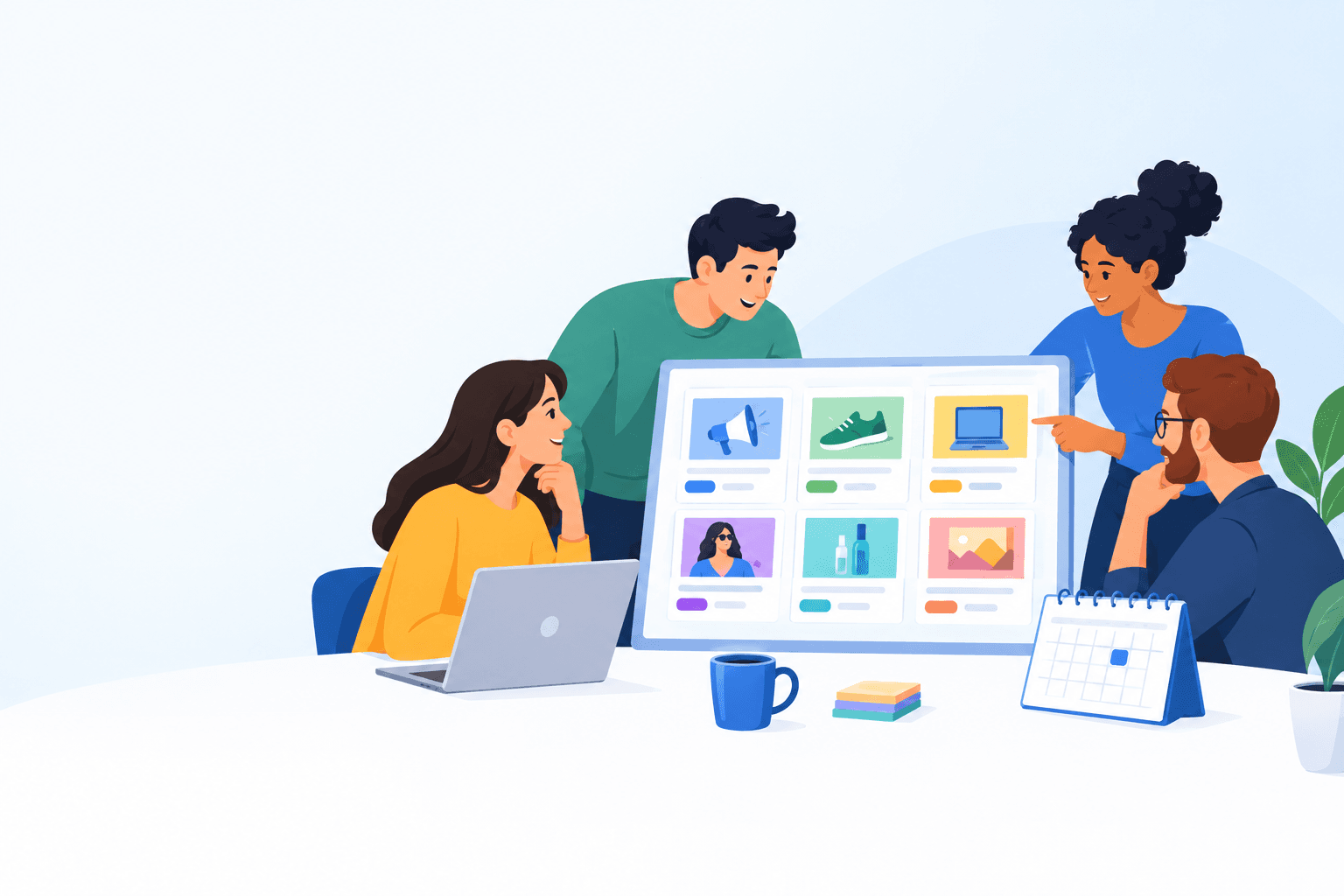
A competitor ad swipe file only survives if it's easy to fill, easy to search and tied to a regular habit. Capture ads automatically instead of screenshotting them, tag every entry by platform, angle, offer and format, and review the file for 15 minutes each week so it feeds straight into your creative briefs. Get those three things right and the file stops being a graveyard and starts being something you actually use.
That's the short version. The longer one covers what to save, how to tag it, how to run the weekly review and where the line sits between inspiration and imitation. 🙂
Why most competitor ad swipe files fail (and how to keep one alive)
You probably know this story already. Someone gets enthusiastic and sets up a shared folder or a Notion board called 'Competitor Ads 🔥'. In week one, 40 screenshots go in. By week three it's a trickle. By week six nobody has added anything, and the board is forgotten until someone asks, 'Didn't we have a swipe file?'
I've seen this happen on in-house teams and in agencies, and the cause is almost always one of these four:
- Capture depends on one enthusiastic person. If the file only grows when that person remembers to screenshot, it stops growing the week they get busy or go on holiday.
- There's no structure. Forty unlabelled images in a folder are a pile, not a library. When a brief is due on Friday, nobody can find the ad they half-remember from last month, so they stop looking.
- There's no ritual. Even a well-stocked file is useless if nobody opens it, and without a regular review it never touches a decision.
- Screenshots lose context. A cropped image doesn't show the full copy, where the ad linked to, when it started running or whether it's still live. An ad that was switched off in March tells you something very different from one that's been scaling for eight weeks.
The good news is that each of these is fixable. Sort out capture, structure and habit, and the file stays alive. Let's take them one at a time.
What to save in a competitor ad swipe file (and what to skip)
The question I get most often is what to save from a competitor ad. My honest answer is 'less than you think, but with more detail than a screenshot'.
For every ad worth keeping, you want the creative itself, the exact copy, the headline and call to action, the landing page link, the platform, the date you first saw it and how long it has been running. That last one matters more than people realise. An ad that has run for weeks is probably earning its keep, because most teams switch off what isn't working. It isn't proof, but it's a sensible place to start looking.
I'd also save new tests and sudden shifts in messaging, not just the polished winners. If a rival that has led with price for a year suddenly launches three ads about customer service, you want to know about it, even if you can't yet tell whether it's working.
What to skip is just as important:
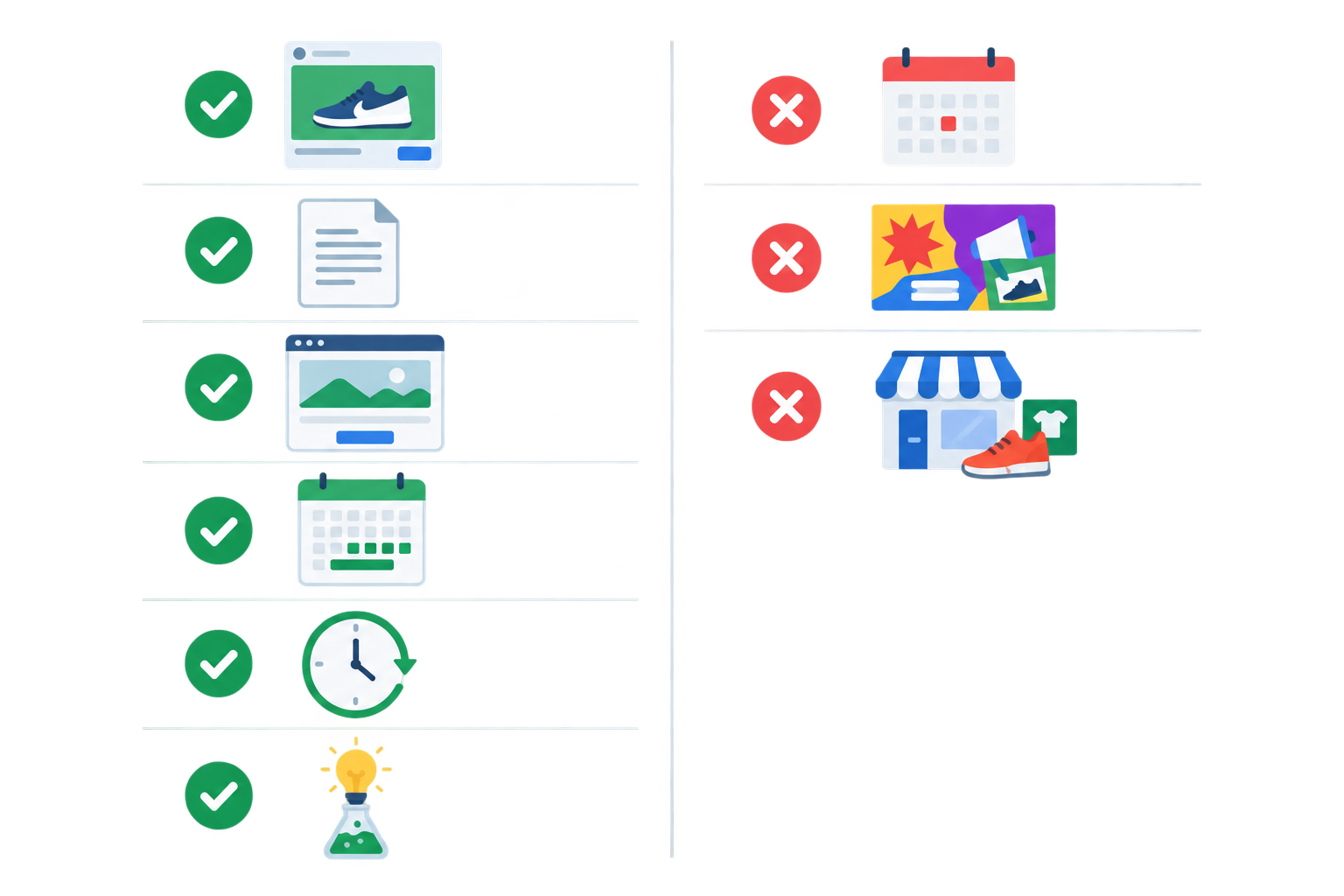
| Save | Why | Skip | Why |
|---|---|---|---|
| The creative and exact copy | You need the real thing, not your memory of it | Ads you saved because they looked pretty | Good design isn't a strategy, and it clutters search |
| Landing page link | The ad is only half the story | One-off ads that ran for a day | Too little signal to learn from |
| Platform, first-seen date and run length | Shows timing and commitment | Off-brand noise | Dilutes the patterns you're trying to spot |
| Ads that have run for weeks | Longevity hints at what's working | Brands that aren't real competitors | Different buying journeys teach misleading lessons |
| New tests and messaging shifts | Early warning of where rivals are heading | Duplicates of the same creative | Add volume without adding insight |
One note on adjacent categories. A good ad inspiration library can include brands outside your direct competitor set, such as a fintech studying how a subscription retailer handles free trials. Just label those entries 'adjacent' so nobody mistakes them for competitive intelligence. Direct rivals show you what the market is doing. Adjacent brands show you what it could be doing.
How to organise a swipe file: platform, angle, offer and format
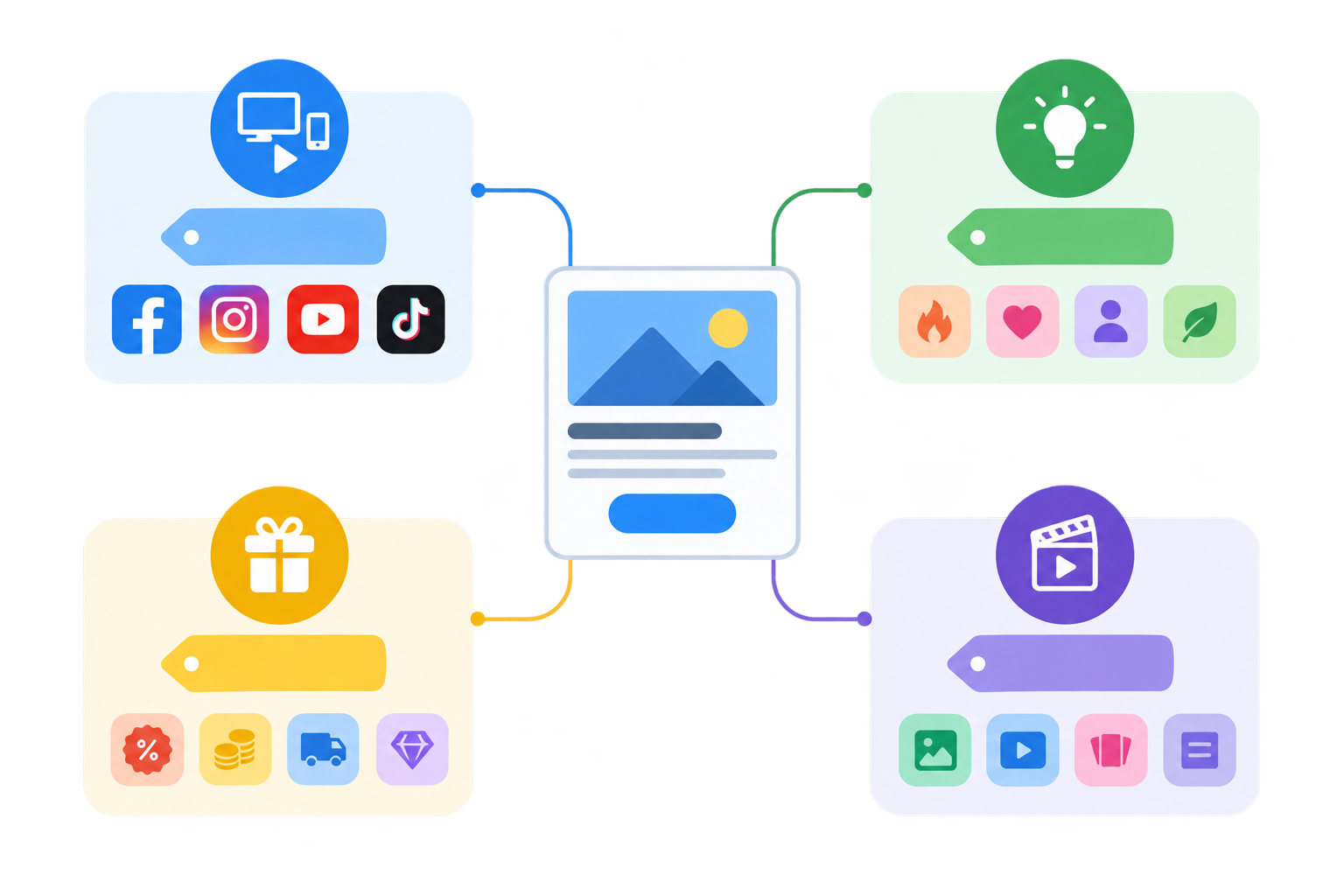
I'm going to be opinionated here: four tags are enough. Any more and people stop tagging, because every extra field is another reason to skip the filing. Four is quick to apply, and it still answers questions like 'show me every social proof video on Meta' in seconds.
The four tags for your ad swipe file
- Platform: Meta, Google Ads, TikTok ads or LinkedIn ads.
- Angle: the core argument of the ad, such as price, speed, social proof, fear of missing out, founder story or problem-solution.
- Offer: free trial, discount, demo, lead magnet, bundle or no offer.
- Format: static, video, carousel, UGC-style, text ad or document ad.
You can add two optional fields, and only two: competitor name and status (new, continuing or stopped). Status is especially handy because it turns a static archive into something that shows movement over time.
A tiny example competitor ad entry
Here's what a finished entry might look like for a made-up project management tool:
- Competitor: Acme Tasks
- Platform: LinkedIn ads
- Angle: Problem-solution ('Still chasing updates in email?')
- Offer: 14-day free trial
- Format: Document ad (carousel-style PDF)
- Status: Continuing, first seen six weeks ago
- Link: landing page URL
- Note: Leads with pain, not features. Trial CTA on the last slide only.
That takes under a minute to fill in, and anyone on the team can find it later.
How to organise a swipe file for a team
Three habits do most of the work. Keep everything in one shared home, not scattered across personal folders and Slack threads. Agree tag names up front. And give every competitor a named owner who keeps that part of the file tidy.
A quick tip on naming: write the tag list on a single page and pin it where the file lives. Decide whether it's 'Social proof' or 'Testimonial', 'UGC' or 'UGC-style', and stick to it. It sounds trivial, but inconsistent tags quietly kill search. If half the team tags 'FOMO' and half tags 'urgency', your filters are broken before you've started.
How to save competitor ads automatically instead of screenshotting
Let's be honest about manual capture. The Meta Ad Library is genuinely useful, Google's Ads Transparency Center lets you look up advertisers by name or website, and TikTok's Creative Center has a Top Ads section too. But with all of them you have to go and check, then copy, then file by hand.
They have limits as well. TikTok's Top Ads is a selection of examples, not a full record of everything a competitor runs. Availability and history in the Meta Ad Library depend on the ad type and market, so note the date and market you checked, because an ad's presence or status can change. And ad libraries aren't a general-purpose feed you can pipe into a spreadsheet. Meta's Ad Library API, for instance, is focused on ads about social issues, elections or politics, so don't assume you can build a fully automated pipeline for ordinary commercial ads from it.
If you do capture manually, save the original library URL, the platform, advertiser, date checked, market and a short note on the creative or offer. A screenshot can sit alongside that as supporting material, but it shouldn't be the only record.
What good automatic ad capture looks like
Ideally, the system does three things without anyone lifting a finger:
- It detects where a competitor advertises, rather than relying on you to know.
- It pulls every active ad on a schedule, so nothing depends on someone remembering.
- It stores the real creative, exact copy and link, so context is never lost.
This is what we built Rival Ads to do. You enter a competitor's website, and you don't need to connect any ad accounts. We detect their presence across Meta, Google, TikTok and LinkedIn, then fetch their active ads every week. The real creatives, exact copy and links all end up archived in one dashboard. For a team that wants to save competitor ads without screenshotting, that removes the biggest failure point in the whole process.
Let the ad changes tell you what's worth saving
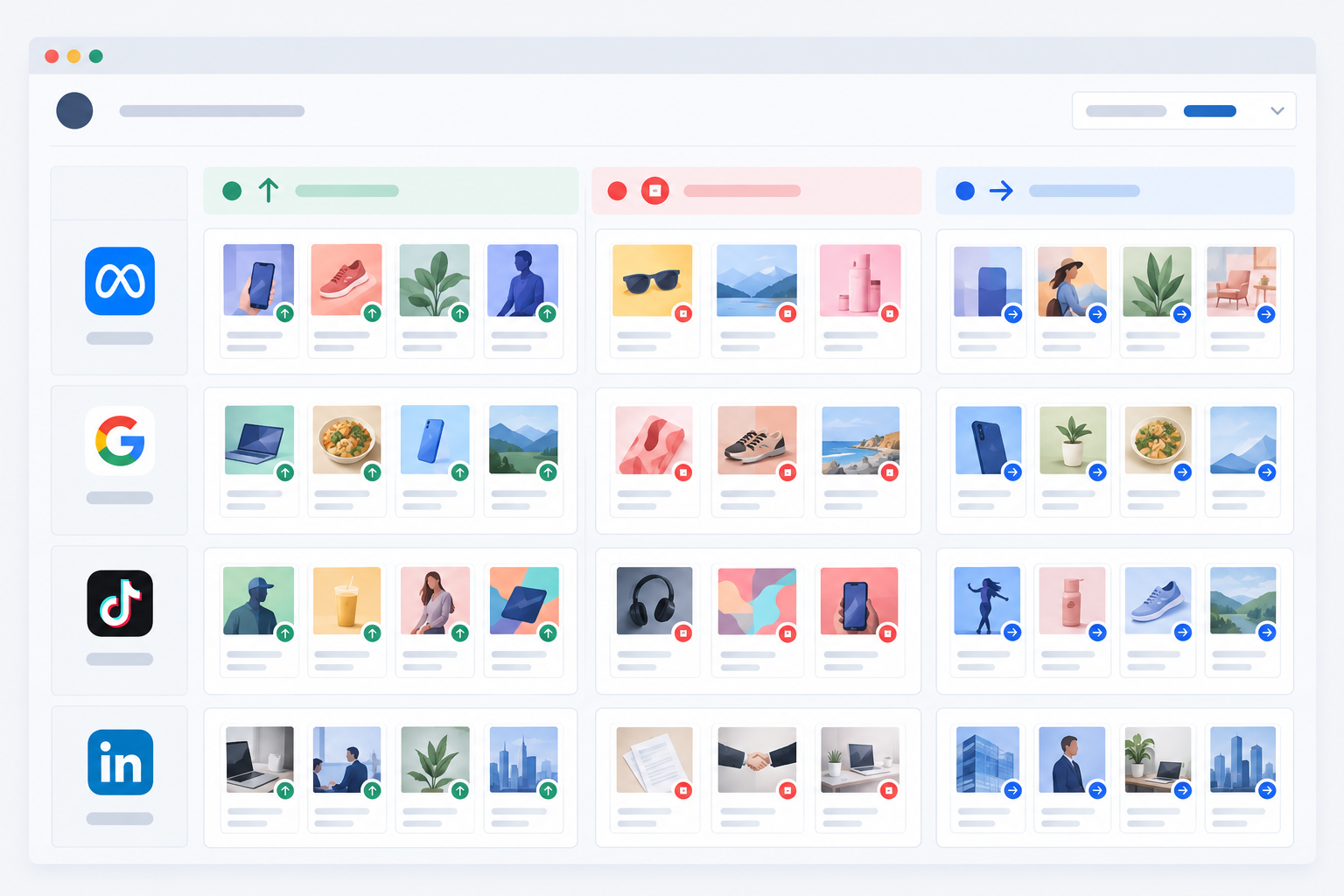
The real shortcut is the week-over-week comparison. Each week you can see what's new, what's stopped and what's continuing to scale, which is exactly what you need to decide what deserves a place in the swipe file. A brand-new test goes on your watch list. Something that has quietly run for two months is a strong candidate for saving. Something stopped after a week can usually stay in the archive.
There's also an AI-generated analysis, powered by Claude, that reads those changes the way a senior media buyer would. It flags things like a shift from discount-led to outcome-led messaging, or a sudden push into a new platform. It won't replace your own judgement, but it's a helpful nudge toward the changes that matter.
Keep a quick-add option for ads you spot
Automation won't catch the ad you spot in your own feed on a Sunday evening, so keep a manual route open too. A simple quick-add routine works well: paste the link, pick the four tags, add a one-line note, done. Treat it as the exception, not the engine.
Archive everything, star only the best ads
Here's the mindset shift that makes this work. Let automation archive everything, then have your team star only the ads worth keeping in the swipe file. The archive is your complete record and the swipe file is your curated shortlist. Curating is a far more enjoyable job than collecting, so people are much more likely to keep doing it.
How to run a 15-minute weekly swipe file review
How often should you update a swipe file? Weekly works best. Ad tests move quickly, and a short weekly check is much easier to sustain than a big monthly catch-up that gets bumped the moment a campaign launches.
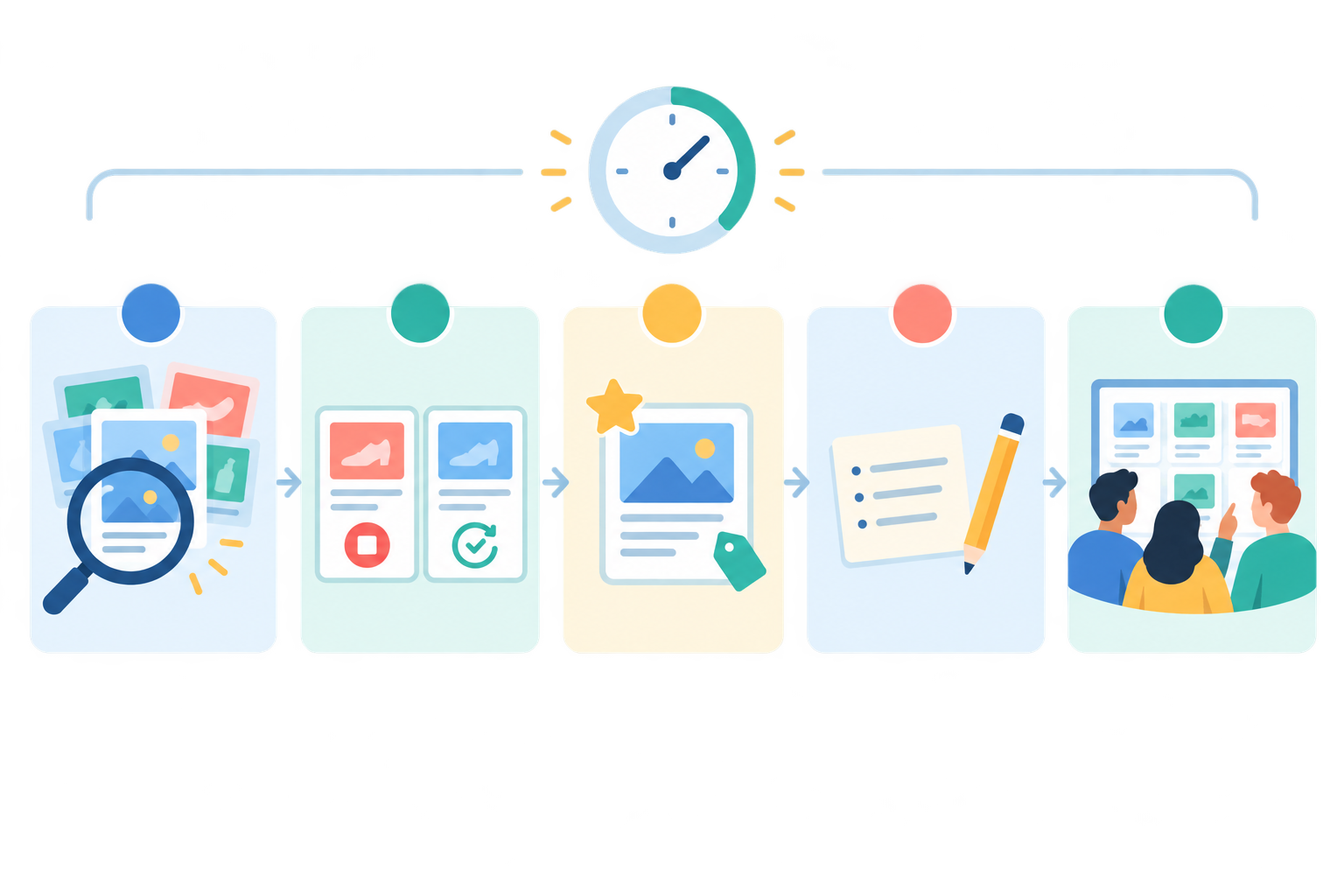
Here's a 15-minute routine you can steal:
- Minutes 0-3: scan the new ads. Run through each tracked competitor and look at what has launched since last week. Don't analyse yet, just look.
- Minutes 3-6: check what's stopped and what's continuing. Stopped ads suggest something didn't work. Ads that keep running suggest something did, or at least that it's worth the spend.
- Minutes 6-10: star and tag three to five ads. Be strict. If you're saving more than five, you're collecting again, not curating. Apply the four tags while the ads are fresh in your mind.
- Minutes 10-13: write a one-line takeaway per competitor, for example 'Rival A has shifted from price to speed in three new videos.' One line is enough, and it's the part people find most useful later.
- Minutes 13-15: share it. Post a short summary in the team channel, or forward the weekly email digest with your one-liners on top.
Two things keep this going. Rotate the reviewer each week so the habit doesn't rest on one person's shoulders, and put it in the calendar as a recurring slot. Monday morning, just before the planning meeting, works well because the insights land right when decisions are being made.
How to use your ad swipe file in creative briefs
This is where the file earns its keep. If it never touches a brief, it's a scrapbook. The simplest fix is to add a 'Competitive context' block to every brief template and fill it in like this:
- Pull two or three relevant ads. Filter by platform and angle so you're looking at the ads that matter for this campaign, not everything you've ever saved.
- Note what competitors are saying, and where the gap is. If every rival is talking about speed and nobody is mentioning reliability, that's a space you might own.
- Flag the offers rivals lean on. Decide whether you'll match, beat or avoid them. Sometimes the smartest move is not to join a discount war.
- Turn observations into direction. For instance: 'Everyone is leading with price, so we'll lead with outcomes.' A designer or copywriter can actually work with that.
- Link the entries in the brief. That way designers and copywriters can see the originals and judge for themselves, rather than relying on your summary.
Done consistently, this changes how people feel about the file. It stops being 'that thing we should update' and becomes 'the thing I need before I start writing'.
If you work at an agency, the same process doubles as a client-facing deliverable. A tidy competitive context section in every brief shows clients you're thinking about the market, not just their own account. With whitelabel reporting, you can make that part of your service and present it under your own brand.
Is it okay to take inspiration from competitor ads?
It's a fair question, and it deserves a straight answer. Studying public ads is standard marketing practice. Copying them is not.
The line I use is simple: take the angle, structure or insight, and never the wording, imagery, branding or distinctive creative. If a competitor keeps running customer testimonials, the lesson is that social proof may resonate with this audience. That's useful. Lifting their testimonial, footage or script is not okay. Creating your own, with your own customers, their permission and an original execution, is.
The same goes for formats. If a rival uses a side-by-side comparison, you can borrow the idea of a comparison. But build it from your own independently verified features, clear criteria and evidence, not by echoing their layout and phrasing.
It helps to change the question your team asks. Instead of 'how do we replicate this?', ask 'why is this working?' That keeps the focus on the insight rather than the execution.
A few UK-specific points, at a high level. The ASA and the CAP Code apply to your ads, so anything you publish must not materially mislead, and objective claims need evidence behind them. That includes any comparison with a competitor, and it means you should independently verify any rival claim before you repeat or challenge it. Copyright and passing-off laws also protect other people's creative work, and being in a public ad library doesn't give you permission to reuse it. I'm a marketer, not a lawyer, so if you're unsure about a specific case, take legal advice.
One last point. If your swipe file is only making you look more like everyone else, you're using it wrong. The goal is to understand the market well enough to stand apart from it.
How to keep your competitor ad swipe file alive: a quick checklist
Pin this somewhere your team will see it:
- ✅ Capture is automatic, not dependent on one person.
- ✅ Four tags, used consistently.
- ✅ A weekly 15-minute review is in the calendar.
- ✅ Every brief references the file.
- ✅ One owner per competitor, with team roles clearly assigned.
- ✅ A quarterly clean-up to archive stale entries and revisit your competitor list.
And if all of this feels like a lot, start small. Pick three competitors, set up automatic capture, run your first 15-minute review next Monday, and build from there.
FAQ: competitor ad swipe files
What should I save from a competitor ad?
Save the creative, exact copy, headline, call to action, landing page link, platform, the date you first saw it and how long it has been running. Long-running ads and new tests are the most useful, because they show what rivals are committing to and what they're experimenting with.
How do I organise a swipe file for a team?
Keep it in one shared place and use four consistent tags: platform, angle, offer and format. Assign an owner to each competitor and agree tag names up front so everyone files things the same way. Automatic capture helps a lot because the team curates instead of collecting.
How often should I update a competitor ad swipe file?
Weekly is ideal. Competitors launch and stop ads constantly, and a short 15-minute weekly review is easier to sustain than a big monthly catch-up that tends to get skipped.
Is it okay to take inspiration from rival ads?
Yes, learning from public ads is normal practice. Borrow the insight, such as the angle or the offer type, but never copy wording, visuals or branding. If you're unsure about a specific case, take legal advice.
Can I build a swipe file without an ad spy tool?
You can, using the Meta Ad Library and manual screenshots, but coverage is limited and it takes time to maintain. An ad monitoring tool like Rival Ads automates capture across Meta, Google, TikTok and LinkedIn, so your time goes on analysis rather than collection.