TikTok Ad Library: How to Search It and What It Leaves Out
Learn how to use the TikTok ad library to find competitor TikTok ads, spot its limits and build a weekly archive of rival creative.
Chris Edington
16 min read

The TikTok ad library (officially the Commercial Content Library) lets you search for a brand's ads for free, and it's a genuinely good starting point. But it's a snapshot, not a record. Performance detail is thin, history is limited, and nothing pings you when a rival launches something new. My advice: use it for quick one-off checks, then pair it with a weekly archive of competitor creative so you can see what's new, what's disappeared and what's still running.
This guide walks through how to search the TikTok ad library, find competitor TikTok ads in the UK, spot where the native search runs out of road, and turn scattered spot checks into a routine that feeds your next round of creative tests. I've written it with UK marketers in mind, because the UK is one of the regions the library covers.
What the TikTok ad library shows (and who it covers)
TikTok's Commercial Content Library is the official public repository for ads and certain other commercial content on the platform. It exists largely because of transparency rules, particularly the EU Digital Services Act. According to TikTok, it covers ads shown to users in the European Economic Area, Switzerland and the United Kingdom.
This matters for you. Coverage is based on where an ad was shown, not where the advertiser is headquartered. A US brand that delivers ads to UK users can appear. A brand that only advertises elsewhere may not.
What you can typically see in the TikTok ad library
For ads in covered regions, a listing can include:
- The ad creative itself
- The advertiser name (and the payer, when it's a different entity)
- The country and the dates the ad ran (first and last shown)
- An impression or reach range
- Audience breakdowns and some targeting information
- Placement information
That's plenty for creative and positioning research. It is not a performance report. You won't see spend, conversions or return on ad spend.
How the TikTok ad library compares with other ad libraries
If you've used the Meta Ad Library or Google's Ads Transparency Center, set your expectations accordingly. All three exist for transparency, and all three are handy for spot checks. None was designed as a competitive research product, so you get a window onto what's running, with limited history and no interpretation. The library is also separate from TikTok Creative Center's Top Ads, which is a curated discovery tool, not a complete archive.
The honest limits of the TikTok ad library
The library is built for transparency and compliance. I use it for research anyway, and you should too, as long as you know where it falls short:
- Time-bounded. TikTok's documentation says ads are added within 24 hours of receiving an impression, and information is kept for one year after an ad's last impression. It also describes the archive as including ads shown from October 2022 onwards, subject to geographic and retention rules.
- Paid ads vs other commercial content. TikTok separates ads from things like promotional posts and paid partnerships. Check the right content type rather than assuming one search catches everything.
- Always changing. Features, filters and coverage change.
Where to verify: these details come from TikTok's published documentation, which you can reach from the Commercial Content Library itself and from TikTok's Transparency Centre. Check both before relying on any specific figure, including the ones in this article.
How to find competitor TikTok ads, step by step
Here's the sequence I follow when I want to find competitor TikTok ads for a UK-focused review.
Step 1: Open the TikTok ad library and set your filters
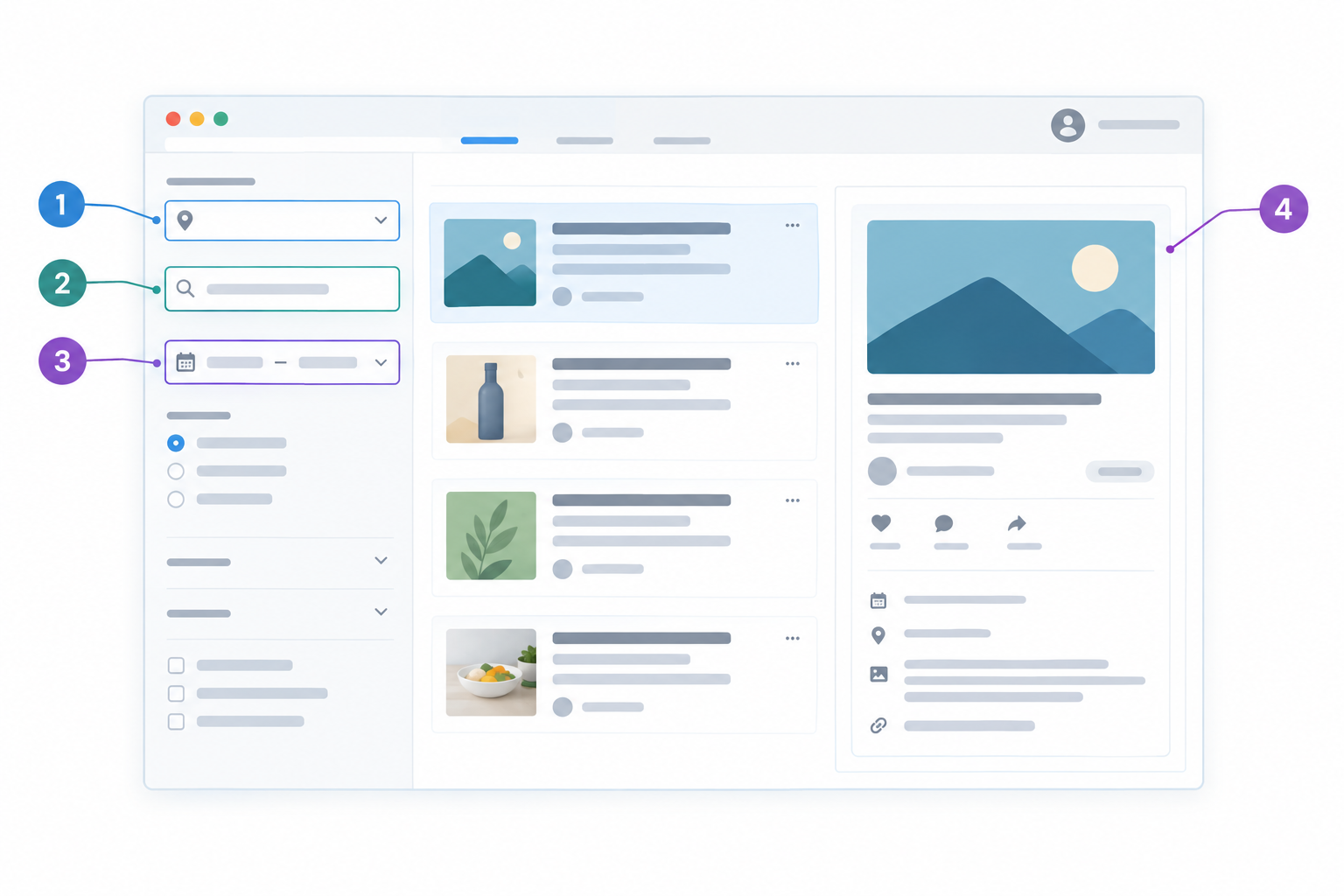
Head to library.tiktok.com and choose the ads search experience. Select the United Kingdom as your country or region. If a competitor sells across Europe, run the same search again for other markets later, since the creative and offer may differ.
Step 2: Search by advertiser name, brand name or keyword
Start with the obvious brand name, then widen out. The advertiser name can differ from the consumer-facing brand, so try:
- The parent company name
- Product and range names
- Sub-brand names
- Spelling, spacing and punctuation variants
- Distinctive phrases likely to appear in the copy
Say you were researching a big sportswear brand. You'd search the main brand name, then narrower terms like a sneaker app name or a flagship shoe line. Then check each result's advertiser identity and destination link to confirm it belongs to the brand. Agencies, subsidiaries and retailers sometimes place ads on a brand's behalf, so the payer name is worth a glance.
Step 3: Choose a date range
Narrow to the last 30 days to see what's recent, then widen to compare. Remember the reporting delay: a very fresh launch may not show up on day one, so an empty result isn't proof the ad doesn't exist.
Step 4: Open each ad and record the details
Click into each result and capture the creative, caption or copy, dates, delivery country and any reach or audience details shown. Save the result URL or ID too. You'll thank yourself later.
Step 5: Check the brand's TikTok profile and landing page
Open the brand's own TikTok profile and follow the ad's destination link. This helps you catch accounts you've missed (regional accounts, creator handles, a separate shop account) and confirms the ad really is theirs.
Step 6: Record competitor TikTok ads in a simple sheet
A spreadsheet or Notion board is plenty. These are the columns I'd start with:
| Column | What to put in it |
|---|---|
| Brand | Competitor name and advertiser name shown |
| Hook | What happens in the first three seconds |
| Format | UGC, talking head, demo, slideshow, etc. |
| Offer | Discount, free trial, bundle, none |
| CTA | Button text and spoken or on-screen call to action |
| First seen / last seen | Dates shown, plus the date you checked |
| Search notes | Query terms, country and date range used |
The last column sounds boring, but it makes your research repeatable. It also helps you tell a genuinely empty search from one hobbled by narrow filters or an alternate advertiser name.
Here's what one filled-in row might look like (an invented example, not a real brand):
| Column | Example entry |
|---|---|
| Brand | Example Skincare Ltd (advertiser shown: Example Skincare UK) |
| Hook | Creator holds up a product and says 'I almost didn't try this' |
| Format | Creator-style UGC, 24 seconds |
| Offer | 20% off first order |
| CTA | 'Shop now' button; spoken 'use my code' |
| First seen / last seen | 3 Mar / 19 Mar (checked 20 Mar) |
| Search notes | Brand name + 'serum'; UK; last 30 days |
If you want a broader inspiration scan, Creative Center's Top Ads is a separate, curated source. Treat it as a showcase, not proof of everything a competitor runs.
Where manual TikTok ad library searches break down
I like the TikTok ad library. I use it. But after enough Monday-morning sessions, the cracks show.
- No notifications. Nothing tells you when a competitor launches a new ad. You only find out when you remember to look.
- A thin view of longevity. You'll usually see first and last shown dates, but there's no easy trend line of what appeared, changed or disappeared.
- Weak performance data. You get reach ranges at best. No spend, no results, no reliable winner signal.
- Search quirks. Name mismatches, multiple advertiser accounts, and results that are hard to filter by angle or format. A brand-name-only search can miss plenty.
- Old creative is harder to find. Once an ad stops, it can be tougher to track down, and records are only kept for a limited period after the last impression.
- It doesn't scale. Checking ten competitors across Meta, Google, TikTok and LinkedIn by hand means hours of repeated work every week.
A Monday-to-Friday example of why an ad archive helps
This one is hypothetical, but I'd bet it sounds familiar. On Monday you spot a competitor video: problem-first hook, a creator in a messy kitchen, a punchy on-screen text overlay. You think, 'I'll brief that angle properly on Thursday.' You don't screenshot it, save the link or note the advertiser name.
By Friday the ad no longer turns up. Your search terms don't surface it, because you can't remember whether it was listed under the brand name or a product name. Now you're briefing a designer from memory.
The fix is simple: the moment you spot something, save the URL, the advertiser name and the date. Thirty seconds now saves an hour later.
When the native TikTok ad library is enough
None of this makes the library bad. It's the right place to start and it's excellent for spot checks like 'what's this brand running in the UK right now?' It just wasn't built to answer 'what has this brand changed over the last eight weeks?'
How to keep a weekly archive of rival TikTok creative
This is where one-off searching starts to pay off for your marketing. Here's the process I'd recommend.
1. Decide which competitors to track
Keep it manageable. A good mix is:
- Three to five direct rivals
- A couple of adjacent brands going after the same audience
- One or two aspirational advertisers whose creative you admire
2. Set a weekly competitor ad research routine
Same day, same time, every week. Consistency lets you compare like with like. Monday morning works well because you can feed findings straight into the week's creative planning.
3. Build a DIY TikTok ad archive
Save links, take notes, and log everything in a shared sheet using the columns above. Add a screenshot or screen recording for internal reference where the platform's terms allow it, and be mindful of copyright. This is for learning from competitor ads, not for reposting or imitating them.
A practical tip: each week, run the same saved searches and record three things per brand: ads that are new since last week, ads you logged before that no longer appear, and ads that still appear. That's a manual diff, and it works well for one or two competitors on one platform.
4. Consider an automated competitor ad archive
Full disclosure: I work on Rival Ads, so I'm biased. Once you're watching more brands or more platforms, the manual approach gets painful, and that's the problem we built Rival Ads to solve.
You enter a competitor's website, and we look for that brand's presence on Meta, Google Ads, TikTok and LinkedIn, with no ad account connections needed. Each week we capture the active ads we can find from publicly available ad sources, including creatives, copy and links, and compare them with the previous week. Coverage depends on what each platform makes public and on how accurately we can match an advertiser to a brand, so we may miss some ads or accounts. Spot-check any tool, ours included, against the native libraries.
Rival Ads at a glance: weekly captures across Meta, Google, TikTok and LinkedIn; a week-over-week comparison; an AI-generated summary of the changes (powered by Claude) in your dashboard and weekly email; team roles and competitor assignment; and whitelabel options for agencies. Plans start at $29/month, tiered by the number of competitors you monitor. Check the pricing page for current details.
5. Compare TikTok ads week over week
A pile of ads is just a pile. The value is in the change. Each week, compare what you've captured against the week before:
- New: fresh concepts and angles that weren't there last time
- No longer appearing: ideas that were tried and have dropped out of view
- Still appearing: ads that keep showing up, including new variants of an existing concept
These are observations, not verdicts. An ad that keeps running might be a strong performer, or a brand campaign, or just something nobody switched off. An ad that disappears might have failed, or it might have hit its planned end date. Use the diff to decide what to investigate, not to declare winners.
DIY vs automated competitor ad monitoring
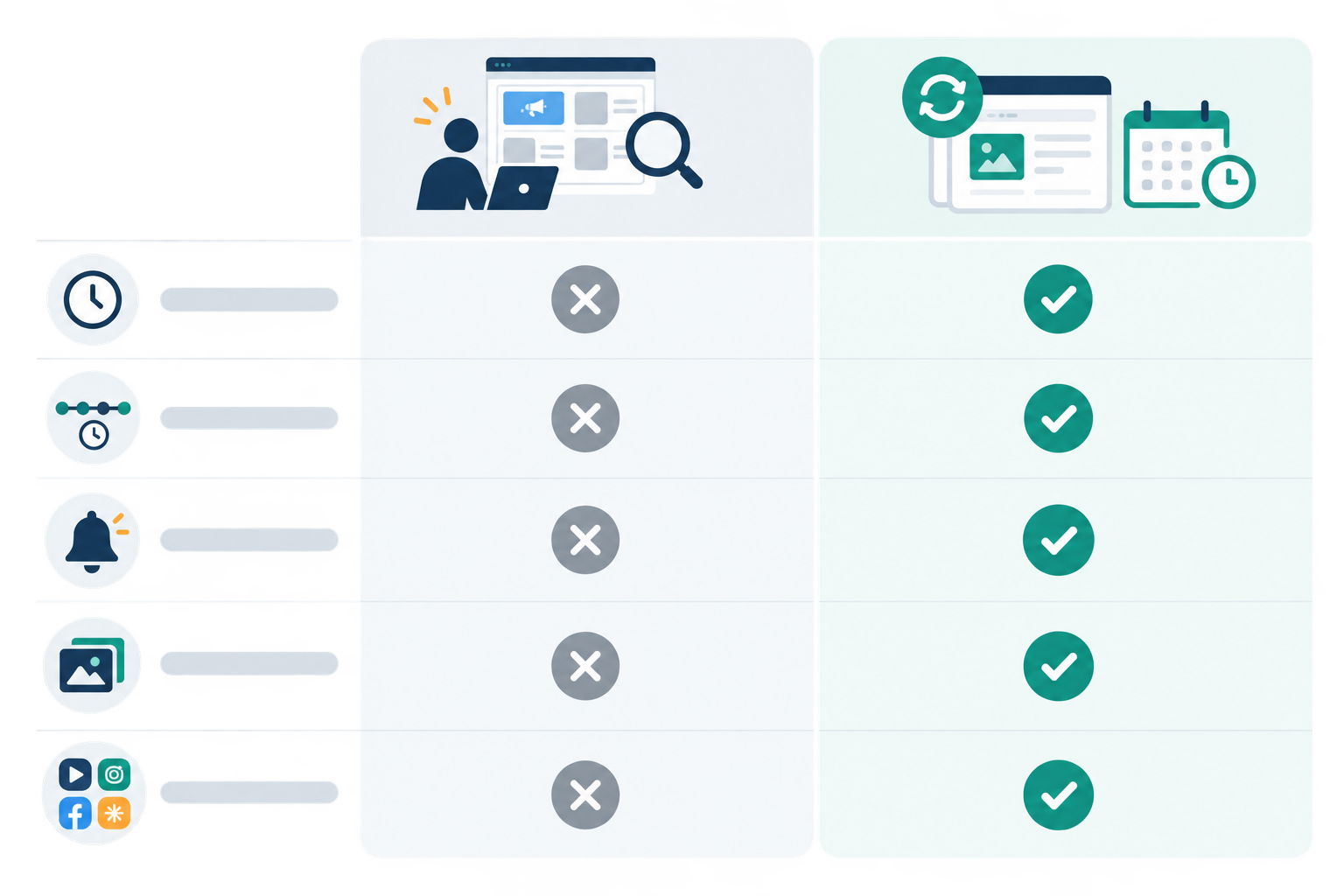
| DIY manual searching | Automated weekly archive | |
|---|---|---|
| Time per week | Grows with every competitor | Lower: review a digest instead of searching |
| Completeness | Depends on your search terms | Depends on public platform data and brand matching; gaps are possible |
| History | Whatever you saved | Builds up automatically from each weekly capture |
| Alerts | None | Weekly new / no-longer-appearing / still-appearing comparison |
| Cross-platform | Separate manual checks | Meta, Google, TikTok and LinkedIn in one place |
If you only need to track one or two brands, the DIY route is fine. Build the sheet and enjoy it.
What to look for in TikTok ad hooks and formats
Once you've got ads in front of you, what are you actually looking for? This is the checklist I use. Treat each item as something to investigate, not a rule.
The first three seconds of a TikTok ad
TikTok's feed moves fast, so the opening seconds are a sensible place to start. They're what a viewer sees before deciding whether to stay. Look for:
- Pattern interrupts (something visually unexpected)
- Direct questions to the viewer
- Bold claims
- Problem-first openers
- On-screen text hooks
Common TikTok ad formats
Tag the format of each ad: creator-style UGC, talking head, product demo, screen recording, split-screen comparison, trend or sound-led, or slideshow. You'll quickly see which formats a competitor leans on.
Offers and calls to action
Note how they frame the commercial side: discount, free trial, bundle, urgency, social proof. If the offer framing changes across several ads at once, take a closer look. It may point to a shift in strategy.
Ad longevity as a research signal
An ad that keeps appearing week after week might be performing well. It might also be a brand-building piece, a scheduled campaign, or something left running by accident. Note it, then look for supporting clues before drawing conclusions.
Ad volume and creative variations
When a competitor launches several versions of one concept (same hook, different opener, new on-screen text), they may be iterating on something that's working. They may equally be running a planned test. Either way, it tells you where their attention is.
Does the ad feel native to TikTok?
How well does the ad blend into the For You feed? Some look like a normal creator post. Others look like a polished TV spot that wandered into the wrong app. Note which style a competitor uses, and whether it changes over time.
A simple framework for tagging competitor TikTok ads
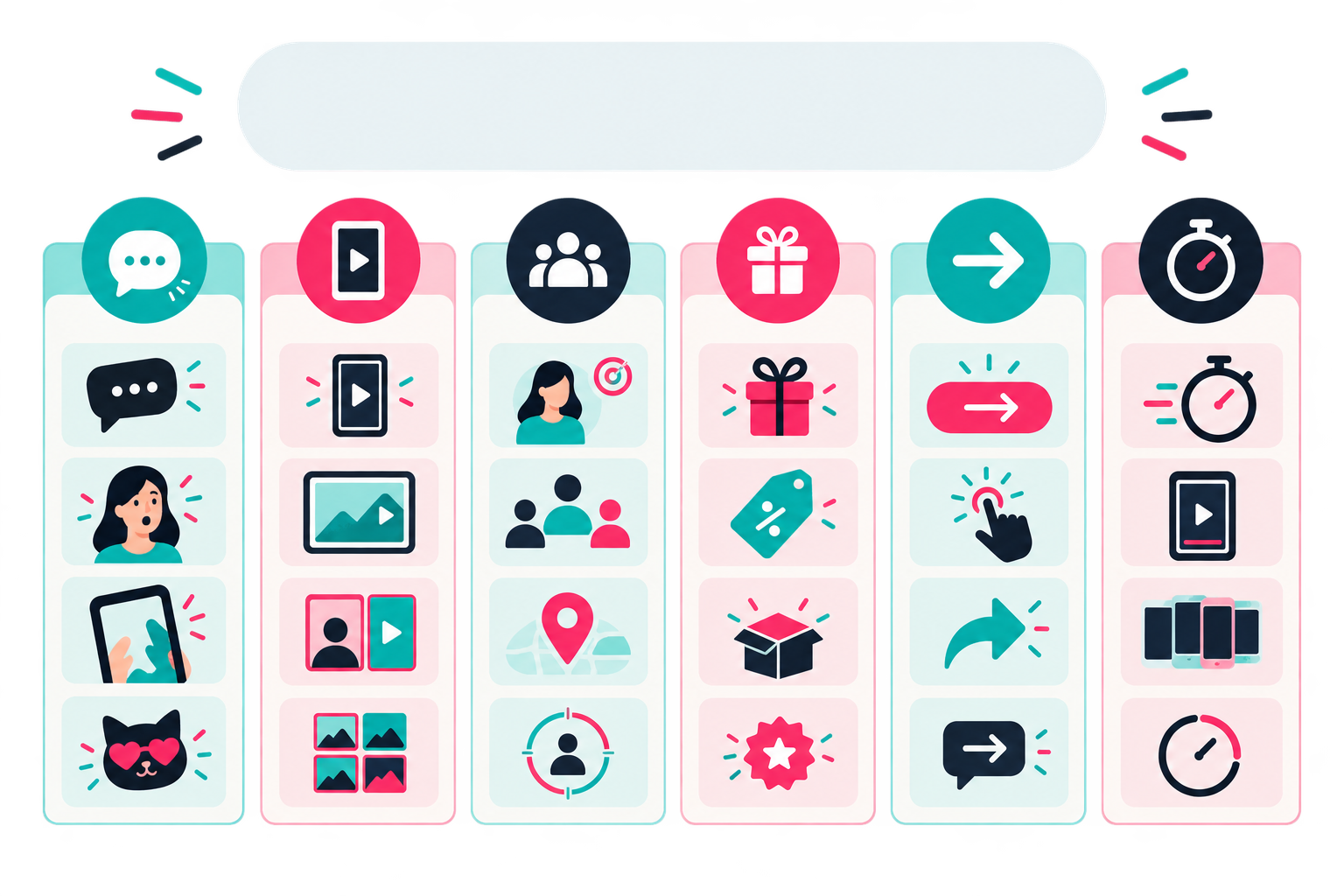
Tag every ad against the same six fields: hook type, format, angle, offer, CTA and length. Patterns you can't see in a single ad get much clearer after a month of tagged entries.
A note on interpreting competitor ads
You're inferring, not seeing performance data. Treat every insight as a hypothesis to test in your own account, not as a fact about what works.
Turn weekly TikTok ad changes into test ideas
Collecting competitor ads is only worth the effort if it changes what you make. Here's the loop.
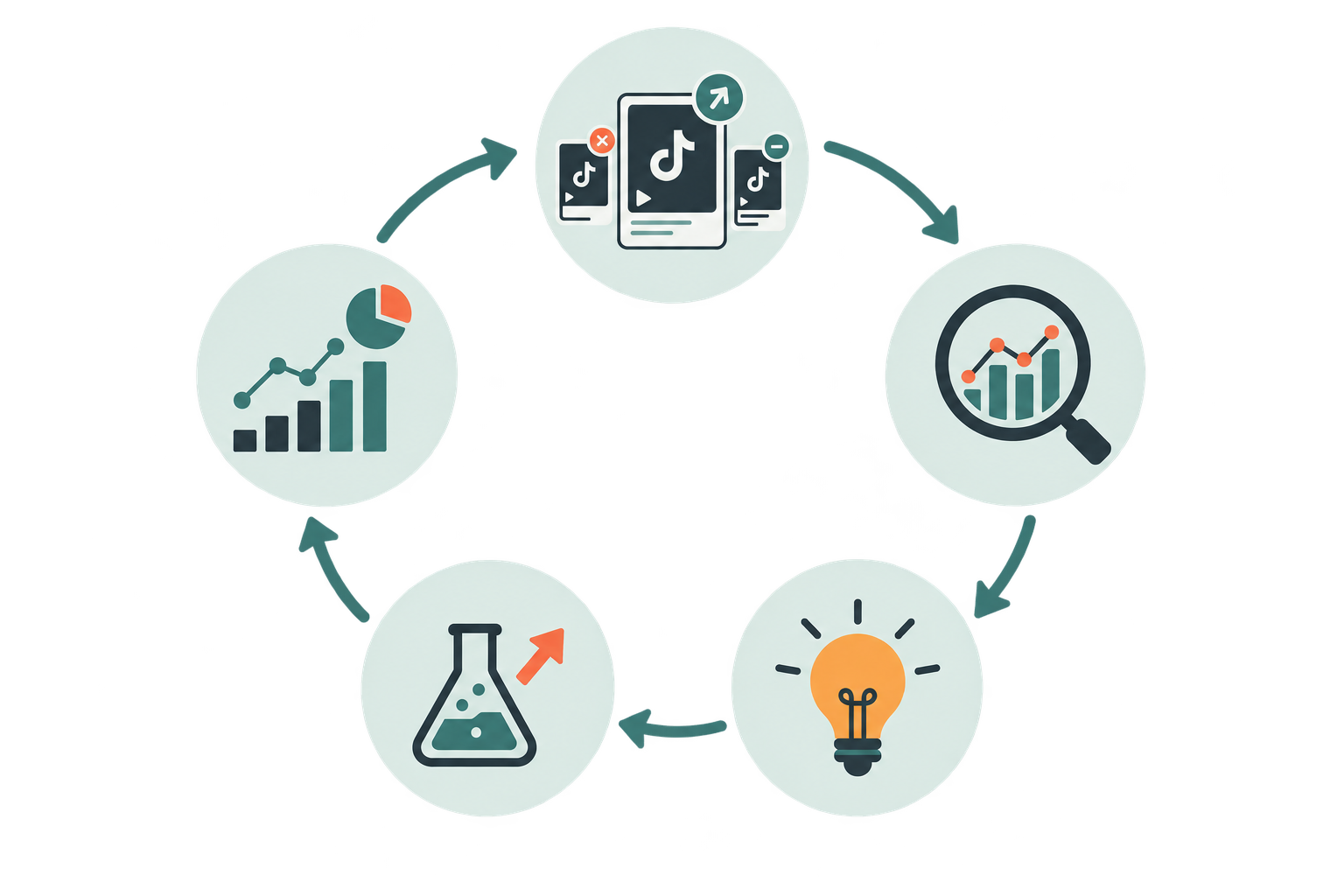
1. Start with the weekly ad comparison
Open your digest or sheet and look at three buckets: what's new, what's no longer appearing, and what's still running.
2. Look for patterns across competitor ads
You're looking for things like:
- A new angle appearing across several rivals at once
- A format that keeps appearing for weeks
- A sudden burst of variants around one concept
One ad is an anecdote. Three rivals doing the same thing is a pattern worth testing.
3. Turn the pattern into a hypothesis
Write it as something testable. For example: 'Problem-first hooks with on-screen text will beat our product-first opener on thumb-stop rate.' If you can't write it as a testable sentence, it's not ready.
4. Build a lean creative test brief
Keep it tight:
- Hook variations only, changing one variable at a time
- One clear success metric
- A budget cap so a miss stays cheap
5. Adapt competitor ideas, don't copy ads
Use the angle, not the execution. Rework it around your own brand voice, audience and proof points. Directly imitating a competitor's creative is bad practice and rarely works anyway, because their proof isn't your proof.
6. Keep the review rhythm light
A 15-minute weekly competitor review is enough. Add a monthly look at the trend: which formats have appeared more often, which hooks have faded, which offers keep returning.
Two example workflows for testing TikTok ad ideas
These are illustrative scenarios, not case studies.
UK DTC skincare brand. The weekly diff shows two rivals launching creator-led 'I tried it for 30 days' videos, with several variants of the opening line. Hypothesis: a 'before you buy' problem-first hook with on-screen text will outperform our current product-shot opener. Test: three hook variants on the same body footage, a fixed budget cap, and cost per landing page view as the metric.
B2B SaaS marketer. A competitor's polished explainer stops appearing, and screen-recording demos with a direct question hook show up in its place. Hypothesis: a 20-second screen recording that opens with the customer's pain beats our talking-head intro for demo requests. Test: two versions, one variable changed, cost per qualified lead as the metric.
Compare TikTok ads with other ad platforms
Don't look at TikTok in isolation. Cross-check what you see against the Meta Ad Library, Google's Ads Transparency Center and LinkedIn ads. If a rival's angle shows up on TikTok and Meta in the same week, it may well be a deliberate campaign theme rather than a one-platform experiment. That cross-platform view is what makes ad intelligence more useful than any single library.
Frequently asked questions about the TikTok ad library
Can I see any brand's TikTok ads for free?
Mostly, yes. The library is free to search, and you don't need an ad account. Coverage depends on the region, ad type and what TikTok includes, so some ads and details may not appear. It's a good first stop, but it won't show you everything a brand runs.
Does the TikTok ad library show how long an ad has run?
It generally shows when an ad was first and last shown, which gives you a rough sense of duration. It doesn't give you a timeline of how an advertiser has changed its creative over time. For that, record what you see regularly or use a monitoring tool.
How do I know when a competitor launches a new TikTok ad?
The native library doesn't send alerts, so you'd need to check on a regular schedule. A monitoring tool such as Rival Ads can automate the weekly check and show what's new, what's no longer appearing and what's still running, within the coverage limits described above.
Can I save a TikTok ad before it disappears?
You can keep links, notes and screenshots for internal reference, but ads can become harder to find once they stop running. Check platform terms and copyright before downloading or reusing anything. A weekly archive, whether in your own sheet or a tool, means you're not relying on memory.
Does the TikTok ad library show how well an ad is performing?
Not in terms of spend, conversions or results. You only get indirect signals, such as how long an ad keeps appearing and how many variations an advertiser produces. These are clues, not proof, so treat them as hypotheses to test in your own account.
Final thoughts: use the TikTok ad library as a starting point
Use the TikTok ad library for what it's good at: fast, free spot checks on what a brand is running in the UK and Europe right now. Then stop relying on your memory. Whether you build a tidy spreadsheet or let a tool handle the weekly archive, the real advantage comes from seeing change over time. Start small, tag consistently, and turn each week's findings into one clear test. 🎯